A LinkedIn post impression happens when at least 50% of your post is visible on a signed-in member's screen for 300 milliseconds. It's a visibility metric, not an attention metric, and the average LinkedIn post received about 812 impressions in 2025, down roughly 23% from 1,057 in 2024 based on Statista's LinkedIn post impression trend data.
If you've posted recently, checked analytics the next day, and stared at the impressions number wondering whether it's strong, weak, or useless, you're in good company. Most B2B founders don't need another abstract social media definition. They need to know whether LinkedIn is putting their content in front of the right people, and whether that visibility can turn into pipeline.
That's where impressions matter. They sit at the very top of the chain. No visibility means no comments, no profile visits, no inbound interest. But high impressions on their own can also fool you. A post can get seen and still do nothing for the business.
Regarding what post impressions are on LinkedIn, the practical answer is simple: they tell you whether LinkedIn distributed your content. The useful follow-up is harder. You need benchmarks, context, and a way to increase the kind of impressions that lead to real conversations.
Table of Contents
- Your LinkedIn Post Got Impressions But What Does That Mean
- What LinkedIn Post Impressions Actually Measure
- Impressions vs Reach vs Views vs Engagement
- How to Find Your Post Impressions in LinkedIn Analytics
- What Is a Good Number of Impressions on LinkedIn
- How to Increase Meaningful Impressions
Your LinkedIn Post Got Impressions But What Does That Mean
A founder publishes a post about a customer problem, checks LinkedIn the next morning, and sees a few hundred impressions. The reaction is usually the same. “Is that good?”
That question matters because impressions look precise, but without context they're slippery. A raw number doesn't tell you whether the post worked. It tells you LinkedIn placed the post in front of people some number of times. That's useful, but only if you interpret it correctly.
Think of impressions as the first gate. Before someone can comment, click your profile, or remember your name, your post has to show up on screen. If the number is low, you likely have a distribution problem. If the number is healthy but the post goes nowhere, the issue usually shifts from distribution to message quality.
Practical rule: Don't treat impressions as proof that people cared. Treat them as proof that LinkedIn gave your content a chance.
For B2B creators, this matters more than most vanity metrics. LinkedIn is often the platform where buyers, operators, recruiters, and partners discover you passively. Many don't engage publicly. They read, move on, and come back later through profile visits, connection requests, or direct messages.
That's why “what are post impressions on LinkedIn” isn't really a definition question. It's a decision-making question. You're trying to answer three things:
- Did LinkedIn distribute the post: If impressions are weak, the post likely didn't get much initial exposure.
- Was the post competitive for your account size: A small account and a large account should not judge impressions by the same standard.
- Did visibility turn into something useful: Comments, profile visits, and relevant conversations matter more than a flattering top-line number.
Busy founders usually make one of two mistakes. They either ignore impressions entirely, or they obsess over them in isolation. Neither helps. The number matters because it tells you whether the rest of your funnel even had a chance to happen.
What LinkedIn Post Impressions Actually Measure
The official rule
LinkedIn's definition is more technical than often assumed. A post impression is counted when at least 50% of the content is visible on a signed-in member's device screen for a minimum of 300 milliseconds, as described in ContentIn's explanation of LinkedIn impression criteria.
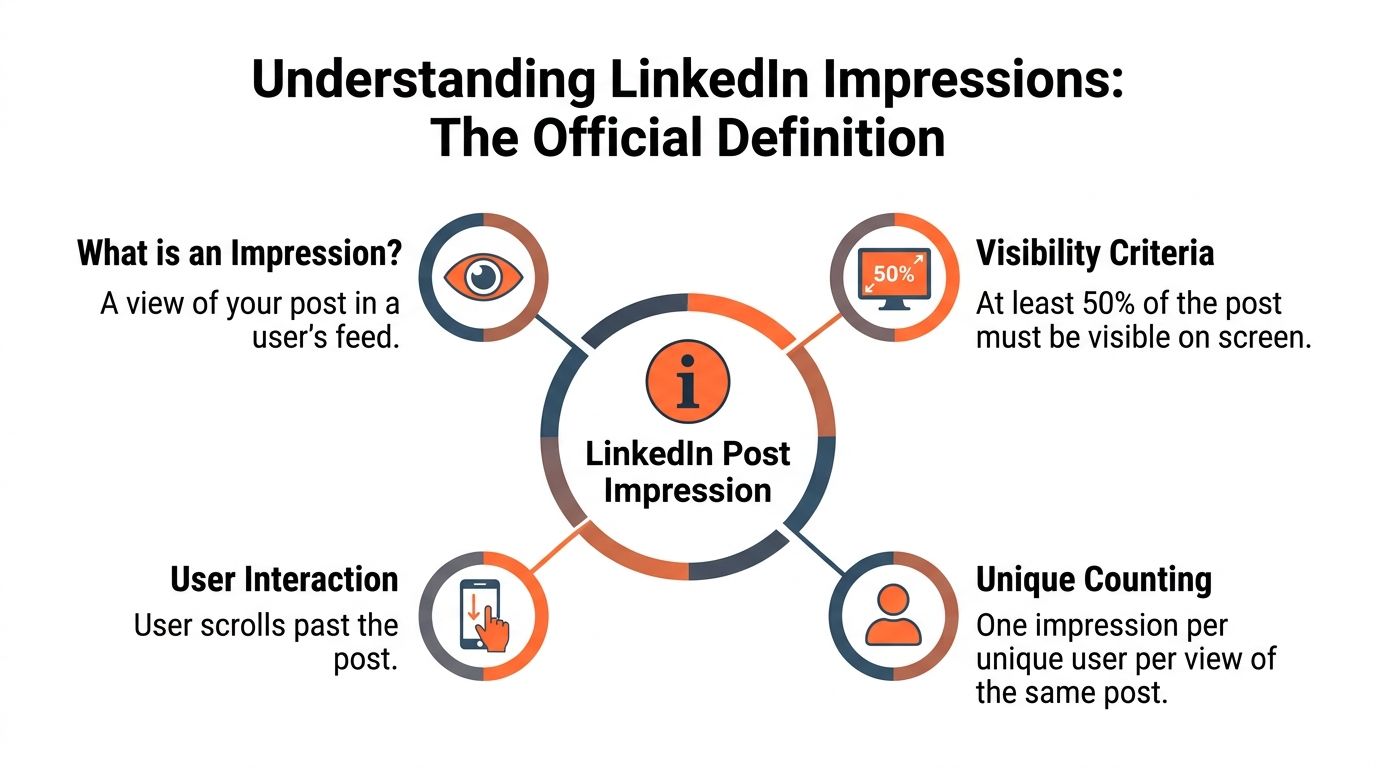
That's why the billboard analogy works. A car drives by a billboard. The driver may not study it. They may barely register it. But the billboard was still visible, so it created exposure. LinkedIn impressions work the same way. They measure display, not depth of attention.
This distinction matters because people often overread the metric. A post with strong impressions hasn't necessarily been read. It hasn't necessarily persuaded anyone. It merely cleared the threshold for visibility.
If you're trying to understand why one post gets distributed and another doesn't, it helps to understand how LinkedIn evaluates content mechanics. This guide to the LinkedIn algorithm is useful background if you want to connect impressions to distribution behavior.
Where impressions come from
Impressions can come from multiple places, not just the main feed. LinkedIn includes views from the main feed, profile visit pages, search results, and activity notification sections, according to Supergrow's breakdown of LinkedIn impression sources.
That gives the metric a wider meaning than “people saw my post while scrolling.” Someone may discover the post after visiting your profile. Someone else may encounter it through search. Another person may surface it from a notification trail.
There's also an important counting detail. LinkedIn counts every display of the post, so impressions are about total appearances, not unique audience size. If the same person sees the same post multiple times, those displays add up. Kanbox's explanation of impressions versus reach makes that distinction clearly.
A useful mental model is this: impressions answer “how many times was this shown,” not “how many people truly consumed it.”
So what does the metric measure in practical terms?
- Distribution: LinkedIn surfaced your post somewhere on platform.
- Frequency: The same person can contribute more than once to the total.
- Top-of-funnel opportunity: Every later action depends on this first layer of visibility.
What it does not measure is just as important:
- Attention: Someone may have scrolled by instantly.
- Comprehension: Visibility doesn't mean they understood the point.
- Business impact: A high impression count can still produce no relevant conversations.
That's why experienced operators don't stop at “more impressions = better.” They ask whether the platform distributed the content to enough people, and whether the post earned anything valuable after that distribution happened.
Impressions vs Reach vs Views vs Engagement
A founder checks LinkedIn after a post goes live and sees a decent impression count. Good start. Then the obvious question shows up: did anyone see it, read it, or care enough to respond?
That question gets messy because LinkedIn puts several related metrics next to each other, and they do not mean the same thing.
| Metric | What It Measures | Practical read |
|---|---|---|
| Impressions | Total times the post appeared on screens | LinkedIn gave the post distribution |
| Reach | Unique people who saw the post | How wide the audience was |
| Views | Format-specific consumption, usually for videos or articles | Whether people spent actual viewing time on that format |
| Engagement | Actions such as likes, comments, shares, and clicks | Whether the post created a response |
Here is the practical distinction that matters. Impressions measure exposure volume. Reach measures audience breadth. Views measure actual consumption for certain formats. Engagement measures reaction.
That difference changes how you diagnose performance.
If a post gets strong impressions but weak engagement, the problem usually is not distribution. The post got shown. It just did not earn enough interest to make people stop, comment, click, or share. In B2B, that often points to a weak opening, a generic opinion, or a topic that feels familiar rather than useful.
If reach is solid but impressions are much higher, the same audience is seeing the post more than once. That can be fine. Repeated exposure helps if the post is strong. It is less useful if the post is attracting passive scrolling and no meaningful action.
Views need their own interpretation. A video view is not the same as a comment from a qualified buyer. Useful signal, yes. Business result, not by itself.
Engagement is where a lot of teams get lazy. They lump likes, comments, and clicks into one bucket and call it proof the content worked. That misses the actual trade-off. Comments usually carry more value than likes because comments can extend distribution, start conversations, and reveal whether the topic resonated with the right people. If your goal is pipeline, a comments-first strategy usually beats chasing broad, empty visibility. A practical LinkedIn engagement strategy for increasing comment-driven distribution matters more than trying to inflate top-line exposure.
A simple way to read these metrics as a B2B creator or founder:
- High impressions, low engagement: LinkedIn gave you a shot. The post did not convert attention into response.
- Low impressions, strong comments from a small group: The idea may be strong, but distribution is limited.
- High reach, lower repeat impressions: The post spread broadly across more people.
- Higher impressions relative to reach: The same audience saw it multiple times.
The mistake is treating all four metrics as one performance score. They answer different business questions.
- Impressions: Did LinkedIn distribute the post enough to matter?
- Reach: Did it get beyond your usual audience?
- Views: Did people spend time with the format?
- Engagement: Did the content create enough interest to produce a response?
For operators, the order matters. Impressions come first because no one can engage with a post they never see. But engagement tells you whether those impressions were worth anything. That is why the best benchmark is not “how many impressions did we get?” It is “did this post get enough comments, clicks, or conversations to justify the exposure?”
How to Find Your Post Impressions in LinkedIn Analytics
Check a single post first
The fastest way to answer “how many impressions did this get?” is to open the post itself. Go to your LinkedIn profile or company page, find the post, and look beneath it for the analytics area where LinkedIn displays performance data.
Generally, this is the best starting point because it keeps the analysis tied to a specific piece of content. You're not staring at a dashboard full of aggregate numbers. You're looking at one post and asking whether it got distribution.
If you want a practical walkthrough for improving what happens after the post goes live, this LinkedIn engagement strategy guide is a useful companion.
Use the broader analytics view
Once you've checked individual posts, open the wider analytics area to compare performance across multiple posts over time. That's where patterns become visible. You'll spot which topics repeatedly attract distribution and which ones stall.
A simple review rhythm helps:
- Check the post-level number first: Did this specific post get shown enough to matter?
- Compare against recent posts: Was this better, worse, or normal for your account?
- Look for format and topic patterns: Certain themes often earn more consistent visibility than others.
This walkthrough shows the process in motion:
Don't overcomplicate the workflow. Founders often lose time hunting for the “perfect” dashboard setup when the primary goal is much simpler. You want to know which posts got enough visibility to deserve further analysis, and which ones died before they had a chance.
If you only check analytics when a post “feels” successful, you'll miss the patterns that actually improve future distribution.
What Is a Good Number of Impressions on LinkedIn
A founder checks LinkedIn after posting, sees 600 impressions, and has no idea whether that number is promising or weak. The answer depends less on the raw count and more on who posted it, how large the audience is, and whether those impressions came from the right people.
Follower count is the first filter.
Benchmarks depend on follower count
The clearest benchmark is size-adjusted. Posts from accounts with under 1,000 followers typically get a median of 225 impressions, while accounts with 1,000 to 5,000 followers get a median of 527 impressions, and accounts with 100,000+ followers reach a median of 12,111 impressions per post, according to MagicPost's follower-count benchmark analysis.
That matters because raw impressions get misread all the time. A post with 400 impressions can be solid for an early-stage founder building an audience from scratch. The same result on a mature creator account would be a miss.
Use a practical standard instead of chasing a universal number:
- Under 1,000 followers: A few hundred impressions can be a healthy result, especially if the post attracts comments from buyers, peers, or referral partners.
- 1,000 to 5,000 followers: Baseline distribution should rise. Posts that stall far below your recent average usually signal a weak topic, weak opening, or poor early engagement.
- Large accounts: Higher impressions are expected, but the bar is higher too. Big visibility with low relevance is still mediocre performance.
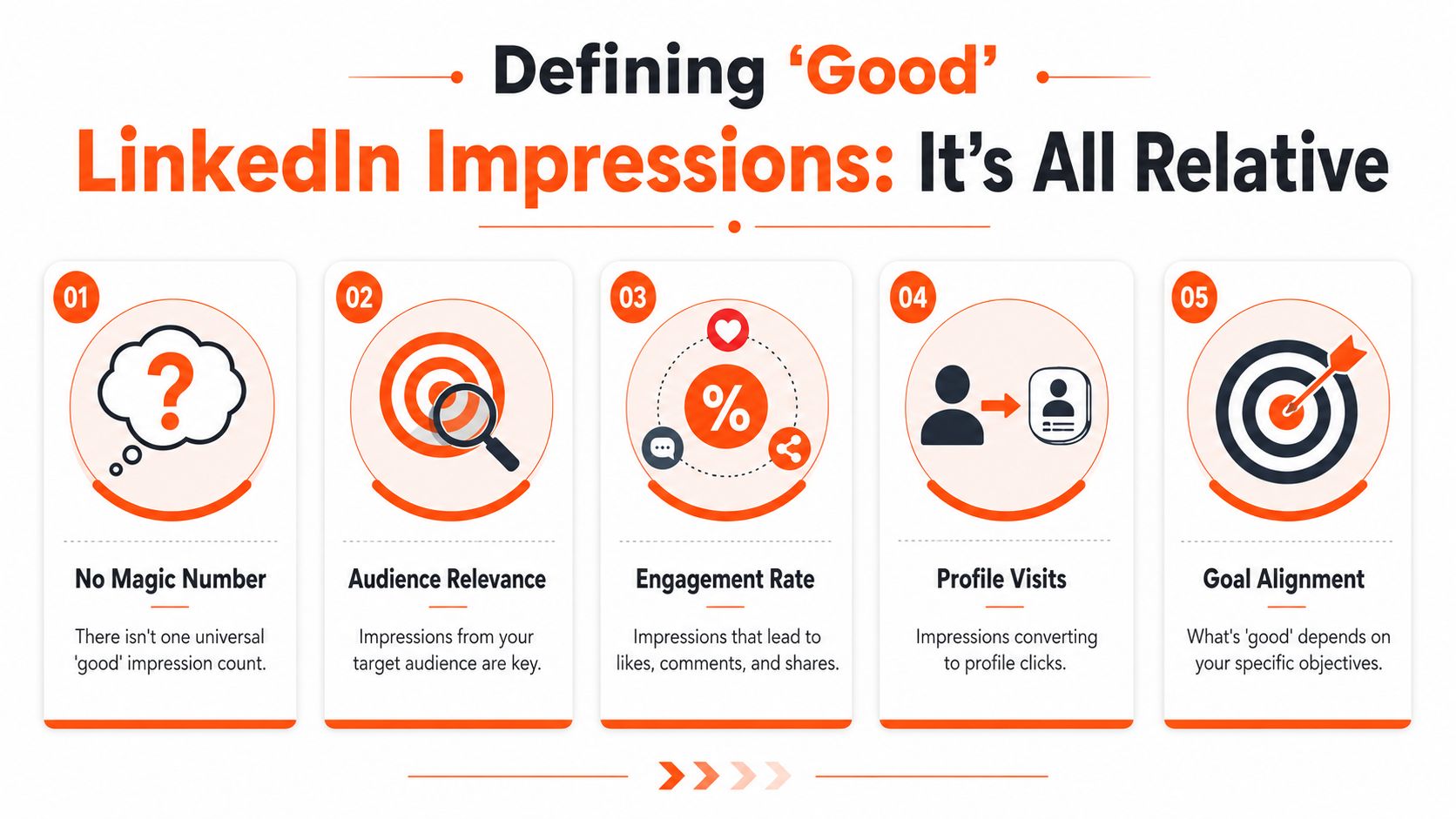
There is also a business reality many creators ignore. Broad career-content posts often pull more impressions than niche B2B posts, but that does not make them better. If a post reaches fewer people and starts sales conversations, partner intros, or qualified profile visits, it outperformed the vanity winner.
As noted earlier, the overall distribution environment on LinkedIn has become less generous over time. Old benchmarks can make current posts look worse than they really are. Judge performance against your current baseline, not a memory from a stronger year of organic reach.
A simple way to score a post is to ask three questions:
- Was the impression count normal for this account size?
- Did the post attract comments from the right audience?
- Did it lead to a useful next step, such as profile visits, connection requests, or inbound interest?
If the first answer is yes and the next two are no, the post had visibility but little business value. If the impression count is modest but the right people engaged, that post probably did its job.
This is why I treat impressions as an input metric, not the final score. For B2B creators, a good number of impressions is high enough to create repeated exposure inside your niche and low enough that you can still trace what topics, hooks, and comment patterns are working. If your posts are getting seen by the right audience, start by improving the opening. These LinkedIn post hook examples for growth help raise distribution without drifting into generic content.
How to Increase Meaningful Impressions
A post can get seen by plenty of people and still do very little for pipeline.
The practical goal is different. You want impressions from the right buyers, peers, and referral partners, then enough engagement to turn that visibility into profile visits, follows, conversations, and inbound interest.
Use a comments first strategy
For B2B creators, the fastest way to improve meaningful impressions is often outside your own posts. A comments-first strategy puts you inside active conversations that already have attention, instead of waiting for the feed to distribute your content from scratch.
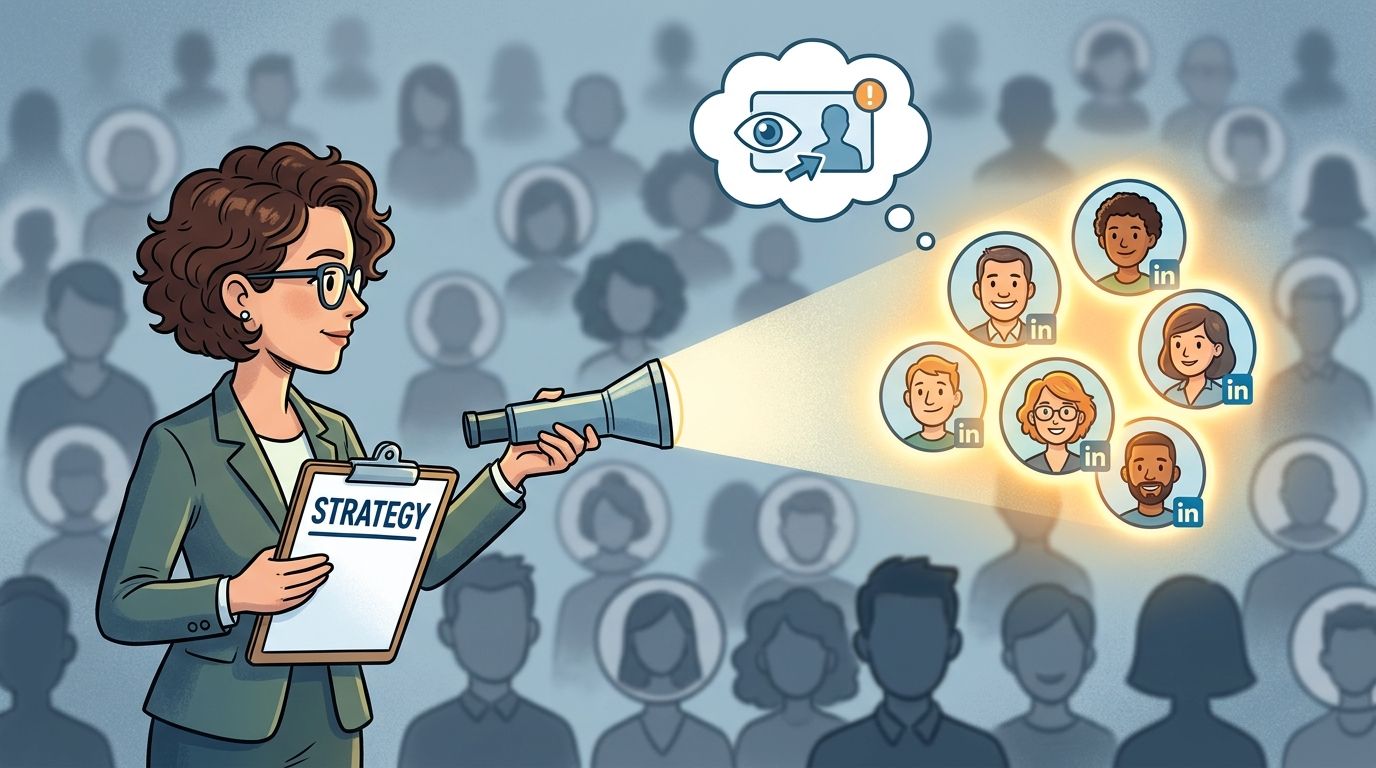
This works only if the comments add real signal. Short agreement comments rarely do much. A strong comment gives a practical example, disagrees with a specific point, adds context from direct experience, or asks a question sharp enough to pull the thread forward. Those are the comments that earn likes, replies, profile clicks, and a second look at your last few posts.
A simple system works well:
- Comment where your market already pays attention: Focus on posts from industry operators, niche creators, customers, and adjacent partners.
- Write for the second reader: The post author matters, but the bigger opportunity is everyone else reading the thread.
- Create continuation, not applause: Add a missing angle, a lesson from execution, or a concrete example people can use.
- Show up repeatedly: Familiarity compounds when the same relevant people see your name attached to useful ideas across multiple threads.
I have seen this outperform extra posting volume for early-stage founders and niche consultants. Especially when their audience is small and specialized.
Structure posts to convert borrowed attention into your own distribution
Comments-first gets you discovered. Your posts still need to convert that attention.
When someone finds you through a smart comment, they usually check your profile and scan your recent content. If those posts open weakly, ramble, or sound generic, the extra impressions you earned in comments stop there. If the posts are clear and specific, the visibility from comments turns into followers, return readers, and direct outreach.
Good post structure supports the comments-first strategy in three ways:
- Open with a sharp point: Lead with the claim, lesson, or tension. If you bury it, profile visitors will not stay long enough to find it. For practical examples, study these LinkedIn post hooks that improve distribution without sounding generic.
- Deliver one useful idea: A single concrete lesson usually beats a broad list of vague points. Readers should know exactly what to take away.
- End with a response prompt that fits the topic: Ask for experience, disagreement, or a decision between two options. Forced engagement bait weakens credibility.
Weak posts usually fail in predictable ways. They start too slowly, stay too abstract, or ask for comments without giving anyone a reason to respond. Strong B2B posts make a clear claim early, back it with specifics, and invite the kind of discussion your ideal audience would want to join.
That is the operating model. Use comments to get in front of the right people. Use well-structured posts to hold their attention after they click through. Meaningful impressions grow when both parts work together.
If you want to grow LinkedIn while you sleep, Linqin is built for exactly that. It helps teams automate audience growth through a comments-first workflow, create posts in your voice, and tie LinkedIn activity back to measurable outcomes so visibility doesn't stay a vanity metric.