You're probably already posting on LinkedIn. Maybe you even have a spreadsheet, a Notion board, or a scheduling tool full of ideas. But the results still feel thin. Some posts get decent traction, others disappear, and most weeks end with the same question: why am I putting this much effort into content if it isn't clearly turning into pipeline?
That frustration usually isn't a consistency problem. It's a strategy problem. A lot of teams build a LinkedIn content calendar like it's a publishing checklist, when it should operate like a revenue system. Dates matter. Cadence matters. But if every post is just “something to publish on Tuesday,” the calendar becomes admin, not a strategic asset.
Table of Contents
- Introduction The Problem with Most Content Calendars
- Define Your Strategy Before You Schedule
- Build Your LinkedIn Content Calendar Template
- Automate Execution and Amplify Your Reach
- Measure Performance and Manage Team Workflows
- Conclusion Your Calendar as a Growth Engine
Introduction The Problem with Most Content Calendars
Most content calendars fail for a simple reason. They answer when but not why.
A calendar isn't strategy. It's infrastructure. If the strategy is weak, all the calendar does is help you publish weak ideas on time. That's why so many founders and B2B marketers stay “consistent” and still get flat reach, vague engagement, and no clear path from post to opportunity.
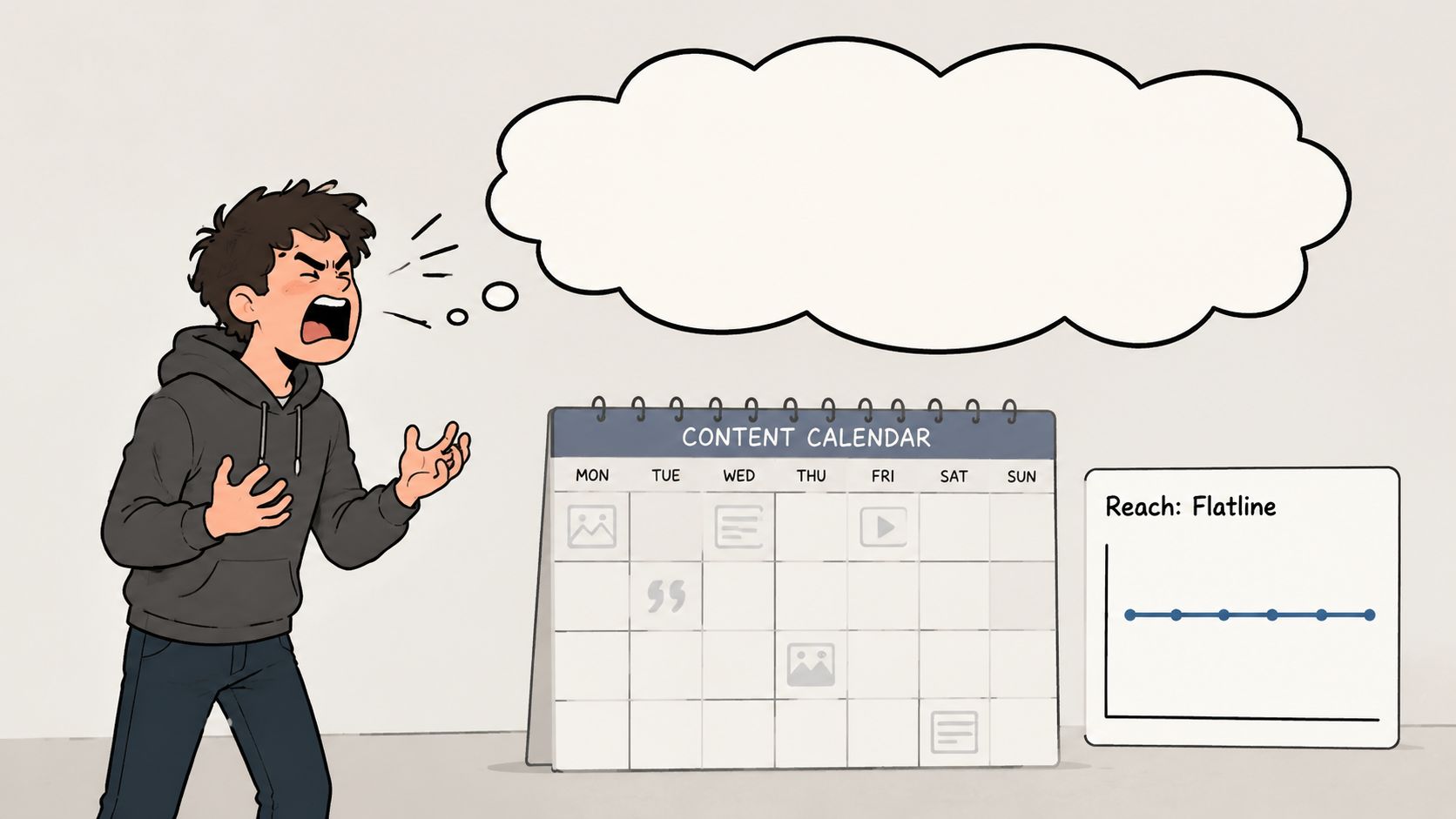
The deeper issue is purpose. According to Jack Appleby's LinkedIn post on why a content calendar is not a strategy, 70% of high-performing B2B posts are driven by audience challenges and real-time engagement, not rigid pre-scheduled topics. That's the gap frequently overlooked. This leads to building a neat calendar, then filling it with content that serves the internal schedule more than the buyer.
What bad calendar use looks like
You can usually spot it fast:
- Topic stuffing: one week is product updates, the next is company culture, then a random hot take, with no thread connecting them.
- Vanity planning: the team celebrates having the month “filled out” even though no post has a clear role in lead generation, authority building, or demand creation.
- Reactive rewriting: posts get drafted late, approved later, and published because the slot exists, not because the idea deserves distribution.
That's how brands end up shouting into the void while telling themselves they're doing content right.
Practical rule: If you can't explain what a post is supposed to do for the business before it goes live, it doesn't belong on the calendar.
A useful LinkedIn content calendar does something different. It gives structure to content that already has a job. It helps you repeat themes that matter, leave space for timely conversations, and connect publishing decisions to business outcomes. The shift is subtle, but it changes everything. You stop asking, “What should we post tomorrow?” and start asking, “What conversation are we trying to own, and how will we know it worked?”
That's the point of the calendar. Not to make posting feel organized. To make your LinkedIn presence predictable, intentional, and commercially useful.
Define Your Strategy Before You Schedule
A lot of LinkedIn calendars fail before the first post is written.
The team opens a spreadsheet, starts filling dates, and feels productive. Two weeks later, the feed is active but nothing meaningful is happening. No stronger pipeline. No clearer market position. No pattern in the conversations coming back. The problem was never the template. The problem was building a publishing plan before deciding what LinkedIn needs to do for the business.
Start with business outcomes
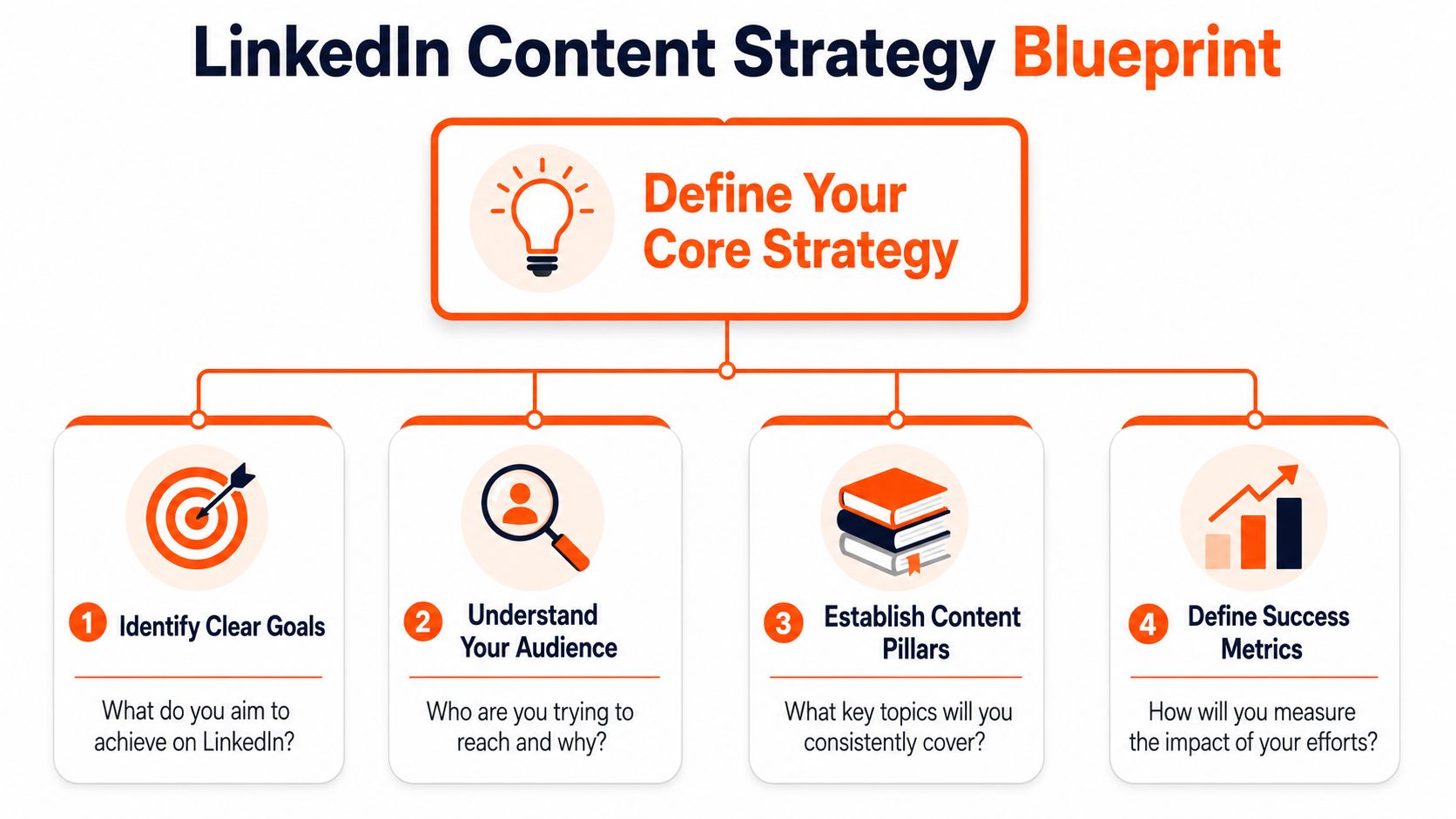
Set the goal before you set the cadence.
“More engagement” is not a strategy. It is a reporting metric. A useful LinkedIn strategy ties content to outcomes the business can feel:
- Generate inbound conversations from the right buyers, partners, or candidates.
- Build category authority so prospects reach sales calls with context and trust already in place.
- Support pipeline creation by turning posts into profile visits, direct messages, email signups, or demo interest.
Each goal changes what belongs on the calendar. A founder building authority needs a different mix from a sales-led team trying to create warm outbound lift. A company hiring senior talent needs credibility and operator-level insight, not a stream of product announcements.
A simple test helps here. Remove likes and impressions from the dashboard. If the goal becomes hard to defend, it is too vague.
For founders who need a tighter planning model, this LinkedIn content strategy guide for founders gives a useful framework for aligning audience, message, and commercial intent.
Build pillars that support revenue
Once the outcome is clear, define a small set of recurring content pillars. At this stage, strategy starts to become operational.
Three to five pillars is usually enough. Fewer than that can make the feed repetitive. More than that usually creates drift, especially when multiple people contribute ideas.
A practical structure looks like this:
Audience pain points
Posts that surface expensive problems, stalled processes, and bad assumptions your buyers are still carrying.Point of view
Content that explains how you see the market, what you disagree with, and what better execution looks like.Proof and process
Material drawn from client work, internal experiments, team workflows, and repeatable systems. This is often where trust gets built.Offer-adjacent content
Posts that connect your expertise to the problem you solve without forcing every update into a sales pitch.
The trade-off is straightforward. Broad pillars give the team more creative room, but they also make it easier to publish content that gets attention from the wrong audience. Narrow pillars improve relevance, though they require stronger editorial discipline to keep the feed interesting.
Decide what each post is supposed to do
This is the step B2B marketing teams often skip.
Every post on the calendar should have a job. Some posts attract the right audience. Some build credibility. Some create direct response. Some are designed to be repurposed by sales or executives. If that role is unclear, the post usually turns into filler.
I use a simple rule. If a team cannot answer “why are we publishing this?” in one sentence, the idea is not ready for the calendar.
That answer should be specific. Examples:
- Start conversations with operations leaders in SaaS
- Create proof around a repeatable client result
- Reinforce the founder's point of view on a category problem
- Drive traffic to a lead magnet or event signup page
Once that discipline is in place, the calendar becomes more than a schedule. It becomes a system for allocating attention across business goals.
Capture strategy, not just logistics
A useful calendar needs more than dates, formats, and deadlines. It should also capture the context that helps the team execute without guessing: the target audience, the content pillar, the intended outcome, the core message, and the CTA.
That extra context is what makes the calendar commercially useful. It also makes AI automation far more effective later. If your team wants help generating first drafts, remixing top-performing ideas, or turning one post into a sequence, the inputs need to be strategic. AI can speed up execution, but it cannot fix weak positioning or a vague goal.
Strong calendars also make repetition easier to manage. A proven idea does not lose value because it was posted once. On LinkedIn, good concepts often need multiple angles, different hooks, and fresh examples before the market really absorbs them. Reusing a winning theme with a sharper frame will outperform chasing novelty for its own sake.
Build Your LinkedIn Content Calendar Template
Once the strategy is stable, the template becomes your operating system. Here, the challenge for many lies in either simplifying too much or overbuilding. If the calendar only tracks publish dates and rough topics, it won't support scale. If it tries to manage every possible detail, no one keeps it updated.
The practical middle ground is a shared template in Google Sheets, Notion, or your scheduler of choice that contains enough information to move a post from idea to approval to publication without guesswork.
What the template needs
At minimum, your LinkedIn content calendar should track the fields the team needs to execute. According to Fedica's guide to a professional LinkedIn calendar, core fields should include copy, creative assets, campaign tags, content type, topics, posting dates and times, target platforms, hashtags, and CTAs.
That's the baseline. For day-to-day use, I'd keep the working template tight and visible:
| Post Date | Status (Draft/Approved/Scheduled) | Content Pillar | Post Format (Text/Image/Video/Poll) | Copy | CTA | Link | Notes/Metrics |
|---|
A few fields do more work than they seem to:
- Status keeps content from dying in approval limbo.
- Content Pillar shows whether your month has strategic balance or random drift.
- Copy should include the actual draft or at least a meaningful snippet, not just a title.
- Notes/Metrics turns the calendar into a feedback loop instead of a publishing graveyard.
If your team keeps asking when to publish, this best time to post on LinkedIn guide can help shape scheduling decisions. Still, timing won't rescue weak positioning. Use timing to support good content, not to compensate for vague ideas.
A practical 30 day operating model
Here's what a workable month often looks like in practice.
Say a B2B SaaS founder posts on LinkedIn with a goal of generating warm inbound from operators and buyers. The month doesn't need thirty unrelated ideas. It needs recurring themes with enough variation to stay useful.
One common approach is to draft the full month ahead and keep room for timely posts. Scheduled.so's guide to creating a LinkedIn content calendar defines a content calendar as a structured system that stores posts, sets publication dates and times, and helps users visualize topic frequency. The same guide recommends mapping out a full month in advance, often by scheduling one draft per day across all 30 days, then refining based on performance.
A simple monthly mix could look like this:
- Week one: sharp text posts on customer pain points
- Week two: opinion posts that challenge common assumptions in the category
- Week three: behind-the-scenes operational lessons or team workflows
- Week four: offer-adjacent posts that connect the audience's problem to your solution
That doesn't mean posting every draft. It means having enough raw material prepared so you're never starting from zero.
The calendar should lower creative pressure, not lock you into publishing everything on it.
The strongest monthly plans also leave room to rework proven posts. If a text post sparks strong discussion, turn the same core idea into a shorter version, a carousel, or a sharper contrarian angle later in the quarter. Calendars work best when they preserve patterns that already earned attention.
Automate Execution and Amplify Your Reach
A full calendar still doesn't solve the hardest part. Execution does.
Most LinkedIn programs break down at the point where ideas meet reality. Somebody has to draft the post, polish it, get approval, publish it, respond to comments, and keep the whole machine running next week. That's where good intentions usually die.
Manual publishing is the bottleneck
Manual posting feels manageable when volume is low. It stops working when LinkedIn becomes part of your growth engine.
You can see the failure pattern quickly. The founder means to post, but meetings take over. The marketer queues a draft, but review stalls. The sales leader writes once, gets busy, and disappears for two weeks. The calendar still exists, but the cadence breaks, the voice gets inconsistent, and the team falls back into reactive posting.
That's why batching matters. Ligo Social's LinkedIn content calendar best practices recommends a workflow built around weekly 2 to 3 hour creation sessions, a half-day monthly planning session, and a 2 to 3 hour quarterly review. The same source suggests a 70-30 approach, with 70% planned content and 30% spontaneous posts, plus 1 to 2 weekly slots reserved for timely industry news or engagement-driven topics.
This model works because it accepts a basic truth. LinkedIn rewards consistency, but attention on the platform still shifts in real time. A rigid content machine misses live conversations. A purely reactive one never compounds.
Execution needs a system, not reminders
The better approach is a workflow where content is drafted, reviewed, and scheduled in batches, while still leaving room for adaptation. That usually means separating the work into clear stages:
- Idea capture from customer calls, sales objections, comments, and market shifts.
- Drafting in batches so you're not forcing originality every morning.
- Review and approval for accuracy, brand alignment, and sharpness.
- Scheduling to maintain cadence without daily manual effort.
- Post-publish engagement so strong posts turn into conversations instead of dead assets.
Basic schedulers and more intelligent systems part ways; a scheduler only handles timing. It doesn't solve blank-page dread, weak ideation, or the need to participate in conversations already happening in your niche.
There's also another reach problem most calendar advice ignores. Posting only from your own profile means you're depending heavily on your existing audience and the feed. A stronger system includes active participation in relevant conversations, especially in comments. That “comments-first” motion is often what creates the profile visits and follower growth that make your own posts perform better later.
A deeper look at this dynamic is in this LinkedIn algorithm explained growth guide, especially if your current calendar is strong on planning but weak on distribution.
One useful way to think about execution is shown below.
The key trade-off is simple. Manual execution gives you control but creates inconsistency. Automation gives you consistency, but only if the inputs are grounded in a real strategy and the outputs still sound like a human operator with a point of view.
Measure Performance and Manage Team Workflows
A LinkedIn content calendar earns its place when it helps a team answer a hard question during pipeline review. Which posts created business movement, and which ones just filled the feed?
That distinction matters. Plenty of teams can point to publishing volume, impressions, or a spike in reactions. Fewer can show which topics led to profile visits from the right buyers, which posts triggered sales conversations, or which content pillars kept producing qualified interest over time.
Track outcomes, not just activity
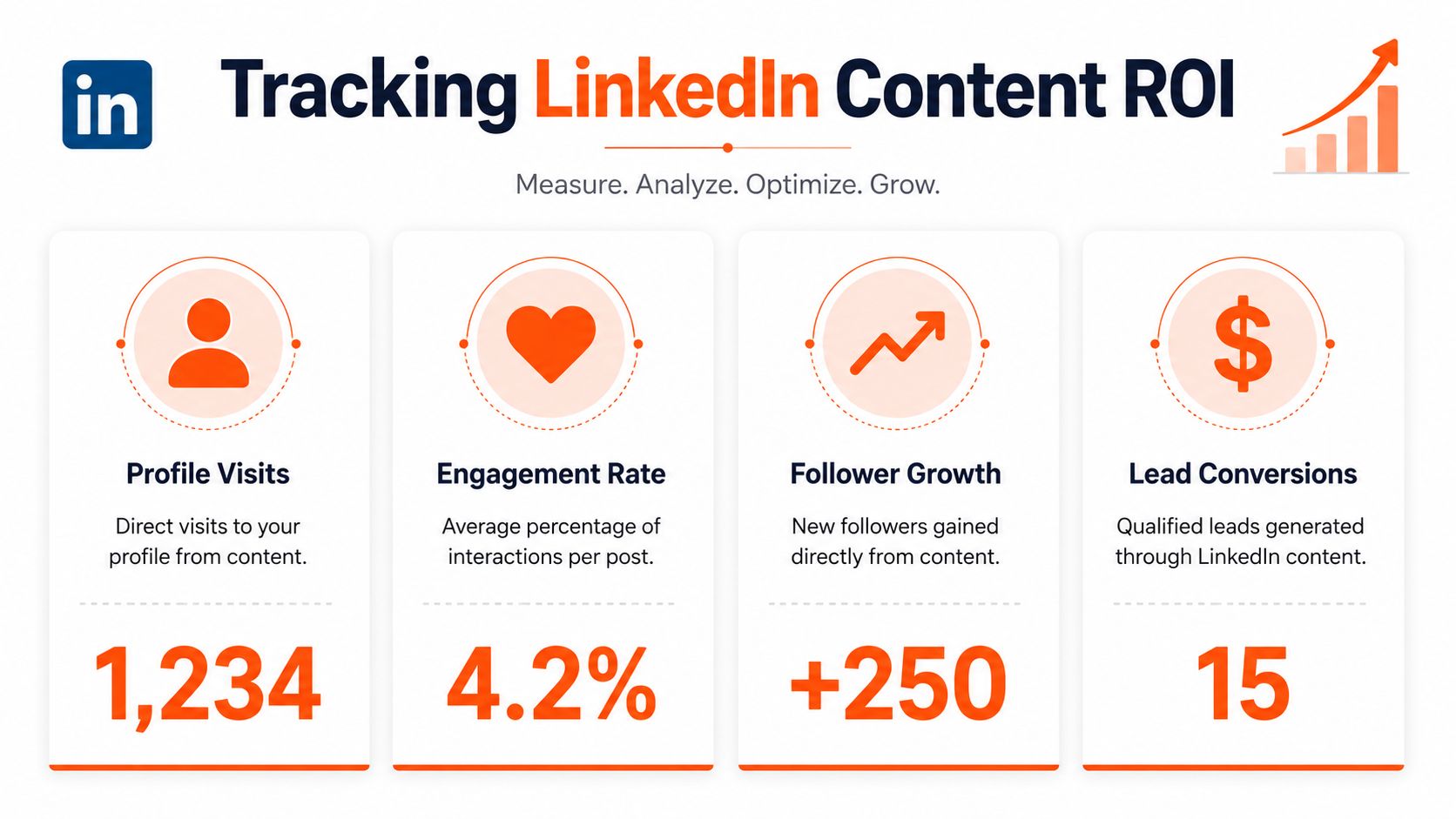
The calendar should make attribution easier, not harder. According to Creator Match's analysis of LinkedIn content calendars and ROI attribution, many guides stop at publishing workflows and leave teams without a clear way to connect posts to business results. Their writeup also points to AI agents as a practical way to connect content activity with profile visits and inbound messages.
That changes what belongs in your reporting view.
Instead of rewarding the post with the highest public engagement, review performance through a commercial lens:
- Which posts drove profile visits from the audience you want
- Which comment threads led to connection requests or direct replies
- Which topics produced inbound messages with buying intent
- Which content pillar repeatedly opened sales-relevant conversations
Those signals are less flashy, but they are far more useful for a B2B team trying to justify time, budget, and headcount.
A post with modest engagement can still outperform a viral one if it starts conversations with the right accounts.
This is why the calendar template needs more context than publish date and draft copy. Add campaign tags, content pillar, target persona, CTA type, owner, and post format. Once that structure is in place, the team can review patterns across weeks or quarters instead of arguing over one post that happened to spike.
Build a review process teams will actually use
Measurement breaks down fast when the workflow is messy. If strategy lives in one doc, copy in another, approvals in Slack, and results in a spreadsheet no one updates, the calendar turns into admin overhead instead of an operating system.
A workable review rhythm is usually simple:
- Weekly review: assess upcoming drafts, confirm priorities, and fix weak angles before publishing.
- Approval step: assign one decision-maker to review accuracy, positioning, and voice. More reviewers usually means slower publishing and softer copy.
- Quarterly review: look at recurring winners and underperformers by pillar, audience, offer, and format.
The collaboration side matters just as much as the editorial side. Effective planning tools should support shared visibility, scheduling, previews, clear handoffs, and approval steps inside one workflow. The point is not more process. The point is fewer missed details and less confusion about who owns what.
I have seen teams lose momentum for one simple reason. Nobody knows whether a post is waiting for edits, legal review, leadership sign-off, or final scheduling.
A short checklist prevents that drift:
- Assign one owner per post. Shared ownership usually leads to delays.
- Keep one visible source of truth. Draft, status, tags, and notes should live in the same place.
- Use one approval standard. Review for clarity, accuracy, positioning, and voice. Do not let personal preferences hijack the process.
- Record one postmortem note after publishing. Capture what drove replies, saves, profile visits, or buyer conversations.
That is the difference between a calendar that helps the team publish and a calendar that helps the team improve. The first one organizes content. The second one builds a repeatable path from content pillars to pipeline.
Conclusion Your Calendar as a Growth Engine
A LinkedIn content calendar should do more than prevent missed posting days. It should help you turn market knowledge into consistent visibility, and visibility into business outcomes.
That only happens when the calendar sits on top of a real strategy. First, define the audience and the commercial objective. Then build a template that captures enough context to make execution smooth. After that, create an operating rhythm that supports batching, adaptation, review, and measurement. When those parts line up, the calendar stops being a content admin file and starts acting like infrastructure for demand creation.
The tactical side still matters. Sprout Social's LinkedIn statistics roundup reports that LinkedIn has 1.3 billion registered members globally and recorded 1.4 billion monthly visits as of February 2026. The same source notes that marketers see strong results by posting 3 to 5 times per week, and that 51% of users are most likely to interact with text-based posts when engaging with brands. That points to a useful baseline. Stay consistent, publish often enough to remain visible, and make text posts the backbone of your system.
But the bigger win isn't frequency. It's intent.
A strong calendar gives every post a role. Some posts build authority. Some create conversation. Some surface buyer pain. Some move people toward a next step. The point isn't to fill slots. The point is to create a repeatable path from idea to attention to trust.
That's why the best LinkedIn operators don't treat the calendar like a static schedule. They use it like a control center. They repeat high-performing ideas. They leave room for timely market reaction. They review outcomes instead of guessing. And they keep tightening the connection between content and pipeline.
If your current process still depends on last-minute drafting, inconsistent publishing, or vague reporting, the fix usually isn't more hustle. It's a better system.
If you're ready to stop treating LinkedIn as a manual chore and start using it as a compounding growth channel, Linqin is built for that. It helps you grow LinkedIn while you sleep with AI-powered posting, commenting, lead tracking, and attribution that connects content activity to real business outcomes.