You can post every day, reply to comments between meetings, and keep three or four channels active. That still does not guarantee growth. For a lot of teams, the result is familiar. Inconsistent reach, uneven engagement, and plenty of activity that never turns into qualified conversations or pipeline.
Social media growth tools help close that gap by solving different problems. Some improve distribution and publishing consistency. Some increase response volume and visibility. Others show which posts, topics, and formats lead to clicks, leads, and repeatable performance.
That advantage is critical because social media is too competitive to run on instinct alone. Execution without a system usually creates more content, not better results.
The useful way to compare these tools is by core growth function, not by feature volume. A scheduling tool solves a different problem than a LinkedIn writing assistant. An analytics platform answers different questions than an automation tool built for prospecting workflows. If LinkedIn growth is a priority, that distinction matters even more because the strongest tools in this category are not interchangeable.
The list below is organized to help you choose based on business goal. Use one type of tool to improve posting consistency, another to sharpen LinkedIn content performance, and another to measure what is contributing to visibility, engagement, and lead generation.
Table of Contents
- 1. Linqin
- 2. Taplio
- 3. AuthoredUp
- 4. SHIELD
- 5. Sprout Social
- 6. Buffer
- 7. Hootsuite
- 8. Metricool
- 9. SocialBee
- 10. PhantomBuster
- Top 10 Social Media Growth Tools, Features & Comparison
- Your Next Step From Tools to Transformation
1. Linqin
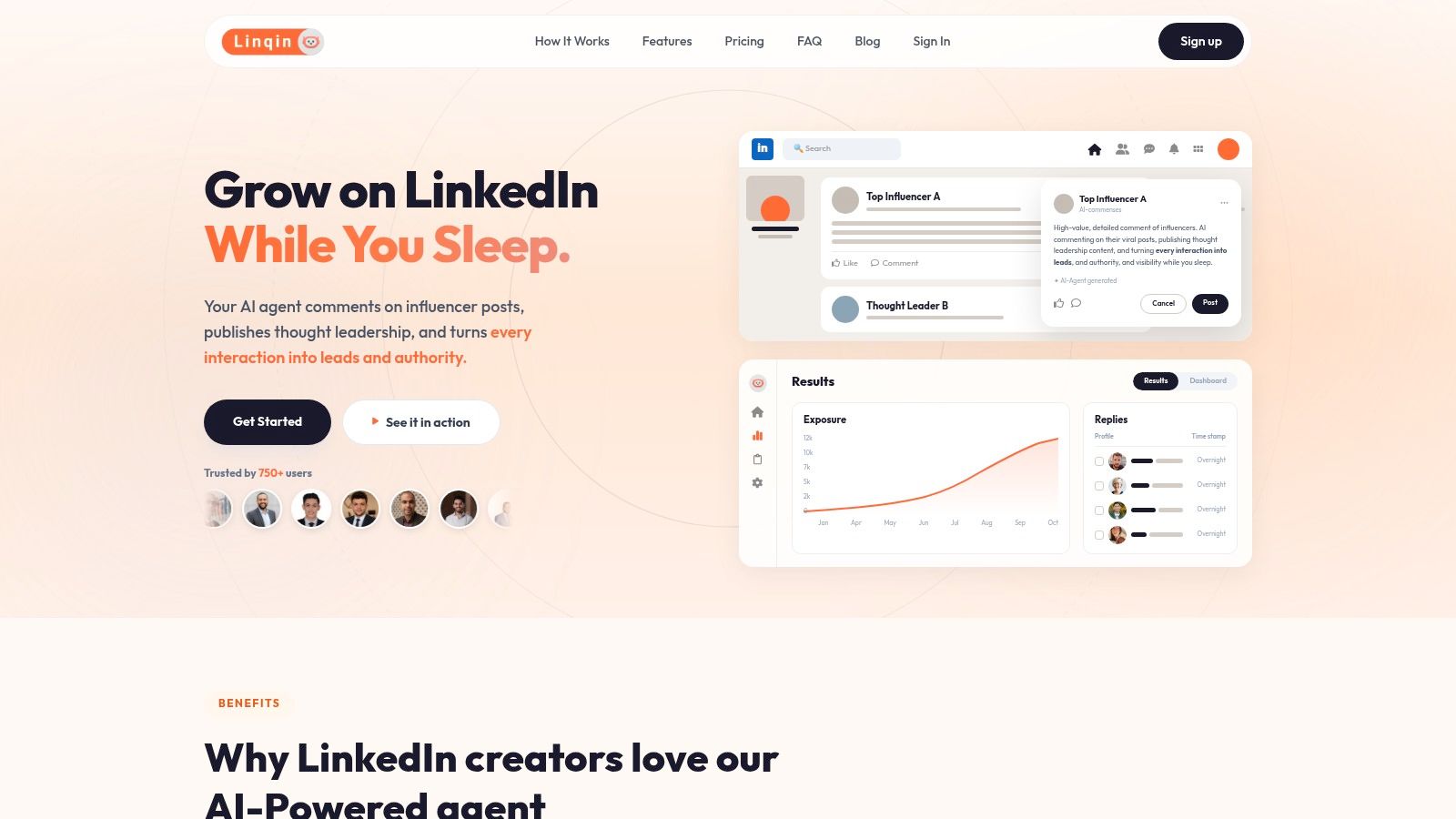
A familiar LinkedIn pattern looks like this. The team has solid expertise, a clear offer, and a reasonable content plan, but visibility stalls because nobody consistently joins the conversations that already have attention. Linqin is built for that specific gap.
Its growth function is AI engagement first, then AI-assisted content. That makes it different from tools in this list that focus mainly on scheduling or reporting. Linqin is designed to help companies get in front of the right audiences through relevant comments on active LinkedIn posts, then maintain momentum with original posts that support positioning and demand generation.
Why Linqin stands out
Linqin works best when LinkedIn is a pipeline channel, not just a branding channel. It identifies posts in your niche, analyzes the context, and generates comments meant to contribute something useful. If the comments are relevant and the targeting is right, that activity can increase profile visibility much faster than publishing into an empty feed.
The second layer is content support. Linqin helps create posts aligned with your positioning so engagement activity and original publishing reinforce each other instead of operating as separate workflows. That pairing matters on LinkedIn, where comment visibility often creates the first touch and posts create the second or third.
For teams working on founder-led growth or social selling, that structure is practical. One system handles audience discovery, engagement execution, post drafting, and performance tracking. If your team is building a repeatable LinkedIn motion, that is a stronger fit than a tool that only schedules content.
A useful benchmark comes from LinkedIn itself. The platform's official guide to creating content on LinkedIn emphasizes consistency, audience relevance, and conversation as core drivers of reach. Linqin is aligned with that operating model.
Practical rule: If LinkedIn growth depends on someone finding time to engage manually every day, consistency usually breaks first.
Safety also matters here. Linqin states that it uses LinkedIn's official API, rate limits, and human review options. That lowers operational risk compared with scraping-heavy tools or aggressive automation setups that can create account issues.
Best fit and trade-offs
Linqin fits companies that need LinkedIn activity to produce measurable business outcomes such as profile visits, inbound conversations, booked meetings, or warmer outbound. The strongest use cases are B2B founders, consultants, SDR teams, recruiters, and agencies with a clear ICP and a defined point of view.
The trade-off is straightforward. Linqin performs best when strategy already exists. If the offer is unclear, the audience is too broad, or the team cannot judge whether a generated comment adds value, automation will not solve the underlying problem. It will only scale weak positioning faster.
That is also why Linqin belongs in the AI Engagement category more than the generic social media management category. Its value comes from helping teams sustain high-frequency participation in relevant LinkedIn conversations, then connect that attention to thought leadership content. If your LinkedIn plan depends on that sequence, Linqin is one of the more targeted options in this list.
Teams that want to improve that second step should review these LinkedIn content tactics for turning visibility into conversions.
For pricing and current plan details, check the Linqin website.
2. Taplio
A common LinkedIn problem looks like this. The team has ideas, a few half-written drafts, and no reliable process for turning them into consistent visibility. Taplio addresses that operational gap better than tools built around a single function.
In this list, Taplio fits the Content Scheduling and AI Writing category. It combines post ideation, drafting support, scheduling, repurposing, and light outreach features in one workspace. That makes it a practical choice for founders, consultants, and marketing teams that want a tighter content system without building a stack of separate tools.
Where Taplio works well
Taplio performs best when the business goal is consistent top-of-funnel visibility on LinkedIn. Users can generate post angles, refine hooks, queue content, and keep a publishing cadence without switching between multiple products. The browser extension also helps during live research, which matters for teams that build content from active market conversations rather than from a static content calendar.
It also suits operators who want control. The tool supports execution, but it still expects judgment. You need to know which ideas fit your positioning, which posts deserve another draft, and which comments are worth making in public.
That trade-off matters.
If your goal is to create a repeatable LinkedIn publishing engine, Taplio is a strong fit. If your real bottleneck is audience insight, offer clarity, or daily engagement capacity, the software will improve output volume more than strategic quality.
That is why Taplio should be evaluated against the outcome you want. For content consistency, it is useful. For comment-led reach, relationship building, and visibility generated through active participation, teams should also study how LinkedIn comments influence visibility and growth, because publishing alone rarely carries the whole growth motion.
LinkedIn remains attractive because business audiences still reward relevant expertise, clear points of view, and regular participation. Taplio helps teams maintain that rhythm. It does not replace messaging discipline or market understanding.
If the target is pipeline rather than impressions, the content itself has to convert attention into action. This guide on LinkedIn content that converts growth hacks for 2026 is a useful framework before committing to a writing-heavy workflow.
You can explore plans and product details on the Taplio website.
3. AuthoredUp
AuthoredUp takes a narrower approach, and that's exactly why some people prefer it. It doesn't try to become your entire LinkedIn growth stack. It focuses on helping you write better posts, preview them properly, reuse strong structures, and stay consistent.
That restraint is a feature, not a weakness. Plenty of people don't need another platform promising full automation. They need a cleaner editor, better formatting control, and a faster drafting process.
Why creators like it
AuthoredUp is especially good for personal brands that care about craft. Hooks, line spacing, structure, saved snippets, and post previews all matter more on LinkedIn than many teams admit. Small improvements in readability can change whether someone stops scrolling long enough to engage.
It also works well for solo operators because the learning curve is low. You open it, write, organize ideas, and publish with less friction than native LinkedIn. That makes it easier to keep quality high without overcomplicating your stack.
The limitation is obvious. AuthoredUp won't replace a real analytics platform, a broad scheduler, or a lead generation workflow. It's a writing and planning layer. If your issue is weak content quality, that's enough. If your issue is lack of visibility, you'll need something else alongside it.
A useful way to think about AuthoredUp is this:
- Use it when: Your posts are inconsistent because your drafting process is messy.
- Skip it when: You need outreach, deeper analytics, or multi-network scheduling.
- Pair it with: A separate engagement or analytics tool if LinkedIn drives actual revenue for you.
You can review features on the AuthoredUp website.
4. SHIELD
A common LinkedIn problem looks like this. Posting volume is steady, a few posts spike, others stall, and the team still cannot explain which topics, formats, or publishing patterns drive reach. SHIELD is built for that stage.
SHIELD sits in the deep analytics category. Its job is to turn LinkedIn activity into a usable performance record, so creators, founders, and social teams can make better editorial decisions instead of relying on isolated post screenshots or whatever the native dashboard shows that week.
Where SHIELD adds value
The practical advantage is historical reporting. SHIELD helps you review post performance over time, compare trends across periods, and spot repeatable patterns in topic selection, posting cadence, and audience response. That matters once LinkedIn becomes a real demand channel, not just a personal branding habit.
For agencies and in-house teams, the multi-profile view is often the deciding factor. Instead of checking creators one by one, you get a shared view of performance across accounts. That makes it easier to identify who is gaining traction, which content themes are spreading, and where coaching or experimentation is needed.
Format analysis is another reason teams buy this category of tool. Native analytics can show basic results, but long-term content planning usually requires a cleaner way to compare text posts, carousels, documents, and video over a larger sample. Without that structure, teams tend to copy the last post that performed well rather than build a repeatable content system.
One caution matters here. SHIELD creates clarity only if there is enough publishing volume to analyze. If a founder posts twice a month, the data will stay thin and the conclusions will be weak.
That is the trade-off. SHIELD is strong when the problem is decision quality. It is weaker when the problem is execution.
It also does not cover scheduling, outreach, or comment activation. Businesses using LinkedIn for pipeline usually need SHIELD alongside another tool category, whether that is content production, publishing, or engagement support. If your visibility model depends partly on conversations in the comments, this breakdown of how LinkedIn comments drive visibility and growth is useful context before you decide what success should look like.
Use SHIELD when performance data needs to guide content strategy. Skip it when the primary bottleneck is writing consistently or getting distribution in the first place.
You can check plan details on the SHIELD website.
5. Sprout Social
A common inflection point looks like this. One person can handle posting and replies inside native apps. Once social starts touching brand, demand generation, customer care, and executive reporting, that setup breaks down fast. Sprout Social is built for that stage.
Its core function is centralized social operations. The platform combines publishing, inbound message management, approvals, reporting, listening, and team controls in one system, which matters when several people need to work from the same process without losing visibility or creating approval bottlenecks.
For teams evaluating social media growth tools by function, Sprout fits the governance and cross-channel management category more than the LinkedIn-first growth category. That distinction matters. If the business goal is stronger oversight, cleaner reporting, and faster response handling across multiple networks, Sprout can justify its cost. If the goal is mainly LinkedIn reach, founder visibility, or comment-led distribution, a narrower tool often produces better returns.
Best use case
Sprout is a strong fit for mid-size and enterprise teams where social is already an operating channel with deadlines, stakeholders, and reporting expectations. Marketing teams use it to coordinate publishing calendars and performance reviews. Customer care teams use it to manage inbound volume. Agencies use it to handle approvals and client reporting without juggling separate tools.
The category is growing because companies want more than a scheduler. Grand View Research's social media management market analysis points to continued demand for analytics, listening, and workflow software as social becomes a more formal business function.
The trade-off is straightforward. Sprout is expensive relative to lighter tools, and the setup only pays off when the team needs process control. A solo operator focused on LinkedIn pipeline will usually get more value from tools built for content velocity, audience engagement, or creator analytics.
Sprout becomes a serious option when the requirement is clear:
- Shared inbox management: Centralizes replies and assignments across channels
- Cross-network reporting: Gives leadership a cleaner view than native dashboards or basic schedulers
- Approvals and permissions: Reduces risk when several contributors, managers, or client contacts are involved
That makes Sprout less of a pure growth accelerator and more of a social operations platform. For the right team, that is exactly the point. You can review capabilities on the Sprout Social website.
6. Buffer
A founder has three posts drafted, a small team needs them published on time, and nobody wants to spend half the week inside a complicated dashboard. Buffer fits that situation well. It gives small businesses a clean way to schedule content, monitor post-level results, and keep publishing consistent without adding much process overhead.
That is Buffer's core function in this list. It is a content scheduling tool first, with light analytics to help teams maintain output and spot what is working. For brands focused on awareness, steady posting cadence, and basic reporting, that is often enough.
Buffer is a strong fit for solo operators, lean marketing teams, and early-stage companies that need execution more than infrastructure. Setup is quick. The interface is easy to understand. A team can go from content ideas to a scheduled calendar without much training or internal coordination.
The trade-off matters. Buffer supports consistency, but it does not create growth on its own. It will not replace a sharper LinkedIn content strategy, stronger founder-led posting, or active comment engagement. If the business goal is LinkedIn pipeline growth, Buffer works best as the publishing layer, while the visibility strategy comes from the team or from a more LinkedIn-specific tool such as Taplio or AuthoredUp.
That distinction is useful when choosing by business goal:
- Choose Buffer for content scheduling: Best for teams that need a reliable publishing system
- Choose Buffer for light performance review: Useful for checking which posts earn engagement and where posting cadence slips
- Do not choose Buffer for advanced LinkedIn growth: It is less suited for network-specific audience building, deep creator analytics, or sales-led engagement workflows
I have seen Buffer work well when a company already knows what it wants to say and needs a dependable way to publish it on time. In that setup, Buffer removes operational friction and protects consistency. That is valuable because inconsistent publishing usually means lower visibility, weaker recall, and fewer chances to turn social attention into leads.
You can start with the Buffer website.
7. Hootsuite
A common scenario: the marketing team manages publishing, support needs inbox coverage, leadership wants reporting, and every channel owner asks for a different workflow. Hootsuite fits that operating model better than lighter tools built mainly for scheduling.
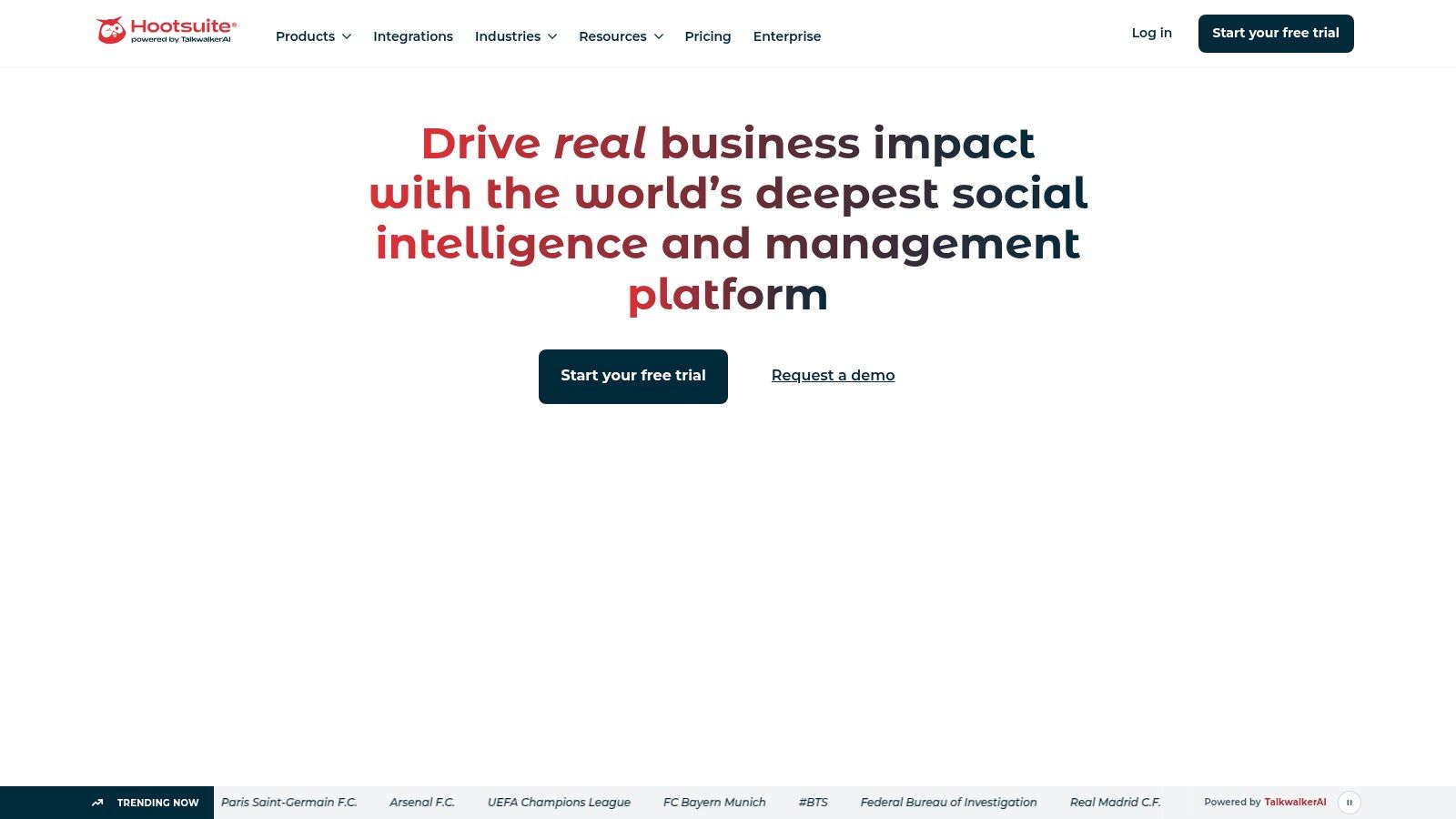
Its core growth function is cross-network operations management. Hootsuite brings publishing, inbox handling, approval flows, analytics, and integrations into one system. That matters for businesses where social growth depends on execution at scale, not just writing stronger posts.
The trade-off is straightforward. Hootsuite usually makes more sense once multiple people, brands, or regions are involved. Smaller teams can find it heavier than they need, both in setup and in day-to-day use.
For LinkedIn-focused growth, that distinction matters. Hootsuite can support a LinkedIn program by keeping posting, monitoring, and reporting organized across a team. It is less suited to the parts of LinkedIn growth that drive demand directly, such as founder-led authority building, targeted engagement, or content optimization for individual creators. If the business goal is broad visibility across channels, Hootsuite is a strong fit. If the goal is LinkedIn pipeline growth, it works better as the operating layer than the strategy layer.
That is the right way to evaluate it.
Choose Hootsuite when the business needs governance, shared workflows, and a single place to manage social activity across networks. Do not expect the platform itself to fix weak positioning, generic content, or an unclear offer. Those problems usually sit upstream of the tool.
Hootsuite is a control center for multi-channel execution. Growth still depends on message quality, audience fit, and consistent follow-through.
If your team needs structure more than simplicity, it's worth evaluating the Hootsuite website.
8. Metricool
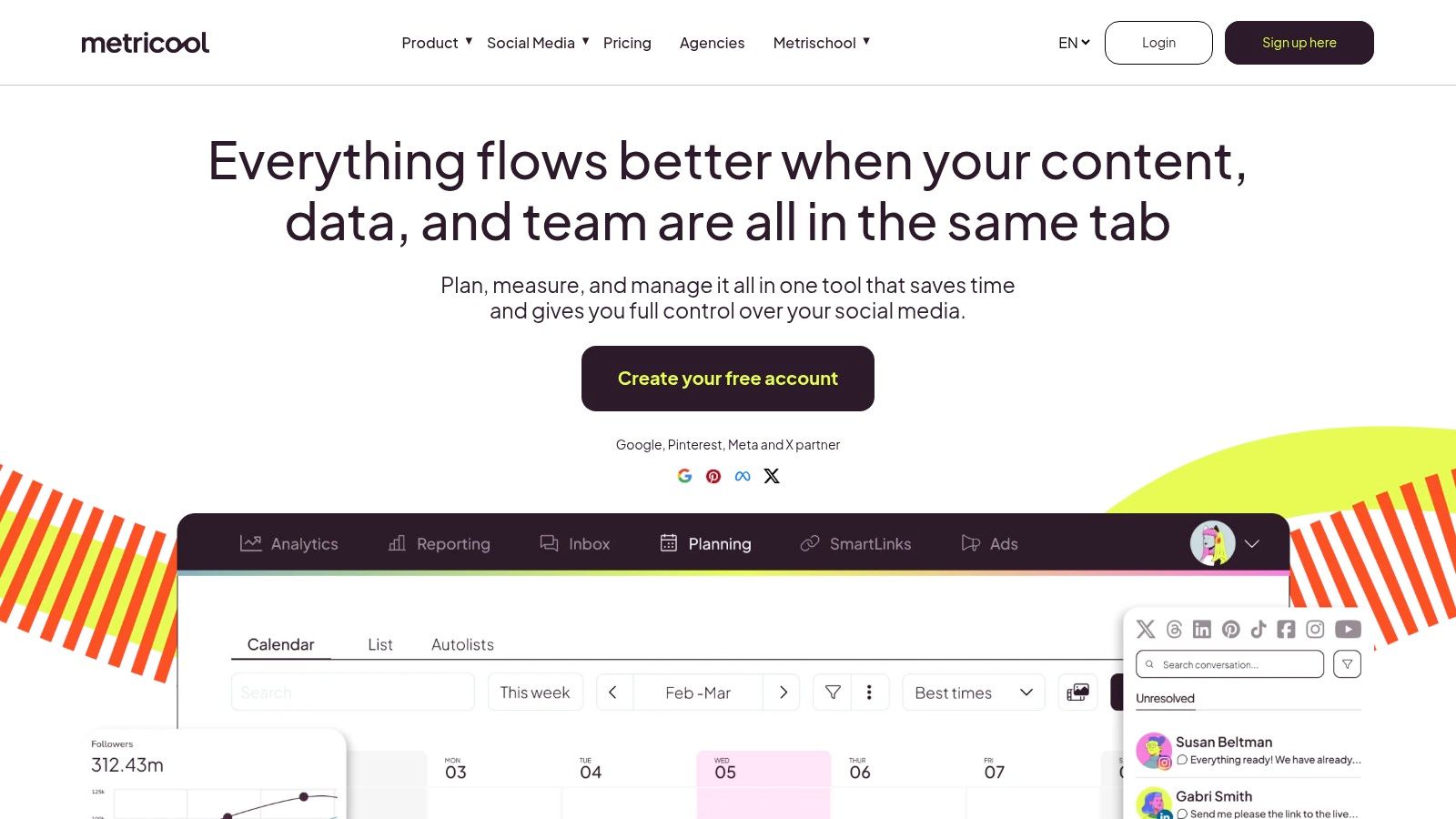
A common scenario. The team needs one tool that can publish across channels, track results, watch competitors, and send client reports without paying for an enterprise stack. Metricool fits that requirement well.
Its core growth function is cross-channel execution plus reporting. That makes it a practical choice for agencies, consultants, and in-house teams managing several brands at once. The value is not just lower cost. It cuts the operational drag that shows up when scheduling, analytics, and reporting live in separate tools.
Where Metricool creates value
Metricool stands out in reporting. Teams can organize performance data clearly, compare channels, monitor competitor activity, and turn results into client-ready reports without rebuilding the same dashboard every month.
That matters for businesses that sell social services or need to justify budget internally. Better reporting does not create growth by itself, but it does help teams spot what is working, defend channel investment, and make faster decisions about content mix and posting cadence.
The trade-off is depth. Metricool covers a lot of day-to-day needs, but it is not the right pick for advanced social listening, strict enterprise approval structures, or a LinkedIn program built around founder-led pipeline generation. If LinkedIn is the primary growth channel, the better question is whether the tool supports the specific motion you need. Publishing and reporting are useful. They are different from targeted engagement, authority building, and conversion-focused content strategy. For that side of the work, this LinkedIn growth playbook for startups is a better framework than any reporting dashboard.
A practical summary:
- Best for: Agencies, consultants, and teams running multiple social accounts
- Best growth function: Cross-network scheduling, analytics, and client reporting
- Less suitable for: LinkedIn-first demand generation or advanced governance needs
- Biggest advantage: Strong reporting and multi-brand visibility at a mid-market price point
You can review current plans on the Metricool website.
9. SocialBee
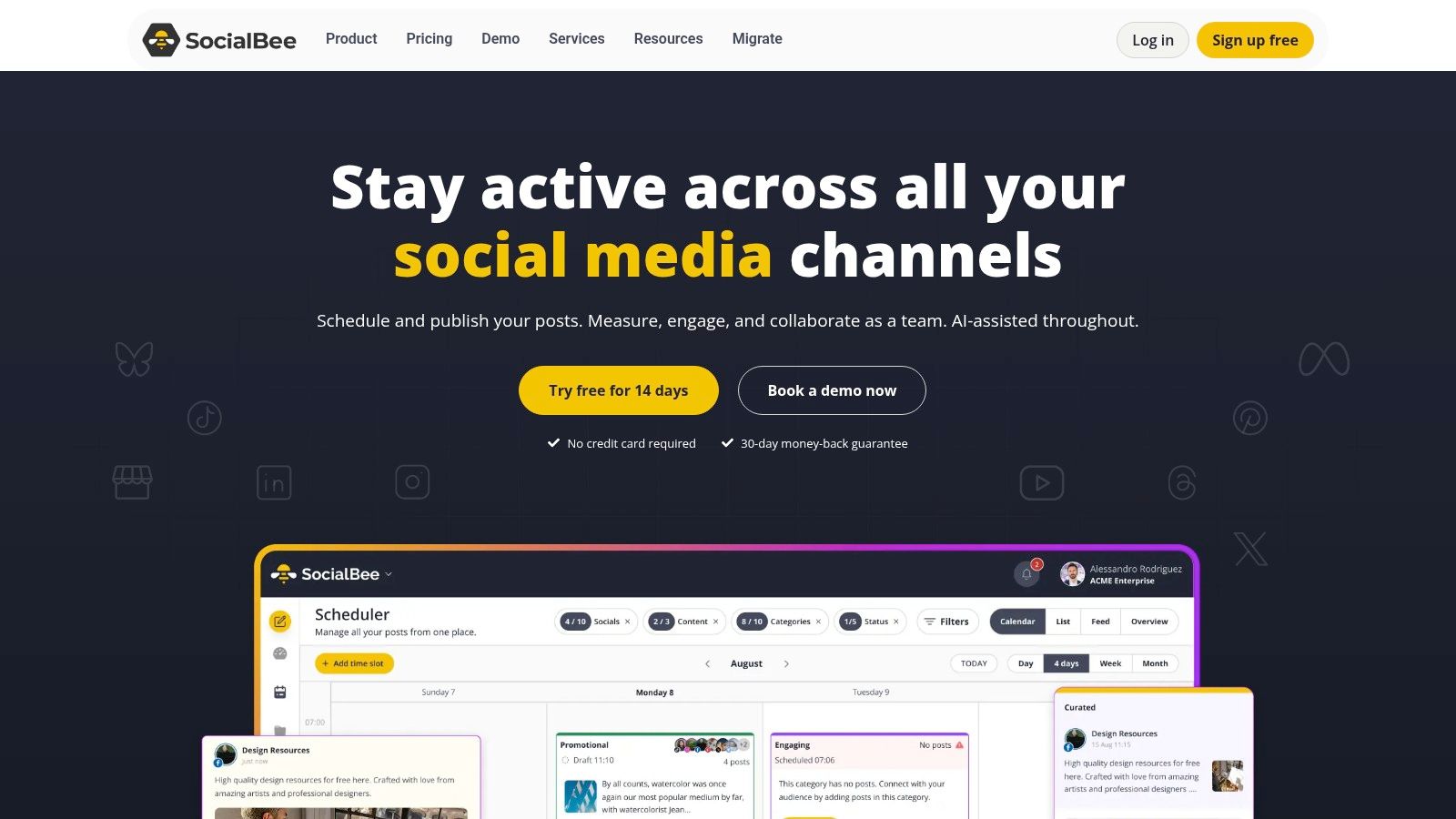
A common scenario looks like this. The team has enough content ideas for a month, then client work, sales calls, or internal approvals take over and posting slips. SocialBee is designed for that specific problem. Its core growth function is content scheduling built around category queues, so teams can maintain visibility without rebuilding the calendar every few days.
That makes it a practical choice for freelancers, small businesses, and agencies managing repeatable content programs across several channels.
The category system is what gives SocialBee its value. Teams can group posts into recurring buckets such as education, offers, customer proof, and curated industry commentary, then schedule those buckets on a fixed rhythm. The result is a steadier publishing cadence and a feed that does not drift too far toward promotion or too far toward filler. For businesses using social to stay visible, support lead generation, or keep a founder brand active, that consistency matters.
The trade-off is straightforward. SocialBee is stronger as an operating system for planned distribution than as a decision engine for growth strategy. Its analytics are lighter than dedicated reporting tools, and it is not built for advanced listening, enterprise governance, or LinkedIn-specific engagement workflows.
That distinction matters when choosing by business goal. If the immediate need is reliable multi-category publishing, SocialBee fits well. If the goal is LinkedIn pipeline growth through founder-led content, comment strategy, and audience targeting, a scheduling tool only covers part of the motion. In that case, this LinkedIn growth playbook for startups is a better framework for deciding what to publish, who to reach, and how to turn attention into opportunities.
A practical summary:
- Best for: Freelancers, SMBs, and agencies that need structured recurring publishing
- Best growth function: Category-based content scheduling and posting consistency
- Less suitable for: Advanced analytics, enterprise control, or LinkedIn-first demand generation
- Biggest advantage: Keeps content moving with a clear repeatable scheduling system
You can review features on the SocialBee website.
10. PhantomBuster
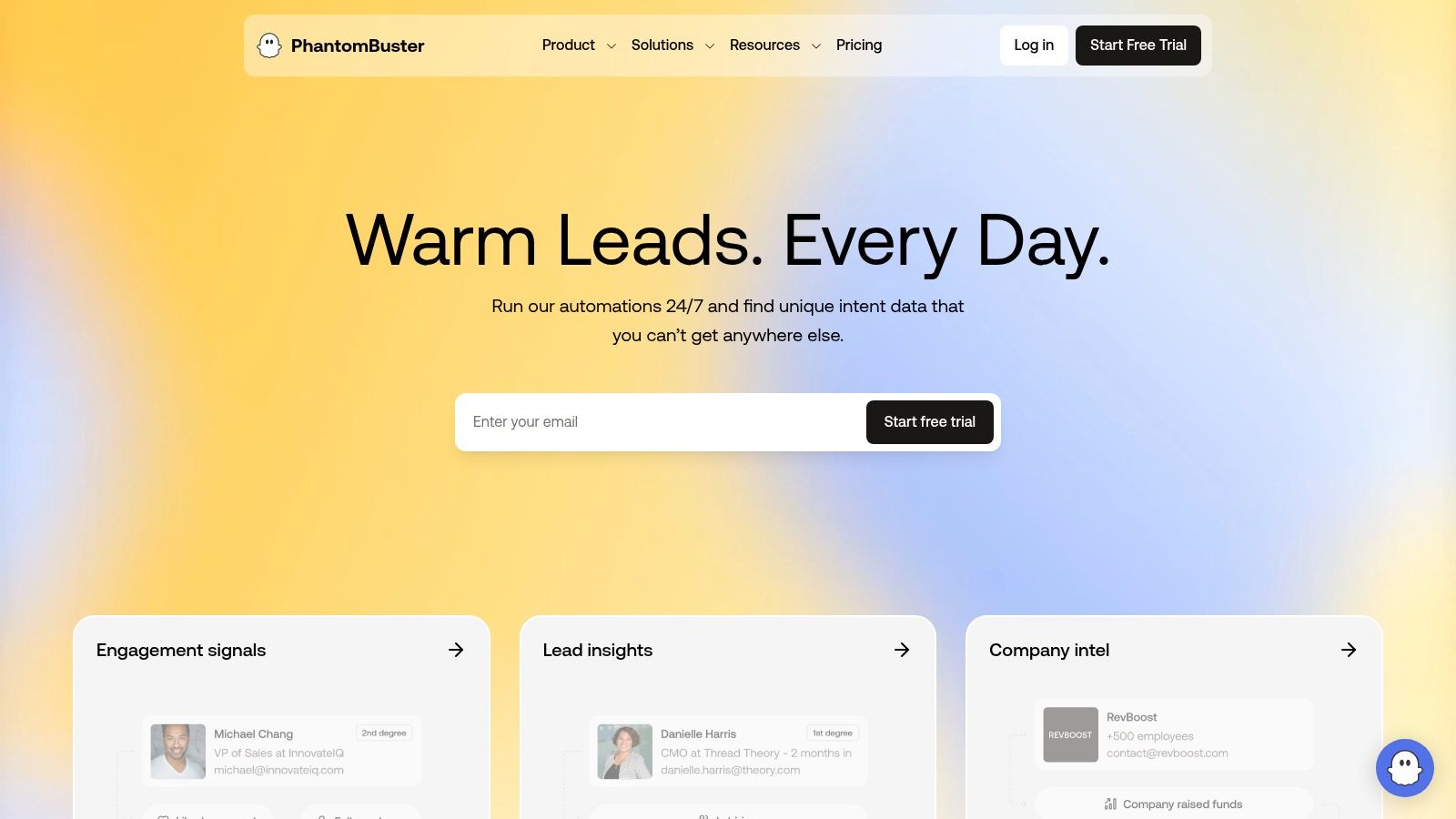
A typical growth problem looks like this: the team has a clear target account list, weak CRM data, and too much manual work between finding prospects and starting outreach. PhantomBuster addresses that gap with workflow automation for prospecting, enrichment, outreach support, and data transfer between tools.
Its core growth function is outbound automation. That makes it a very different choice from scheduling tools or analytics platforms in this list. If the business goal is more pipeline from repeatable prospecting tasks, PhantomBuster can save meaningful operator time. If the goal is stronger brand visibility on LinkedIn, it solves the wrong part of the problem.
That distinction matters.
PhantomBuster works best with a defined process already in place. Teams can automate list building, profile enrichment, trigger-based actions, and CRM handoffs. In practice, that can help sales and growth teams increase contact volume without increasing headcount at the same rate.
The trade-off is control versus risk. More automation creates more output, but it also raises the chance of poor targeting, duplicate actions, or account issues if the setup is careless. On LinkedIn, that means teams need clear limits, strong list hygiene, and a compliance standard before they start scaling activity.
A better way to evaluate PhantomBuster is by business objective:
- Best for: Growth operators, outbound teams, and agencies running repeatable prospecting workflows
- Best growth function: Lead generation automation and workflow orchestration
- Less suitable for: Brand-led content growth, executive thought leadership, or LinkedIn engagement strategy
- Biggest advantage: Reduces manual work across data collection, enrichment, and handoff processes
One practical rule applies here. Automating outreach does not improve messaging quality. It only increases the volume of whatever process already exists.
For startups building around LinkedIn, strategy should come before automation. This 8-step playbook for LinkedIn growth for startups is a useful reference for deciding what should stay manual, what can be systemized, and how to connect LinkedIn activity to real pipeline outcomes.
You can explore workflow options on the PhantomBuster website.
Top 10 Social Media Growth Tools, Features & Comparison
| Product | Core features (✨) | Quality / Impact (★) | Pricing & Value (💰) | Target audience (👥) |
|---|---|---|---|---|
| Linqin 🏆 | Context-aware comments + research-backed auto-posts; live analytics; LinkedIn API safety ✨ | ★★★★★ · Examples: +643% impressions; Excellent safety | 💰 Credit-based tiers; from ~ $17/mo; scales for agencies | 👥 Founders, sales teams, creators seeking autopilot leads |
| Taplio | AI post ideation, scheduler, comment credits, lead DB ✨ | ★★★★ · Strong AI writing & workflow | 💰 Tiered plans with visible credit limits | 👥 Founders, sellers, creators |
| AuthoredUp | Rich editor, hooks/snippets, previews, reusable drafts ✨ | ★★★ · Easy higher-quality posts | 💰 Affordable per-profile pricing | 👥 Solo creators & small teams |
| SHIELD | Lifetime post history, audience demographics, team dashboards, AI insights ✨ | ★★★★ · Deep historical analytics | 💰 Subscription; scales with team/agency plans | 👥 Analysts, agencies, growth teams |
| Sprout Social | Publishing/calendar, Smart Inbox, advanced analytics & listening, AI Assist ✨ | ★★★★★ · Enterprise-grade reporting & collaboration | 💰 Per-seat pricing; premium for large teams | 👥 Mid→enterprise teams, agencies |
| Buffer | Lightweight scheduler, AI copy help, first-comment scheduling, basic analytics ✨ | ★★★★ · Simple UX, reliable for SMBs | 💰 Free tier available; paid plans for more channels | 👥 Solos & small teams |
| Hootsuite | Multi‑network scheduling, Smart Inbox, benchmarking, AI content tools ✨ | ★★★★ · Mature feature set for complex needs | 💰 Higher-cost tiers; add‑ons for advanced features | 👥 Large teams & enterprises |
| Metricool | Unlimited scheduling, competitive analysis, multi-brand reporting, connectors ✨ | ★★★★ · Strong analytics for price | 💰 Very competitive for agencies/multi-brand | 👥 Agencies & multi-brand SMBs |
| SocialBee | Category queues, bulk editor, AI Copilot, client collaboration ✨ | ★★★ · Excellent "set & forget" posting | 💰 Good price‑to‑profiles ratio | 👥 Freelancers, agencies managing many brands |
| PhantomBuster | 100+ automations, LinkedIn outreach/enrichment, CRM integrations ✨ | ★★★★ · Powerful, configurable automation | 💰 Execution-hour / usage based; scales with slots | 👥 Growth teams, data/automation specialists |
Your Next Step From Tools to Transformation
A common scenario looks like this: the team is posting often enough to feel busy, reporting shows activity, and paid support keeps distribution alive. Pipeline impact is still weak because the underlying constraint was never "more social." It was the wrong growth function.
That is the decision point with this category. Choose the tool based on the specific step that is slowing results.
If the bottleneck is inconsistent publishing across several channels, a scheduler solves an operations problem. If the bottleneck is weak positioning on LinkedIn, a specialized platform will usually produce better visibility and more qualified conversations than a broad social suite. If the bottleneck is poor feedback loops, analytics tools help teams stop guessing and start adjusting based on actual response patterns.
For practical selection, I would sort the tools in this list into three groups:
- LinkedIn growth systems for founder-led marketing, executive visibility, sales-led outreach, and authority building
- Publishing systems for teams that need reliable cross-network execution, approvals, and content cadence
- Analytics systems for marketers who already publish consistently and need clearer signals on what drives reach, engagement, and leads
This framework matters because each category creates value in a different way. LinkedIn-focused tools can increase qualified exposure and conversations. Publishing tools protect consistency and reduce production delays. Analytics tools improve content decisions, budget allocation, and team accountability.
The mistake is buying for feature volume instead of business outcome. More features do not fix a weak workflow. A large platform with inboxes, listening, and reporting can still underperform if the actual problem is that no one on the team has a repeatable way to build LinkedIn authority. The reverse is also true. A strong LinkedIn tool will not solve cross-channel approvals or agency reporting.
Start with one question: what is the expensive point of friction right now?
- Low posting consistency
- Weak engagement quality
- Poor LinkedIn visibility
- Slow content production
- Limited attribution and reporting
- Too much manual outreach or research
Then run one tool against one metric for 30 days. Measure profile views, qualified replies, inbound leads, posting consistency, or meetings sourced from social. Judge the tool by operational change and business impact, not by how busy the dashboard looks.
If LinkedIn growth is the constraint, Linqin is a practical place to start. It is built around the work that usually breaks consistency on LinkedIn: finding relevant conversations, writing comments with context, developing thought leadership, and tracking whether that effort leads to stronger visibility. That is a focused use case, not a replacement for every social tool. For founders, consultants, sales teams, and operators who treat LinkedIn as a demand channel, that focus is often the right trade-off.
Powered by Outrank