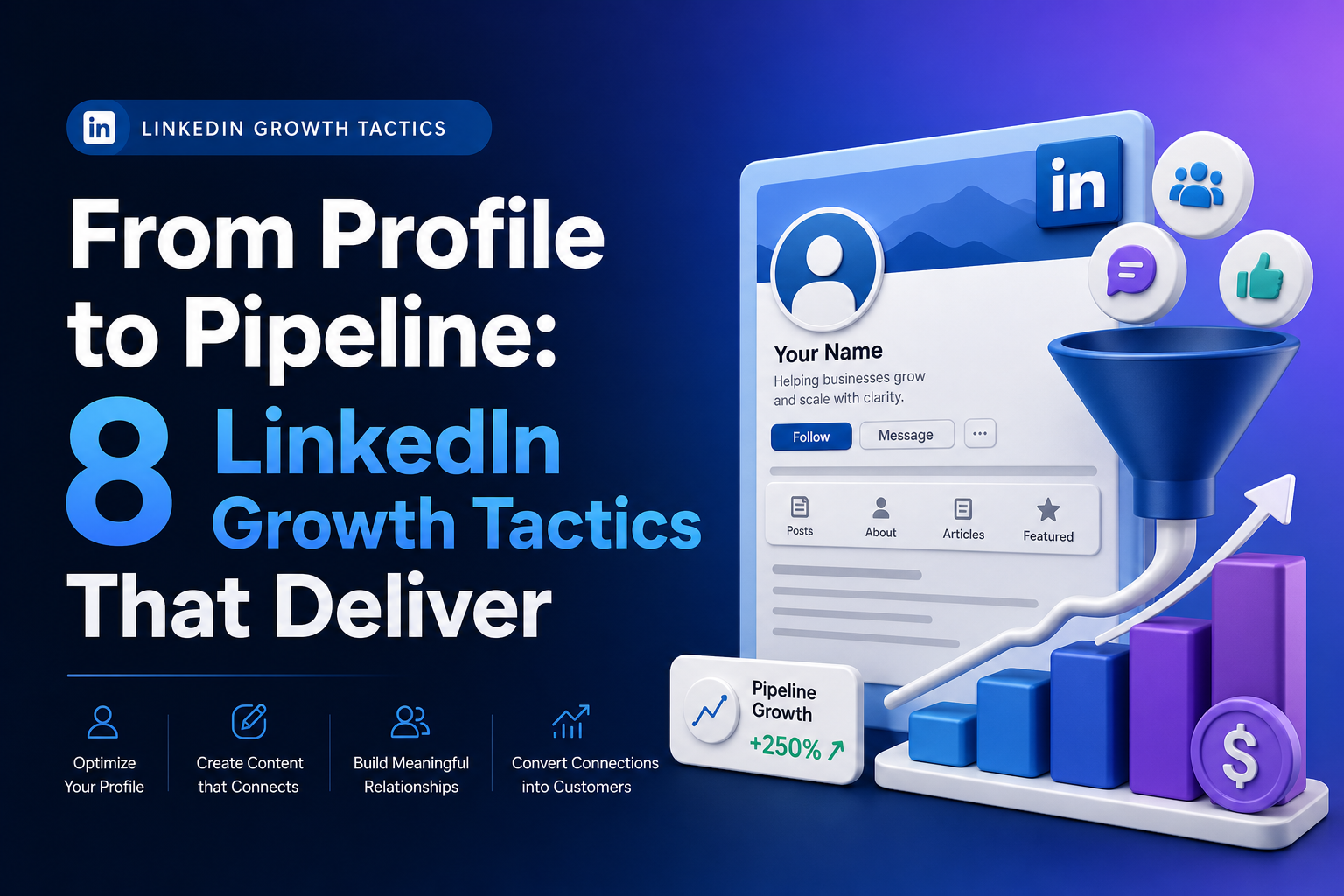
Use Relevant Keywords
Use Relevant Keywords is the foundational step in turning LinkedIn into a living homepage for linqin ai. By embedding the exact terms your target audience uses when searching, you increase the likelihood that profile visits convert into meaningful connections and, eventually, into a steady pipeline of ICPs. Think of LinkedIn as a search surface where intent meets visibility; the more your profile aligns with the phrases your audience searches for, the more you appear in their feeds and in their searches. This approach sets the stage for deeper engagement and higher quality conversations that drive growth.
To implement this effectively, map your profile sections to the keywords your ICPs would use at different stages of the buyer journey. This includes your headline, About section, Experience, skills, and even your custom URL. The goal is to create a cohesive weave where each element reinforces the same core keywords without sounding spammy or mechanical. When done well, your profile feels both natural and highly discoverable.
| Profile Section | Keyword Tactics | Examples |
|---|---|---|
| Headline | Lead with a value proposition and target keywords you want to rank for. Use a client-centric angle that communicates outcome. | “LinkedIn Growth for B2B SaaS: Generate 5-15 Meetings Monthly” |
| About Section | Weave keywords into a narrative that addresses audience pain points and solutions. Maintain readability and clarity. | “I help B2B marketing leaders unlock growth by optimizing LinkedIn profiles and publishing high-impact content that converts connections into qualified opportunities.” |
| Experience | Incorporate role-related keywords naturally within bullet points and achievements. | “Led LinkedIn optimization for client accounts, driving a 40% increase in profile views and a 25% rise in qualified conversations.” |
| Skills | List core terms your ICPs search for, and align them with your offerings. | “LinkedIn Growth Strategy, Personal Branding, Content Marketing, Lead Generation |
| Custom URL | Incorporate a name-based or keyword-rich URL when possible to support visibility in searches. | linkedin.com/in/linqin-ai-growth |
Action steps you can take today:
- Identify 5 to 8 high-intent keywords your ICPs search for regularly.
- Audit your existing profile sections and replace generic terms with those keywords where it feels natural.
- Maintain a balance between keyword optimization and human readability to avoid keyword stuffing.
- Track changes by monitoring profile views and inbound connections over 2 to 4 weeks after updates.
By treating LinkedIn as a keyword-driven discovery surface, you lay the groundwork for attracting the right audience and creating a predictable pipeline. This practice is not about gaming the system; it is about aligning your profile with the language your strongest ICPs already use when they search for solutions like yours.
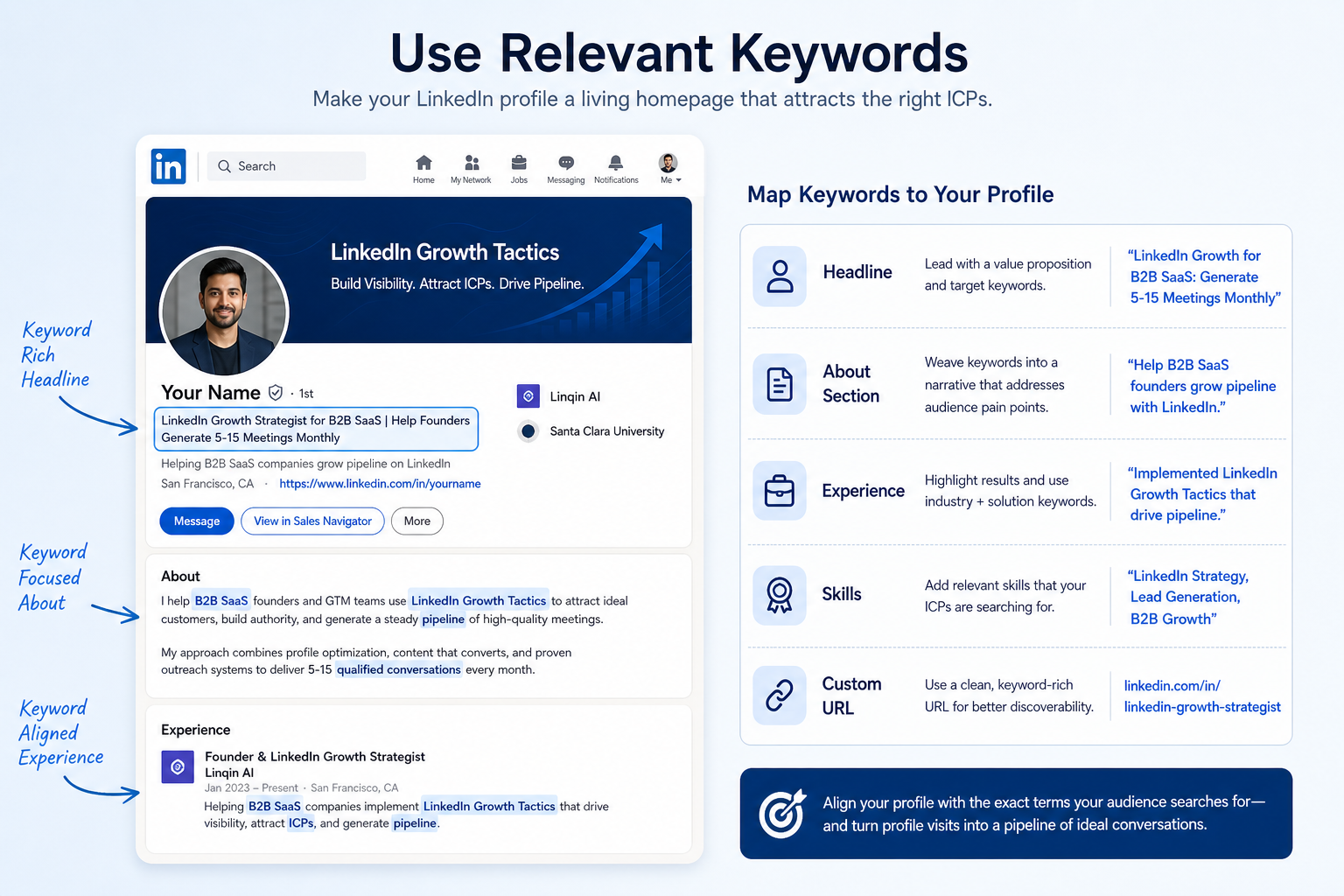
Custom LinkedIn Profile URL
Custom LinkedIn Profile URL
A clean LinkedIn profile URL signals professionalism and credibility. By customizing the URL, you make your profile easier to share and easier to find on both Google and LinkedIn searches. A polished URL supports higher visibility, smoother inbound contact from potential collaborators and clients, and a stronger personal or brand impression in every outreach channel.
Tips for an effective custom URL:
- Keep it simple and professional. Use your real name or a concise variation if your name is common.
- Avoid special characters. Dashes are acceptable, but steer clear of underscores or symbols that are hard to read or type.
- Consistency across channels. Align your LinkedIn URL with your other digital properties, such as your website or portfolio, to reinforce recognition.
- Share and optimize. Include the URL in email signatures, business cards, and outreach messages to improve inbound connections.
When updated correctly, your profile becomes more discoverable in both search engines and LinkedIn search results, enabling easier inbound connections and more predictable opportunities. Regularly review the URL to ensure it still reflects your current professional focus and branding.
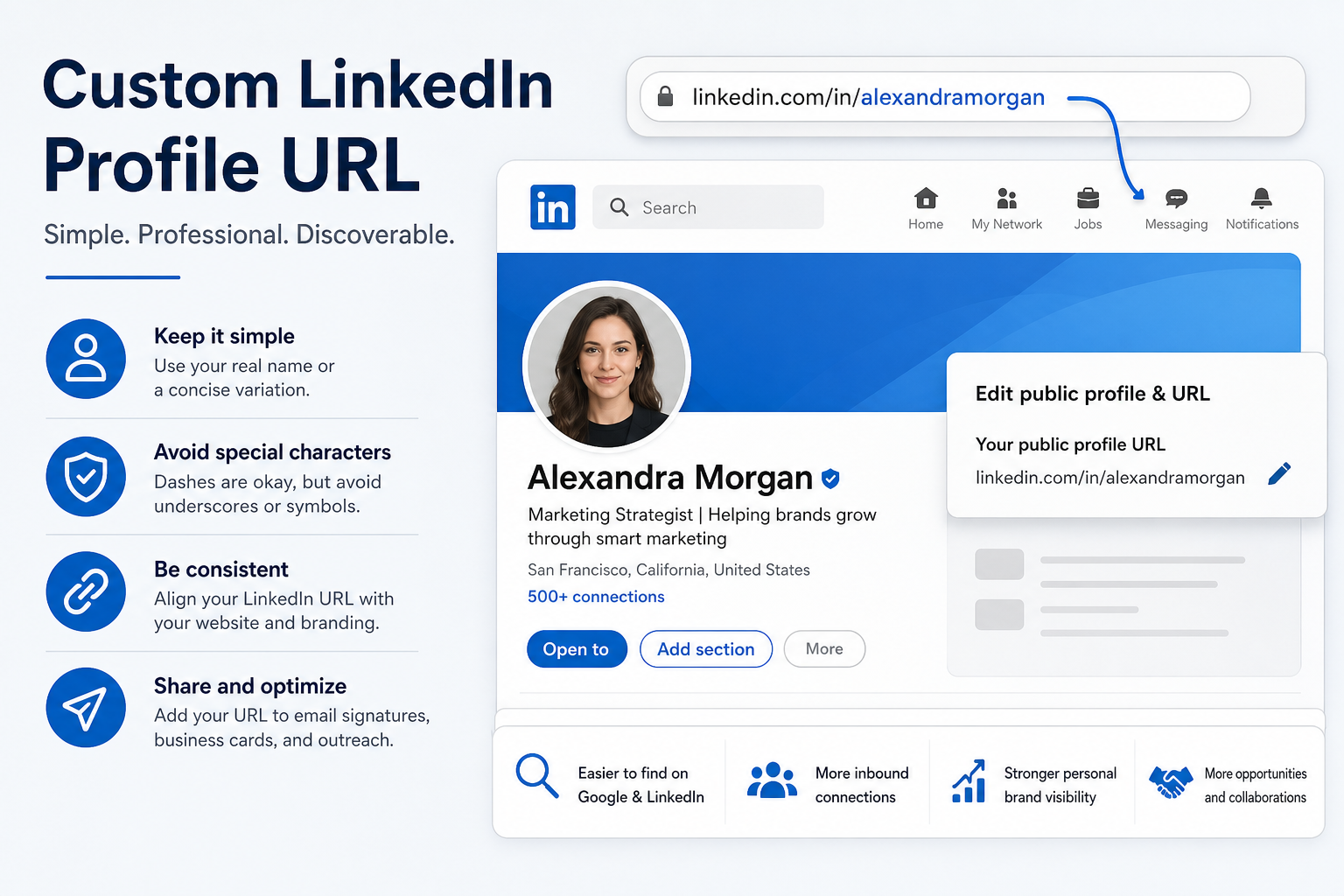
Strong Headline
Strong Headline
Your headline on LinkedIn should leap beyond a simple job title and immediately convey the unique value you offer to
your target audience. When working with LinkedIn Growth Tactics for clients, the headline acts as a
compact sales proposition that sets expectations for everything that follows on your profile. The aim is to stop the
scroll, generate curiosity, and clearly answer the question: “What do you help with, and what outcome can I expect?”
A strong headline follows a simple framework:
- Who you help — specify the audience segment or ICP you serve.
- What you do — describe the core service or capability, not a generic job title.
- Outcome or value — state the tangible result or impact you drive.
To illustrate the approach, consider these non-promotional templates that emphasize outcomes and audience:
| Audience | Purpose | Example Headlines |
|---|---|---|
| B2B SaaS founders | Lead generation and pipeline | Helping B2B SaaS founders generate qualified MQLs and 3x pipeline growth with LinkedIn messaging |
| Growth-focused marketing teams | Strategic positioning and demand | Marketing strategist helping mid market tech firms attract inbound inquiries through content and outreach |
| Consultants and advisors | Thought leadership and client development | LinkedIn growth coach enabling professionals to book more high-quality advisory meetings |
If you prefer a ready-to-use structure, adapt one of these formulas and tailor it to your ICP and outcome:
- Headline Template A: Helping [audience] achieve [outcome] via [method]
- Headline Template B: We help [audience] generate [quantified result] using [approach]
- Headline Template C: [Industry] specialist enabling [audience] to [benefit] in [timeframe]
When drafting your headline, keep the language concrete and outcome-focused. Avoid vague terms and generic phrases. If you can quantify the benefit, do so, and consider including a time element like a measurable milestone. Finally, ensure the tone aligns with your overall brand and profile. A headline that clearly states who you help and what outcome you drive will attract the right audience, set clear expectations, and invite deeper profile engagement.
Professional Picture
Professional Picture
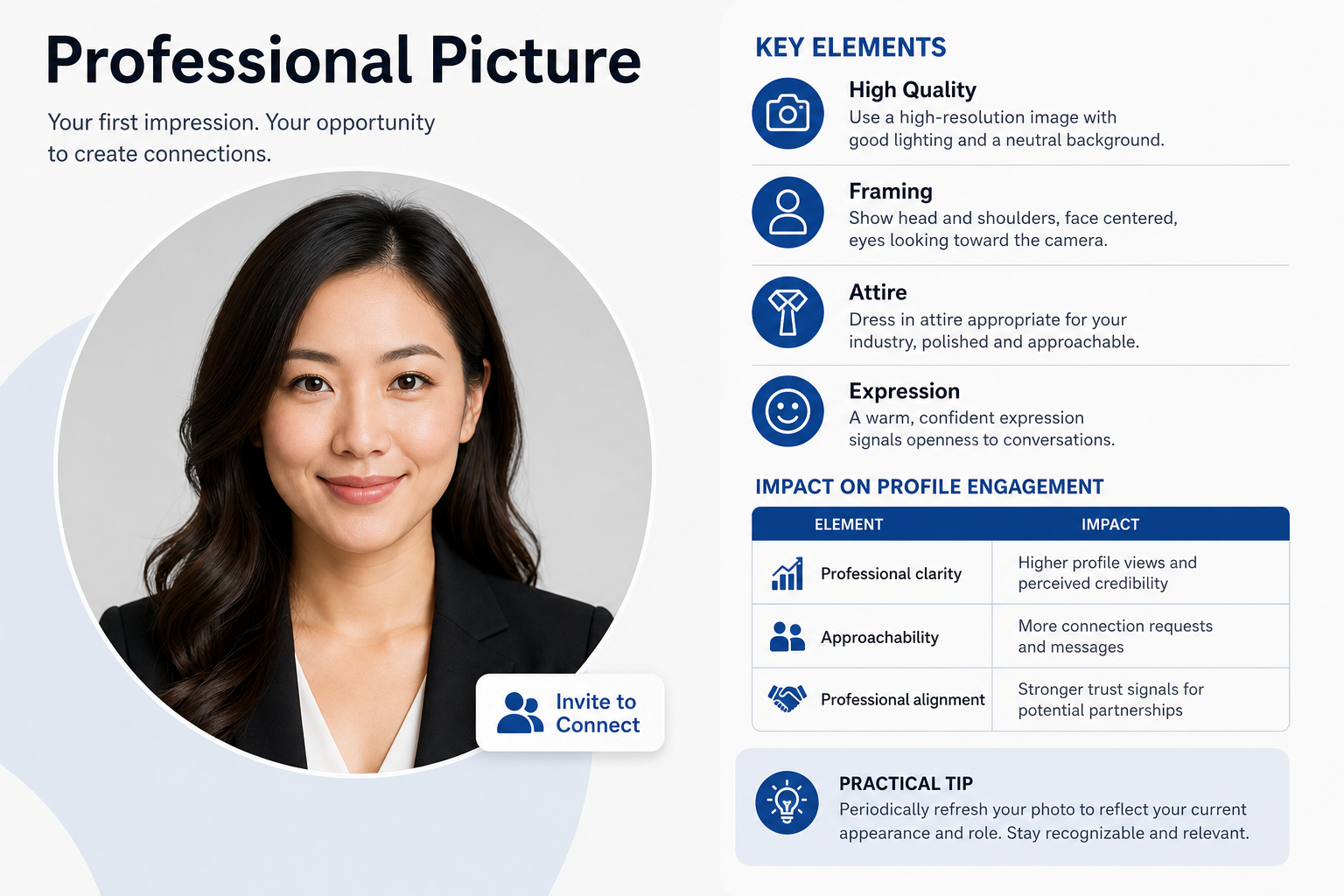
A clear, professional headshot is the first impression you make on LinkedIn. I use a photo for Linqin AI that conveys approachability and competence, ensuring visitors feel both invited to connect and confident in your credibility. A strong image paired with a value-forward header increases profile views and invites more conversations about potential partnerships.
Key elements to optimize your professional picture:
- <strongClarity > Use a high-resolution image with good lighting and a neutral background.
- Framing > Show the head and shoulders with your face centered and eyes looking toward the camera.
- Attire > Dress in attire appropriate for your industry, leaning toward polished and approachable.
- Expression > A warm, confident expression signals openness to conversations.
Table: Impact of professional pictures on profile engagement
| Element | Impact |
|---|---|
| Professional clarity | Higher profile views and perceived credibility |
| Approachability | More connection requests and messages |
| Professional alignment | Stronger trust signals for potential partnerships |
Practical tip: periodically refresh your photo to reflect your current appearance and role. A consistent but up-to-date image helps maintain recognition while signaling ongoing relevance in your field.
LinkedIn Banner
LinkedIn Banner
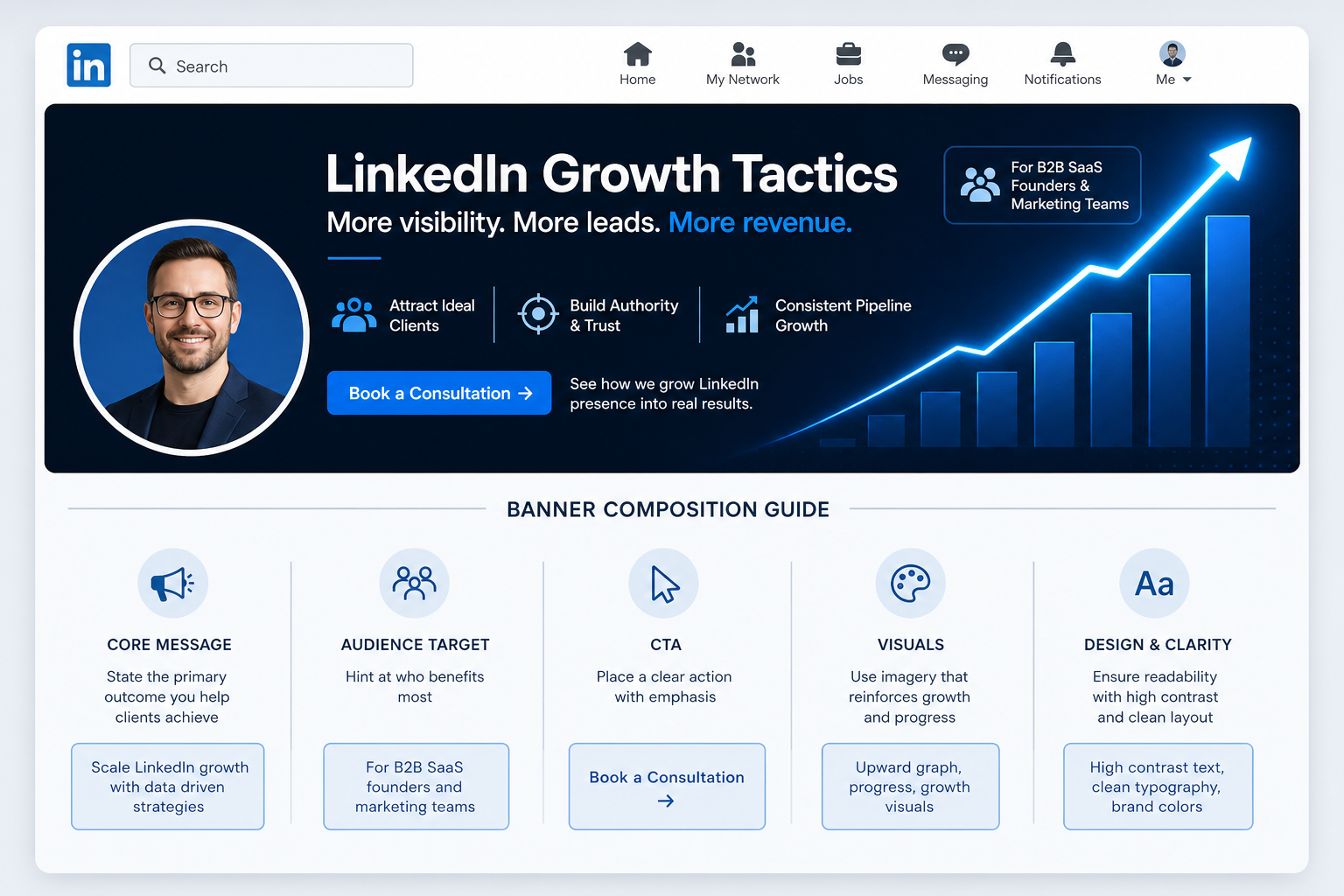
The LinkedIn banner is prime real estate on your profile. It communicates who you are, what you offer, and the problems you solve at a glance. A concise message paired with a clear call to action (CTA) can guide visitors toward the next step, such as requesting a demo or scheduling a consultation. The goal is to create immediate relevance and curiosity, so visitors feel compelled to learn more without scrolling past your banner.
Key considerations for an effective banner:
- Clarity > Use a single, clear value proposition that addresses a primary audience need.
- Conciseness > Limit text to a short, impactful message that can be read at a glance.
- Visual alignment > Ensure colors, typography, and imagery reflect your brand and are consistent with other profile assets.
- CTA prominence > Include a direct CTA such as “Request a Demo” or “Book a Consultation” with a visible button or link.
- Accessibility > Use high contrast and readable fonts to accommodate all viewers.
Table: Banner composition guide
| Element | Guidance | Examples |
|---|---|---|
| Core Message | State the primary outcome you help clients achieve | “Scale LinkedIn growth with data driven strategies” |
| Audience Target | Hint at who benefits most | “For B2B SaaS founders and marketing teams” |
| CTA | Place a clear action with emphasis | “Book a 15-min Consultation” |
| Visuals | Choose imagery that supports the message without clutter | Brand banner with a simple icon and a photo texture |
Practical tip: keep the banner design lightweight to ensure fast loading and legibility on mobile devices. Test variations to determine which message and CTA combination yields the most profile interactions.
Featured Section
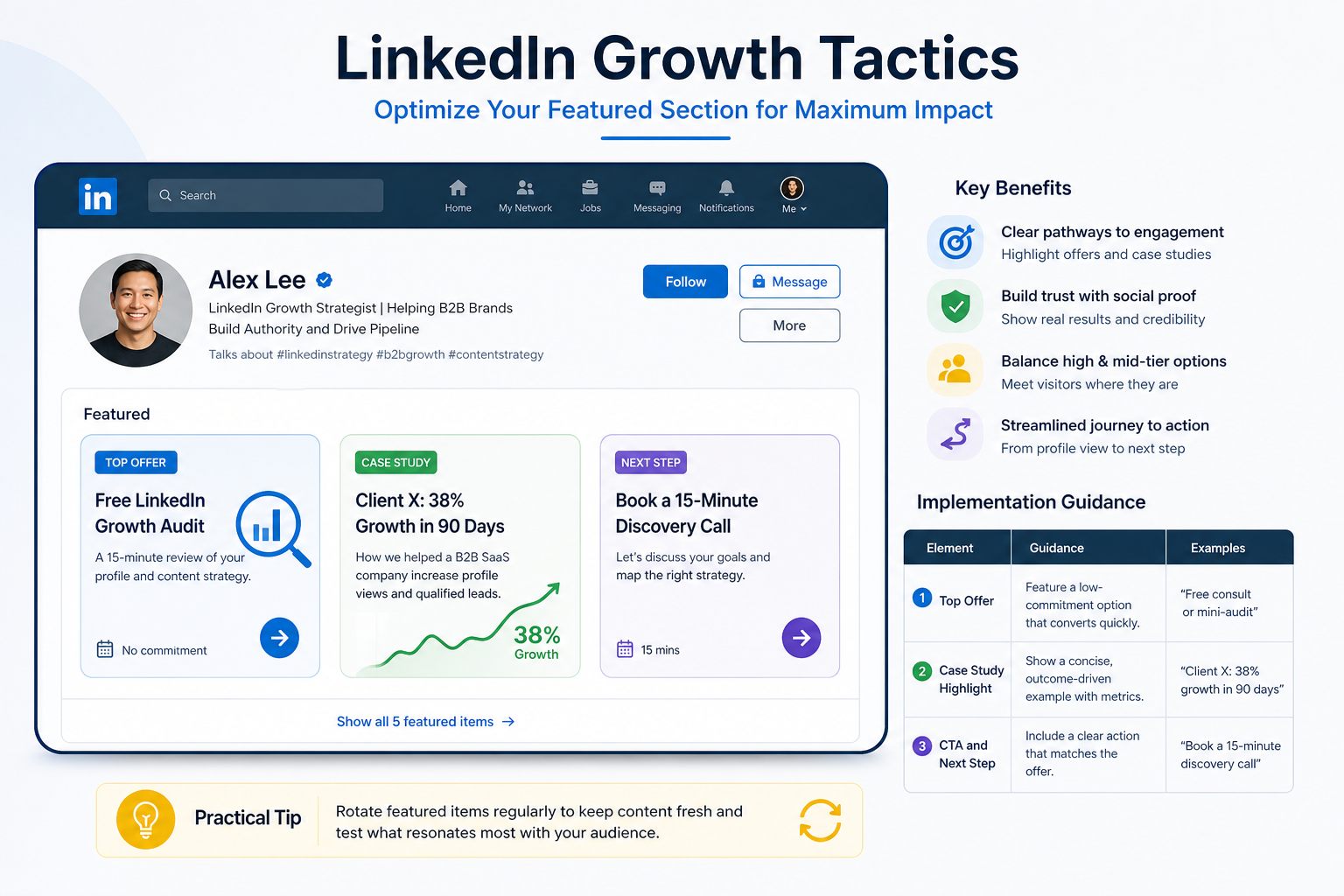
I curate Linqin AI’s Featured section to spotlight top offers and case studies. By highlighting high and mid-tier options, I provide immediate paths for engagement and social proof that builds trust with new visitors. This approach positions the profile as a practical resource, helping visitors quickly understand value and decide on next steps without sifting through abstract statements.
Key benefits of an effectively managed Featured section include:
- Clear pathways to engagement through highlighted offers and case studies.
- Social proof that reinforces credibility and trust with newcomers.
- Balanced visibility of high and mid-tier options to accommodate different readiness levels.
- A streamlined user journey from profile view to action.
Implementation guidance for maximizing impact:
| Element | Guidance | Examples |
|---|---|---|
| Top Offer | Feature a low-commitment option that converts quickly. | “Free consult or mini-audit” |
| Case Study Highlight | Show a concise, outcome-driven example with metrics. | “Client X: 38% growth in 90 days” |
| CTA and Next Step | Include a clear action that matches the offer. | “Book a 15-minute discovery call” |
Practical tip: rotate featured items on a regular cadence to keep content fresh and to test what resonates most with your audience. Monitor engagement on each featured item and adjust the emphasis based on real user interactions.
Contact Information
Contact Information
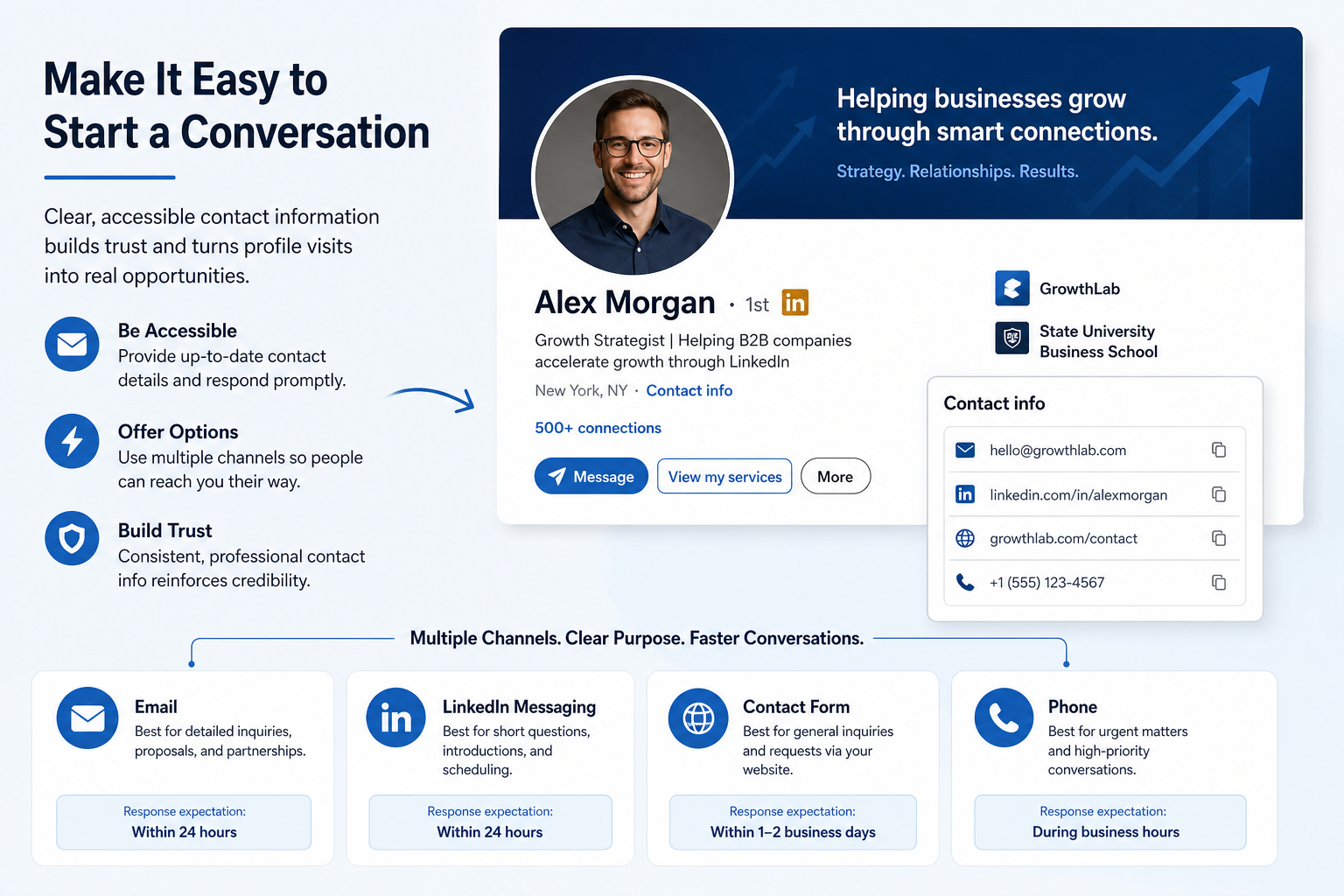
Accessible and up-to-date contact details are a critical part of turning profile visits into conversations. I prioritize keeping a current email address visible and easy to reach, along with multiple clear channels for outreach. When visitors can contact you without friction, you accelerate opportunities with potential clients, partners, and collaborators. This approach reduces friction in the buyer journey and helps ensure inquiries are routed to the right person quickly.
To support smooth outreach, consider providing a primary contact method complemented by alternative options. Each channel should have a clear purpose and response expectation so inquiries are handled efficiently and professionally. Consistency across your profiles and touchpoints reinforces credibility and makes it simple for interested parties to take the next step.
| Channel | Details | Best Used For |
|---|---|---|
| Use a professional address that you check daily. Consider a dedicated contact inbox (for example, hello@yourbrand.com) to route inquiries to the right team. | New client inquiries, partnerships, proposals | |
| LinkedIn Messaging | Keep your LinkedIn inbox active with timely responses. Consider a policy for a response window (e.g., within 24 hours). | Shortquiries, quick introductions, scheduling |
| Contact Form | Embed or link to a simple form that captures essential details (name, company, email, message). Ensure submit confirmations and routing are automated. | Structured inquiries, lead capture |
| Website Chat | Offer a real-time chat or chatbot for immediate questions. Provide clear handoff to human agents when needed. | Instant support, quick qualification |
| Phone | If appropriate, share a direct line or main office number with hours of availability. | High-touch conversations, complex discussions |
Implementation note: regularly audit contact information across your LinkedIn profile, website, and other social channels. A consistent contact strategy reduces friction and makes it easier for interested parties to reach you, increasing the likelihood of turning inquiries into meaningful conversations and, eventually, partnerships or client relationships.
About Section
About Section
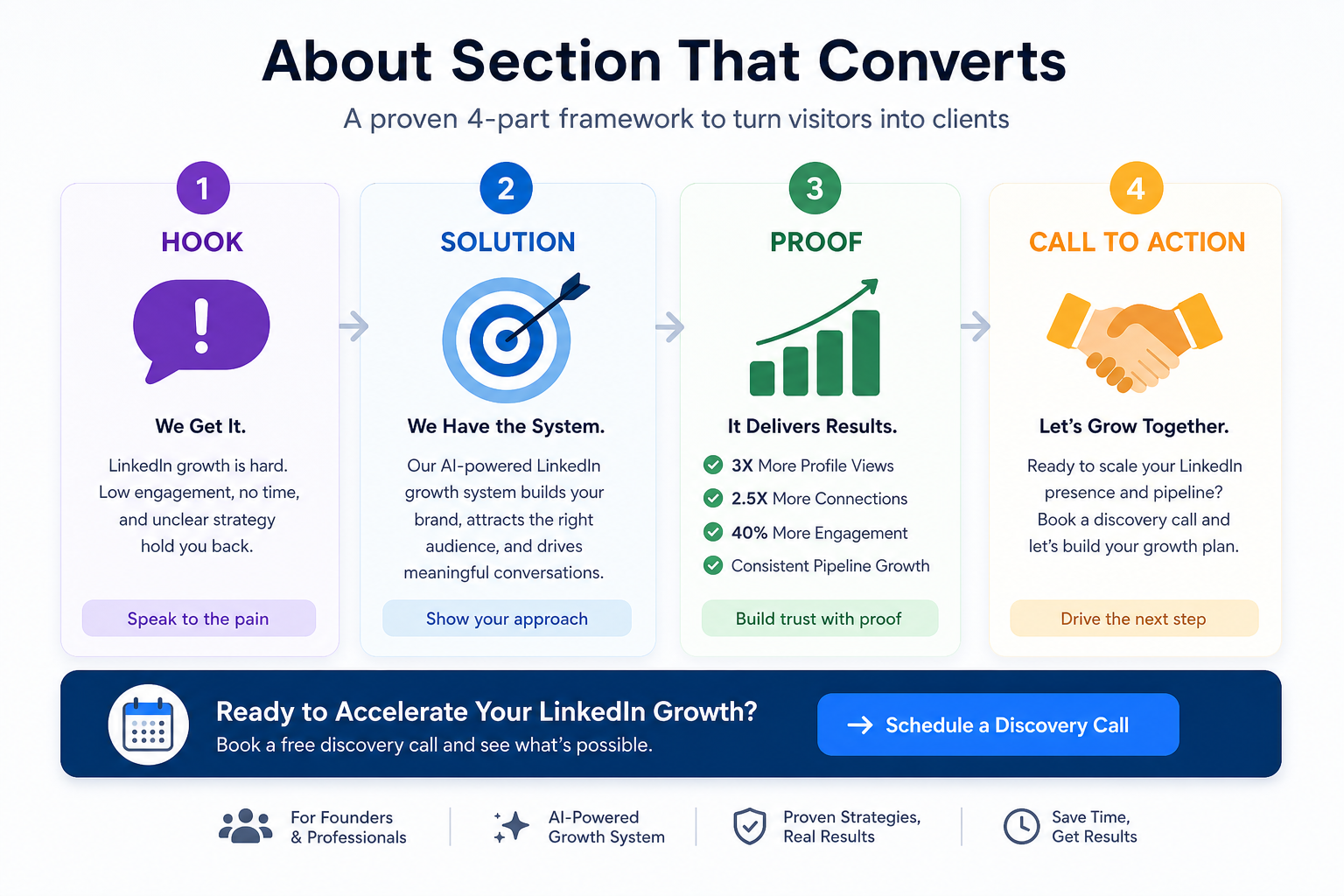
About Section is a concise mini sales page that explains who I help, the problems I solve, and the results I deliver. It follows a four-part structure designed to inspire action: a compelling hook, a clear solution, credible proof, and a powerful call to action.
| Element | Description |
|---|---|
| Hook | Open with a sharp statement that speaks to your target audience’s pain points. Frame the issue in a way that creates curiosity and invites the reader to learn more about your approach. |
| Solution | Present a clear, unique approach that outlines how you address the problem. Highlight the value you deliver and the outcomes your clients can expect. |
| Proof | Include concise social proof or results that substantiate your claims. This could be brief metrics, client wins, case highlights, or notable recognitions. |
| Call to Action | End with a direct and inviting CTA. Use concrete next steps such as scheduling a discovery call, booking a demo, or connecting via email. |
Implementation note: keep the content tight and benefits-led. The goal is to convert curiosity into action by presenting a believable path from problem to result.
Schedule a Discovery Call