You know the pattern. You post when you remember, disappear for a week, come back with a thoughtful update, then wonder why LinkedIn feels so inconsistent.
The problem usually isn't effort. It's that many users treat LinkedIn as a daily task instead of a repeatable system. They open the app, stare at the blank composer, write something under pressure, and hit publish whenever they have a free minute. That creates bursts of activity, not reliable audience growth.
If you're trying to figure out how to schedule LinkedIn posts, start with a simple mental model. There are really three ways to do it. You can schedule directly inside LinkedIn for basic control. You can use a traditional scheduler like Buffer or Sprout Social for batching and calendar management. Or you can use an AI-driven workflow that handles research, drafting, and timing together. Those aren't just different tools. They're different operating models.
Scheduling matters because consistency matters. But posting more without a system usually turns into burnout. A better approach is to decide your cadence, choose the right workflow, and build around timing, quality, and responsiveness. If you need help deciding how often to post before you schedule anything, this LinkedIn posting frequency guide is a useful starting point.
Table of Contents
- Why Just Posting More on LinkedIn Is a Losing Strategy
- Comparing Your Three Scheduling Options
- How to Use LinkedIn's Native Scheduler
- Find Your Peak Engagement Window
- Automate Content Creation and Scheduling with AI
- Streamline Scheduling for Your Team
- From Scheduling Tasks to Building a System
Why Just Posting More on LinkedIn Is a Losing Strategy
"Post more" sounds practical. In reality, it's incomplete advice.
More posting only works when the posts are good, the timing is sensible, and the process is sustainable. Without that, you get rushed ideas, missed windows, and a content calendar full of filler. Founders feel it first. Growth operators feel it next. Sales leaders usually feel it when their personal brand turns into another task they avoid.
There are three common scheduling modes, and each one creates a different outcome:
- Manual native scheduling: good for getting started, weak for scale.
- Traditional third-party scheduling: better for batching, planning, and team visibility.
- Automated growth workflows: useful when you want content creation and scheduling to work together instead of as separate jobs.
Practical rule: If your process still depends on motivation each morning, you don't have a system yet.
The losing move isn't scheduling. It's filling a calendar just to feel consistent. LinkedIn rewards relevance, clear points of view, and regular presence. That means your scheduling setup should protect quality, not just automate publishing.
A strong workflow does three things well. It gives you a repeatable publishing rhythm. It creates enough structure to keep posting during busy weeks. And it leaves room for live reactions when something timely deserves a real post.
Comparing Your Three Scheduling Options
Some people need a basic publishing button. Others need approvals, editing flexibility, and analytics. Others want the entire process to start earlier, at idea generation, not at the calendar.
The real difference is operational
The native LinkedIn scheduler is the simplest option. You write the post, choose a date, and let LinkedIn publish it. That's fine if you're posting occasionally and don't need much revision control.
Traditional schedulers sit one layer above that. Tools like Buffer and Sprout Social are usually a better fit when you're managing a queue, coordinating across channels, or trying to keep a consistent publishing routine without living inside LinkedIn all day.
AI-powered tools change the workflow more profoundly. Instead of asking only, "When should this post go live?", they also handle, "What should we post, what angle should we use, and how do we keep it aligned with brand voice?" That's a different category of system.
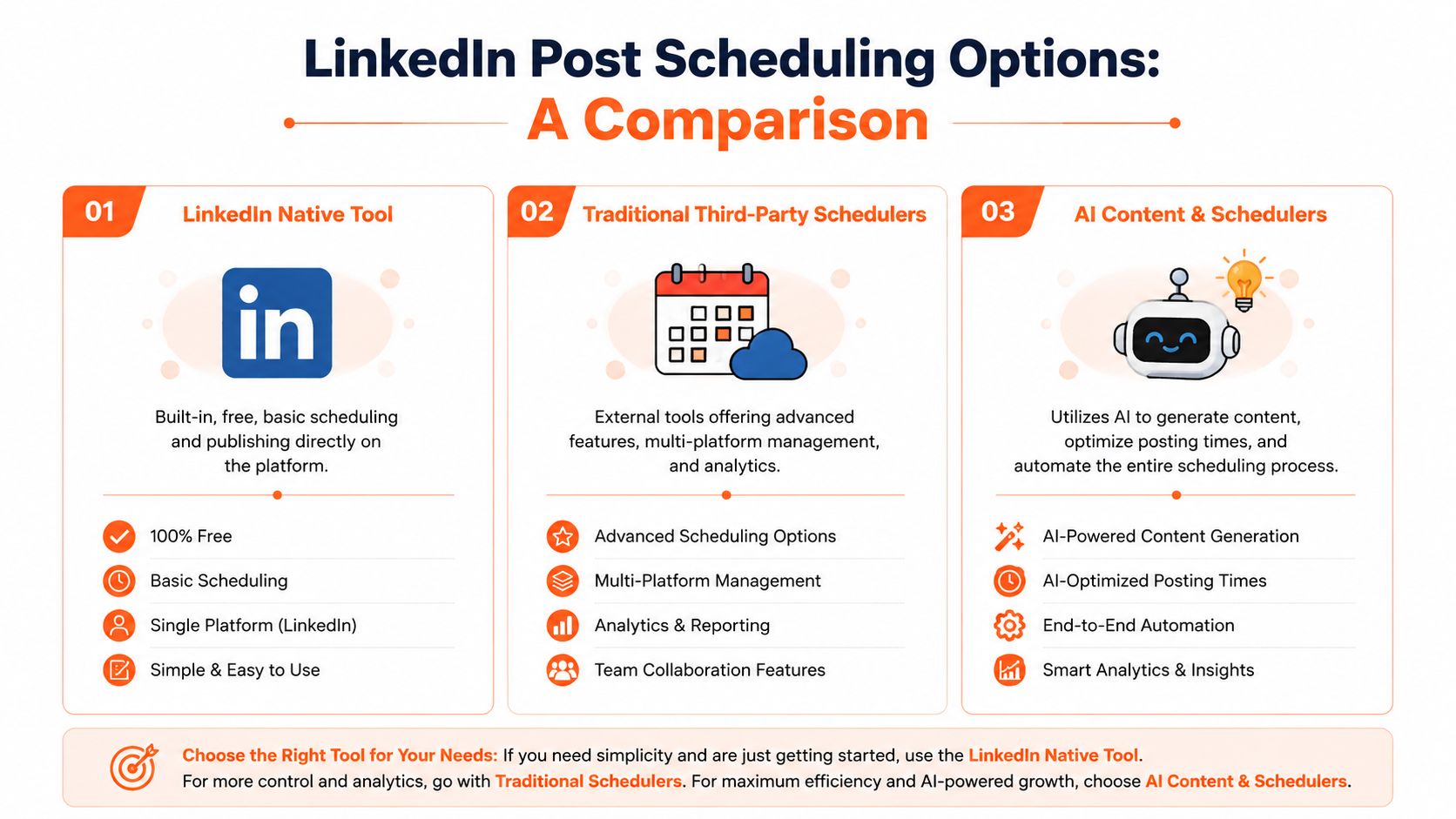
LinkedIn Scheduling Methods Compared
| Method | Best For | Content Generation | Team Workflow | Strategic Advantage |
|---|---|---|---|---|
| LinkedIn native tool | Solo users who want a simple built-in option | Manual only | Minimal | Fastest way to schedule directly on-platform |
| Traditional third-party schedulers | Marketers managing a queue or multiple channels | Usually manual, sometimes assisted | Better visibility and coordination | Better batching, rescheduling, and editorial planning |
| AI content and schedulers | Teams or operators building a repeatable growth engine | Drafting can be automated with research and voice guidance | Stronger when approvals and publishing live together | Connects idea generation, timing, and execution |
The key trade-off is control versus flexibility. Native scheduling gives you direct control but not much flexibility. Third-party tools improve workflow. AI systems reduce the amount of manual work before the post ever reaches the schedule.
If you're still creating content one post at a time and scheduling it one post at a time, the bottleneck isn't LinkedIn. It's the workflow around it.
When people ask how to schedule LinkedIn posts, they often mean, "Which button do I click?" The better question is, "What process lets me publish consistently without lowering quality?" That's the decision that changes results.
How to Use LinkedIn's Native Scheduler
If you want the most direct path, LinkedIn's built-in scheduler works on both personal profiles and company pages.
The exact steps inside LinkedIn
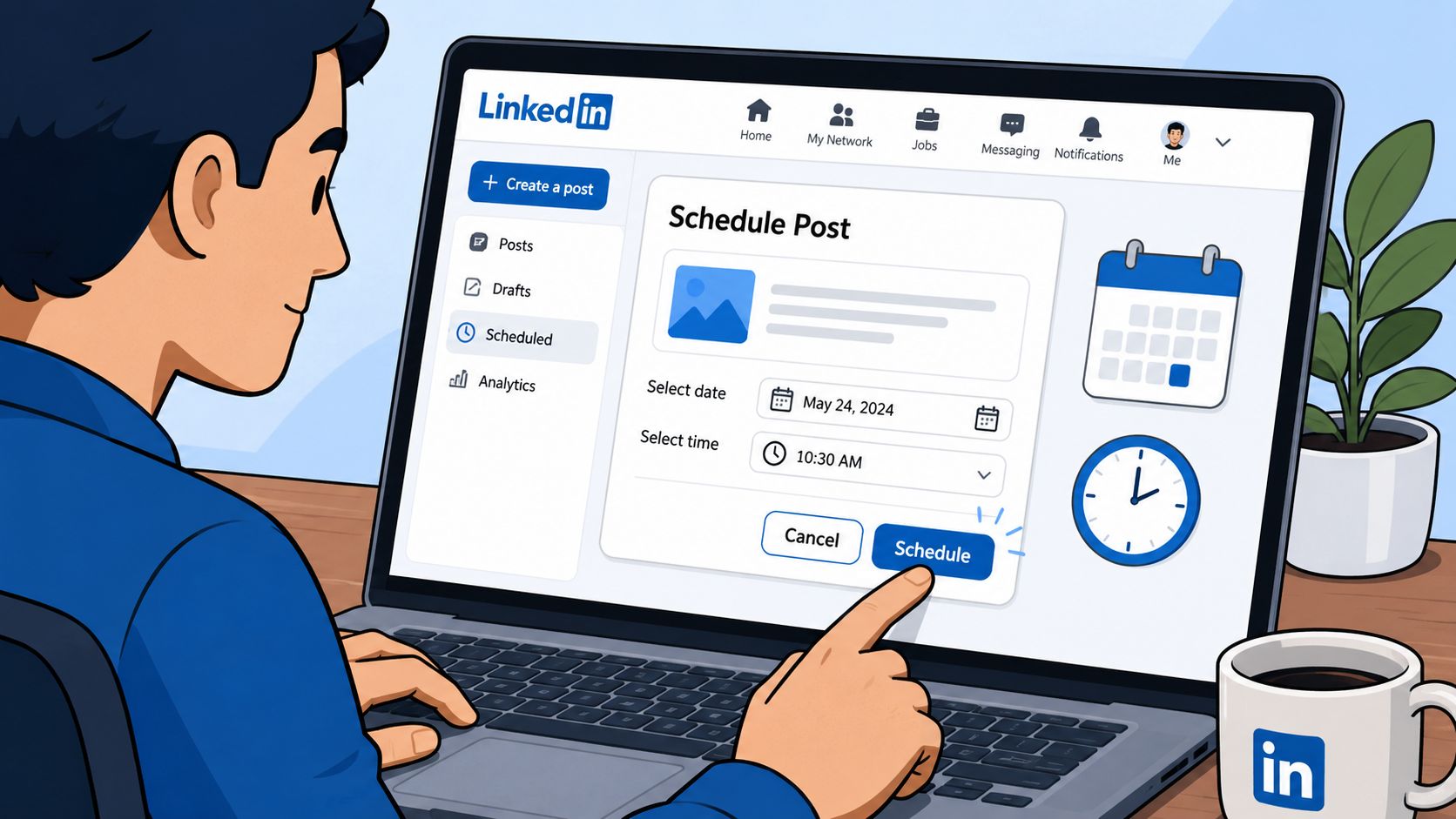
The workflow is straightforward:
- Draft your post inside the LinkedIn composer.
- Click the clock icon instead of the Post button.
- Choose the date and time in the scheduling pop-up.
- Click Next to review.
- Click Schedule to confirm.
That sequence is the same for personal profiles and company pages, based on Buffer's walkthrough of the native publishing flow in its guide to scheduling LinkedIn posts natively.
For someone posting a few times each month, that's often enough. You don't need another tool just to queue a basic text, image, or video post.
Where the native tool starts to break
The limitations show up quickly once posting becomes part of a real content system.
LinkedIn's native scheduling tool imposes a strict technical constraint allowing posts to be scheduled only up to three months in advance, and a critical pitfall is the inability to edit a post after it has been scheduled without deleting and rescheduling it. That matters more than it sounds. If you batch content in advance and spot a wording issue later, you're not making a quick edit. You're rebuilding the post.
That workflow is still worth knowing, especially if you want to test a schedule before adopting more software.
A quick visual walkthrough helps if you haven't used it before:
Native scheduling is a decent starting point. It isn't a strong operating system for a serious LinkedIn program. Once you care about approvals, queue management, rescheduling, or content iteration, you'll probably outgrow it.
Find Your Peak Engagement Window
Timing doesn't rescue weak content, but bad timing can absolutely suppress strong content.
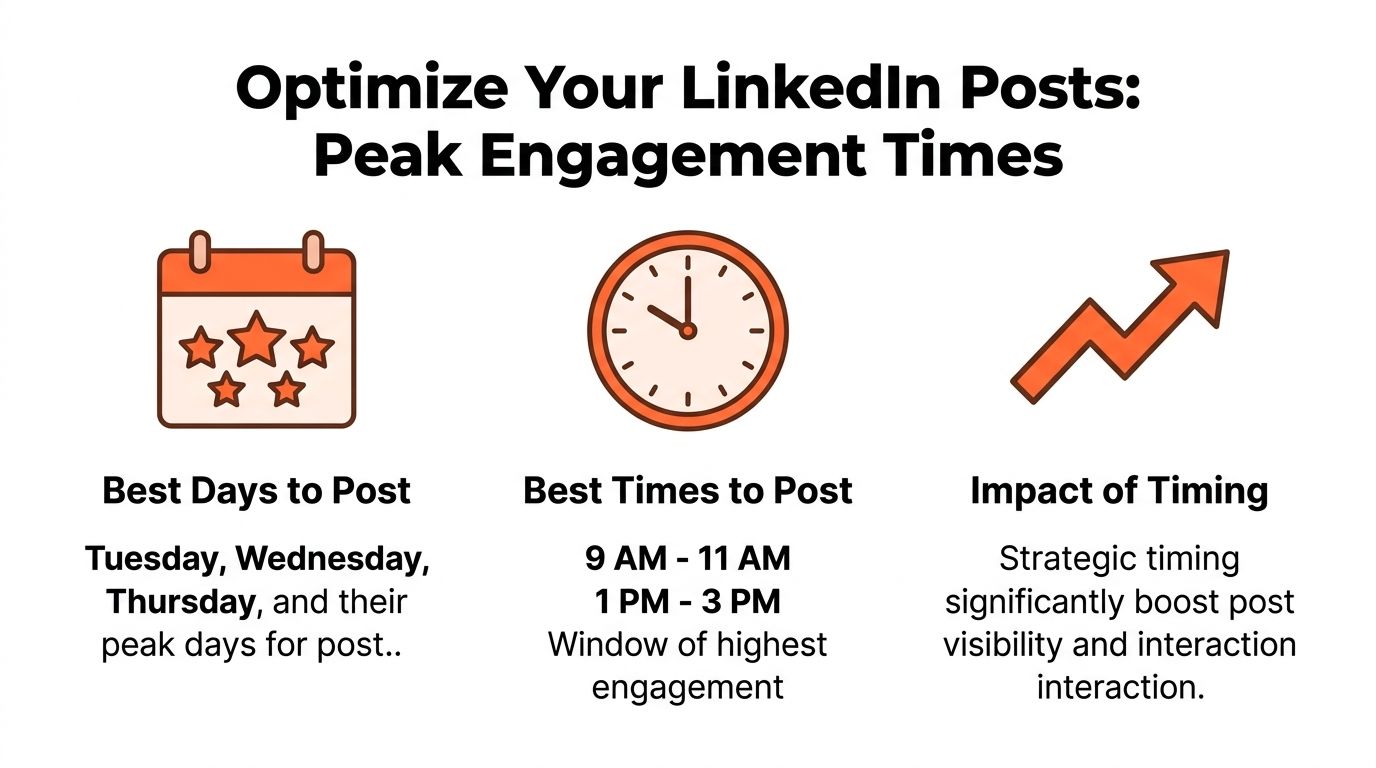
The most reliable baseline for 2026 is clear. The most authoritative data for 2026, based on a meta-analysis of over 8 million posts, identifies Tuesday through Thursday between 10 AM and 2 PM in the audience's local time zone as the peak engagement window, with Wednesday being the single most consistent high-performance day, according to Kanbox's analysis of LinkedIn posting times.
Use a primary timing window first
If you need a default schedule, start with midweek, midday, in your audience's local time zone. That's the dependable baseline for professional content.
Most B2B posts are effective in these scenarios:
- Thought leadership posts: useful during the workday when people are already in a business context.
- Case-study style posts: strong when readers are in decision mode, not weekend scroll mode.
- Carousels and educational posts: often perform better when people have enough focus to click through.
You don't need to overcomplicate this at the beginning. A simple, repeatable publishing block is better than constant guesswork. If you want more nuance around timing strategy, this best time to post on LinkedIn guide is a helpful companion.
Match cadence to relevance
Scheduling works best when it creates consistency without making your content feel stale. That's why rigid batching can backfire. According to Scheduled, relying only on fixed scheduling can lead to a 15 to 20% drop in engagement for personal brands compared to real-time posting, and it recommends a 70/30 batching strategy where 70% of content is scheduled while 30% stays open for spontaneous posts. The same source says 2 to 5 times per week is the practical cadence benchmark for B2B startups, with 3 to 4 scheduled posts per week fitting that model well in many cases, as outlined in this breakdown of batching and scheduling LinkedIn posts.
Schedule the repeatable posts. Leave room for the timely ones.
That distinction matters. Your evergreen opinion posts, educational breakdowns, and recurring series can be planned in advance. Your reaction to industry news, product updates, hiring moments, and high-signal conversations should often stay unscheduled until you know what the week looks like.
A good schedule isn't rigid. It's reliable.
Automate Content Creation and Scheduling with AI
A lot of LinkedIn schedules break before anything gets published.
The calendar is rarely the bottleneck itself. The bottleneck is turning a rough idea into a post that sounds sharp, relevant, and worth reading three or four times a week. If that step stays manual, scheduling becomes a storage system for inconsistent drafts instead of a growth system.
AI works best when it fixes ideation first
The useful role of AI is not filling a queue with generic copy. It is reducing the time spent on research, angle selection, and first drafts so you can keep quality high without rebuilding the process every week.
Analysts at n8n found that AI-generated posts that incorporate trending topics identified via real-time research of industry keywords see a 40% higher engagement rate than static drafts, in its workflow benchmarks for automated LinkedIn content creation.
That lines up with what strong LinkedIn operators already see in practice. Scheduled posts lose traction when they feel detached from the conversation your buyers are already having. A better workflow starts upstream. It pulls in current themes, turns them into usable angles, and gives you a draft that needs editing, not rescuing.
What good automation does in practice
A good AI workflow should do four things well:
- Research before it drafts. Generic output is easy to spot. The system should start with current topics, keywords, or source material.
- Keep the voice consistent. The draft should sound like the founder, operator, or brand behind the account, not like a recycled prompt.
- Schedule within platform limits. LinkedIn applies API and activity constraints, so the workflow needs spacing and publishing controls, as explained in Sprout Social's overview of LinkedIn automation tool constraints.
- Route the right posts for review. Some posts can publish automatically. Others should wait for a human check.
That last point matters more than teams expect.
The highest-performing setup is usually not full automation. It is selective automation. Use AI to handle research, draft generation, repurposing, and queue management. Keep human review on opinion-led posts, sensitive claims, and anything tied to company news.
Linqin fits into that category. It combines researched draft generation, post scheduling, brand voice training, and approval controls in one workflow. The practical difference is simple. A basic scheduler helps once you already know what to post. An AI workflow helps you get to a publishable post consistently.
That is also why repurposing matters here. One useful insight from a webinar, customer call, or founder memo can become multiple strong posts if the workflow is set up well. This becomes much easier with a documented LinkedIn content repurposing workflow.
If posting still depends on waiting for inspiration, the schedule will stay uneven. If research, drafting, and timing run in one system, LinkedIn starts behaving more like a repeatable acquisition channel.
Streamline Scheduling for Your Team
Scheduling gets harder the moment more than one person is involved.
A founder wants the post to sound personal. Marketing wants message consistency. Legal or leadership wants review. Sales wants speed. By the time everyone signs off, the ideal window is gone.
Approval speed matters more than most teams think
This isn't a minor workflow issue. Recent industry data shows that 68% of B2B teams miss optimal posting windows due to internal review bottlenecks, making an efficient approval workflow critical to capitalizing on peak engagement hours, according to Brandwatch's write-up on how teams schedule LinkedIn posts.
That explains why many employee advocacy programs feel weaker than they should. The content itself may be fine. The process around it is too slow.
The more people involved in approval, the more important it becomes to separate "brand-safe" content from "needs discussion" content.
A workable team workflow
The cleanest team setup usually looks like this:
Create posting lanes
Not every post needs the same approval path. Put low-risk formats into a fast lane. Thought leadership reactions, executive takes, and sensitive announcements can go through a slower lane.
Standardize voice inputs
Teams lose time when every draft starts from scratch. Build shared guidance on vocabulary, positioning, claims you can make, and claims you can't.
Approve before peak windows, not during them
If your best slots are known in advance, approvals should happen earlier. Don't send a draft for review minutes before the intended publishing time.
Keep editing and scheduling in the same system
Moving drafts between docs, Slack threads, and a scheduler creates delays and version confusion. The tighter the workflow, the fewer missed windows.
Track performance by person and format
Employee advocacy gets better when you know which voices, topics, and post types deserve faster approval next time.
For teams, the main goal isn't just to queue more posts. It's to keep brand quality high without turning every post into a committee project. When you get that balance right, scheduling becomes an operational advantage instead of an administrative headache.
From Scheduling Tasks to Building a System
A scheduled post is not a system. A system gives you a steady publishing rhythm, a clear view of what to say next, and a way to keep showing up without rebuilding the process every week.
That difference matters because LinkedIn growth rarely comes from one strong post. It comes from repeated exposure around a few clear themes, published often enough to build familiarity and refined often enough to improve results. Scheduling is one layer of that. Topic planning, creation speed, timing, and review flow are the rest.
A useful setup does three jobs well. It keeps content going out on a reliable cadence. It puts posts into the time windows you already know are worth using. It also leaves room for live commentary when a customer story, market shift, or strong point of view should go out now instead of waiting in a queue.
The trade-off is simple. Native scheduling works if you already know what to post and you only need lightweight planning. A traditional scheduler helps once volume, collaboration, or multi-account coordination starts to slow the team down. An AI-assisted workflow earns its place when the constraint is creation, not publishing, and you want a repeatable way to turn ideas into drafts, approvals, and scheduled posts.
The goal is predictable audience growth.
Use scheduling as the delivery layer for a content system. That is how LinkedIn stops being a task you remember when you have time and starts becoming a channel that compounds attention, reach, and pipeline over time.