You're probably here because a video is sitting in a browser tab right now, and there's no obvious download button anywhere. Maybe it's a Vimeo clip you need for a deck, a training video you want offline before a flight, or a public ad you need to review later without hunting down the page again.
That's where Extension Video Downloader Professional gets attention. It promises the fast path: install, visit the page, click the extension, save the file. Sometimes that's exactly what happens. Sometimes it isn't. Browser restrictions, streaming formats, blocked sites, and security risks turn a “one-click” tool into something that needs a more careful hand than most tutorials admit.
Table of Contents
- What Are Video Downloader Extensions and Why Use One
- Finding and Installing Your Downloader Safely
- Your Workflow for Downloading Videos
- Why Your Video Is Not Downloading
- The Security and Legality You Cannot Ignore
- Smarter Alternatives and Professional Productivity
What Are Video Downloader Extensions and Why Use One
A browser video downloader extension watches the page you're visiting and tries to detect media files embedded in it. When it works, it gives you a short list of downloadable files instead of forcing you into developer tools, network logs, or a full desktop app.
That convenience matters when the job is simple. A marketer saving a public-facing campaign video for internal review doesn't need a heavyweight workflow. A student saving a reference clip for offline viewing doesn't want to learn command-line tooling first. In those moments, an extension is the quickest tool in reach.

Where they fit best
Extensions sit in the middle ground between two other approaches:
| Tool type | Best use | Main trade-off |
|---|---|---|
| Browser extension | Quick saves from ordinary web pages | Can fail on modern streaming setups |
| Screen recorder | Capturing what plays on screen | Lower efficiency, less clean output |
| Desktop downloader | Heavy-duty downloads and edge cases | More setup and learning |
The word “professional” matters less than people think. It doesn't mean the extension can grab every video on every site. It means you use it with judgment. You know when a page exposes a plain file and when a site is serving segmented streams, using DRM, or blocking requests in ways an extension won't handle cleanly.
The professional move isn't clicking faster. It's knowing when the extension is the right tool and when it's already out of its depth.
That mindset makes this category much more useful. Instead of assuming the extension failed because you did something wrong, you start reading the site, the browser, and the video delivery method before wasting time.
Finding and Installing Your Downloader Safely
Before installing anything, treat a downloader extension like any other browser tool with broad visibility into your browsing. Convenience is not the first question. Trust is.
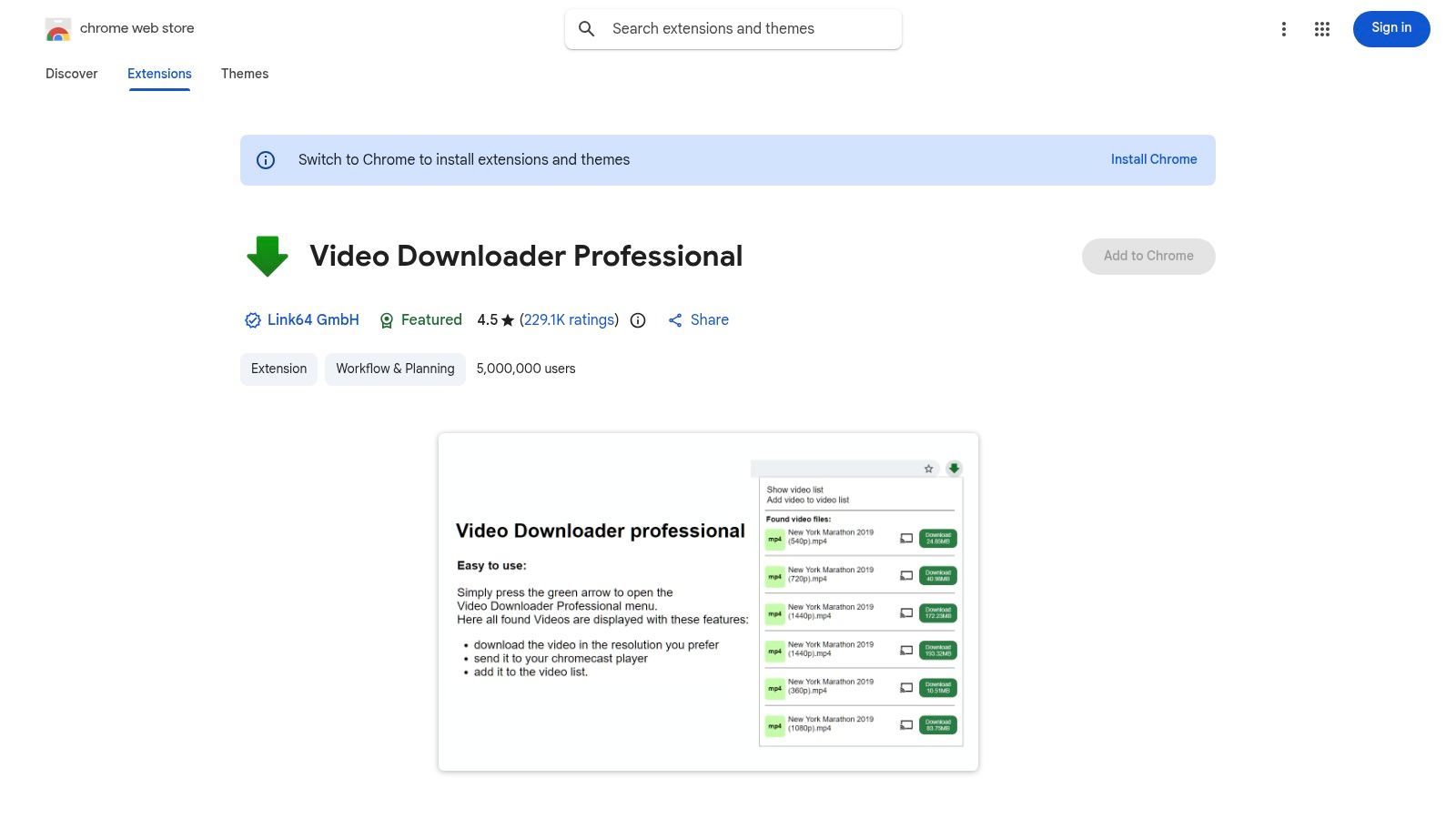
Video Downloader Professional has a verified user base of 5,000,000+ on the Chrome Web Store, and that scale is recorded on its official Chrome Web Store listing. The same listing also indicates detection support for MP4, OGG, MOV, and MKV formats. Big install counts don't prove safety by themselves, but they do tell you this isn't an obscure extension with no public footprint.
The store listing is where I start, not where I stop.
What to check before clicking install
Use a short vetting pass:
- Look at the publisher identity. Make sure the listing is the one you intended to install, not a copycat with a similar name.
- Read recent reviews, not just the average rating. Old praise doesn't help if recent users are reporting breakage, aggressive permissions, or changed behavior.
- Check update recency. A stale extension in a browser category this sensitive is a bad sign.
- Read the permissions carefully. If an extension needs visibility across many sites to detect media, that may be functionally necessary. It still deserves scrutiny.
- Search for support details. A real support path is more reassuring than a dead-end listing.
If you want a related browser workflow resource, Linqin also publishes a page on its browser extension tools.
How to install it cleanly
Once you've vetted the listing, installation itself is simple:
- Open the Chrome Web Store page.
- Click Add to Chrome.
- Review the permission prompt slowly.
- Pin the extension to the toolbar so it's visible when you test pages.
- Open a site with a public, non-protected video and confirm the icon reacts.
Practical rule: Install, then test on an ordinary page first. Don't make your first trial a difficult streaming site and assume the extension is broken.
One more point matters here. If an extension asks for broad access, ask whether the value matches the risk. A downloader needs page-level visibility to detect embedded media. That's understandable. It still means the tool belongs in the “use deliberately” category, not the “install and forget forever” category.
Your Workflow for Downloading Videos
Most frustration with Extension Video Downloader Professional comes from clicking around without a repeatable process. A cleaner workflow makes the extension feel much more predictable.
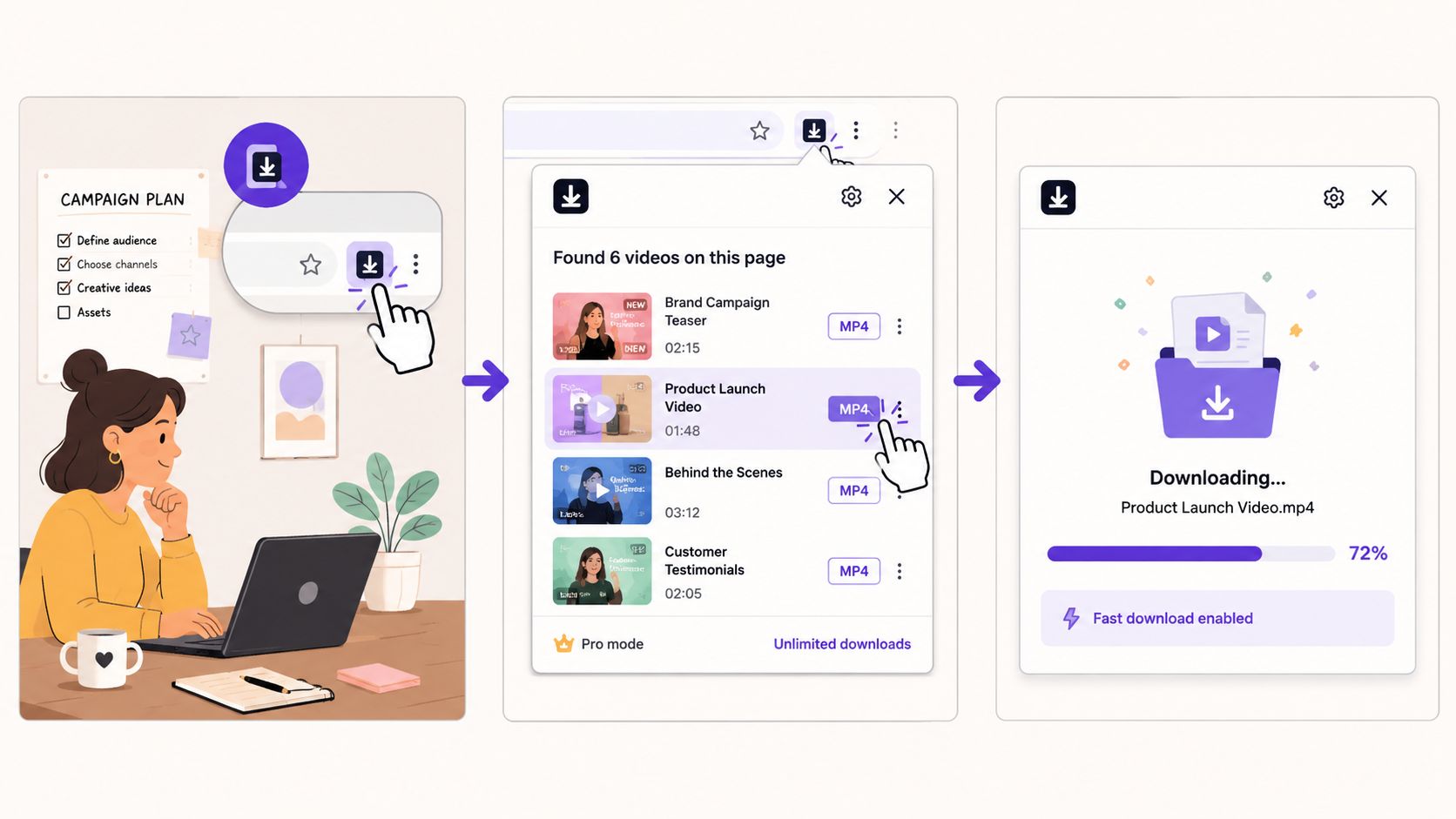
The standard pattern is straightforward. An independent guide describes a five-step workflow for tools like Video Downloader Professional: install from the browser store, open the target page, activate the extension, choose format and quality, then download or batch-save the file. That same guide notes support for formats such as MP4, AVI, and WEBM and broad compatibility across common site types in ordinary use, as described in this Video Downloader Professional workflow guide.
A practical example
Say you're reviewing a public marketing video embedded on a news site or Vimeo page for an internal analysis deck. The page loads, the video plays fine, and you need a local copy for reference.
Use this flow:
- Open the page and let it fully load. Some pages don't expose media references until the player initializes.
- Play a few seconds of the video. This often helps the extension detect the active stream or file.
- Click the toolbar icon. If the extension found assets, you should see one or more entries.
- Choose the most usable format. MP4 is usually the safe first choice because it works almost everywhere.
- Pick the resolution you need. Higher isn't always better if the file is just going into a slide deck or offline notes.
If you want broader content workflow ideas beyond downloading, Linqin has a useful page on how teams learn content workflows.
How to choose the right file
When the extension shows multiple options, don't grab the first one blindly.
- MP4 first. It's the least troublesome for playback, sharing, and presentation software.
- WEBM can be fine. It's efficient, but not every workflow likes it.
- AVI is usually a fallback. It's less attractive for modern browser-heavy workflows.
- Duplicate-looking entries happen. One may be a lower resolution, another may be the same asset served differently.
A quick decision table helps:
| If you need | Best pick |
|---|---|
| Broad compatibility | MP4 |
| Smaller file in some cases | WEBM |
| Slide deck or offline reference | Mid to high resolution MP4 |
| Multiple files from one page | Save the clearly named video file first, skip odd fragments |
What works best in practice
The extension works best on pages that expose ordinary video files or simple embedded players. It's especially convenient when you need to save now and move on.
Don't overthink the first pass. If the extension presents a clean MP4 option, take it. If it shows fragments, odd filenames, or nothing useful, the page is telling you this won't be a simple extension job.
That's the dividing line often overlooked. The extension is good at easy retrieval. It's not magic.
Why Your Video Is Not Downloading
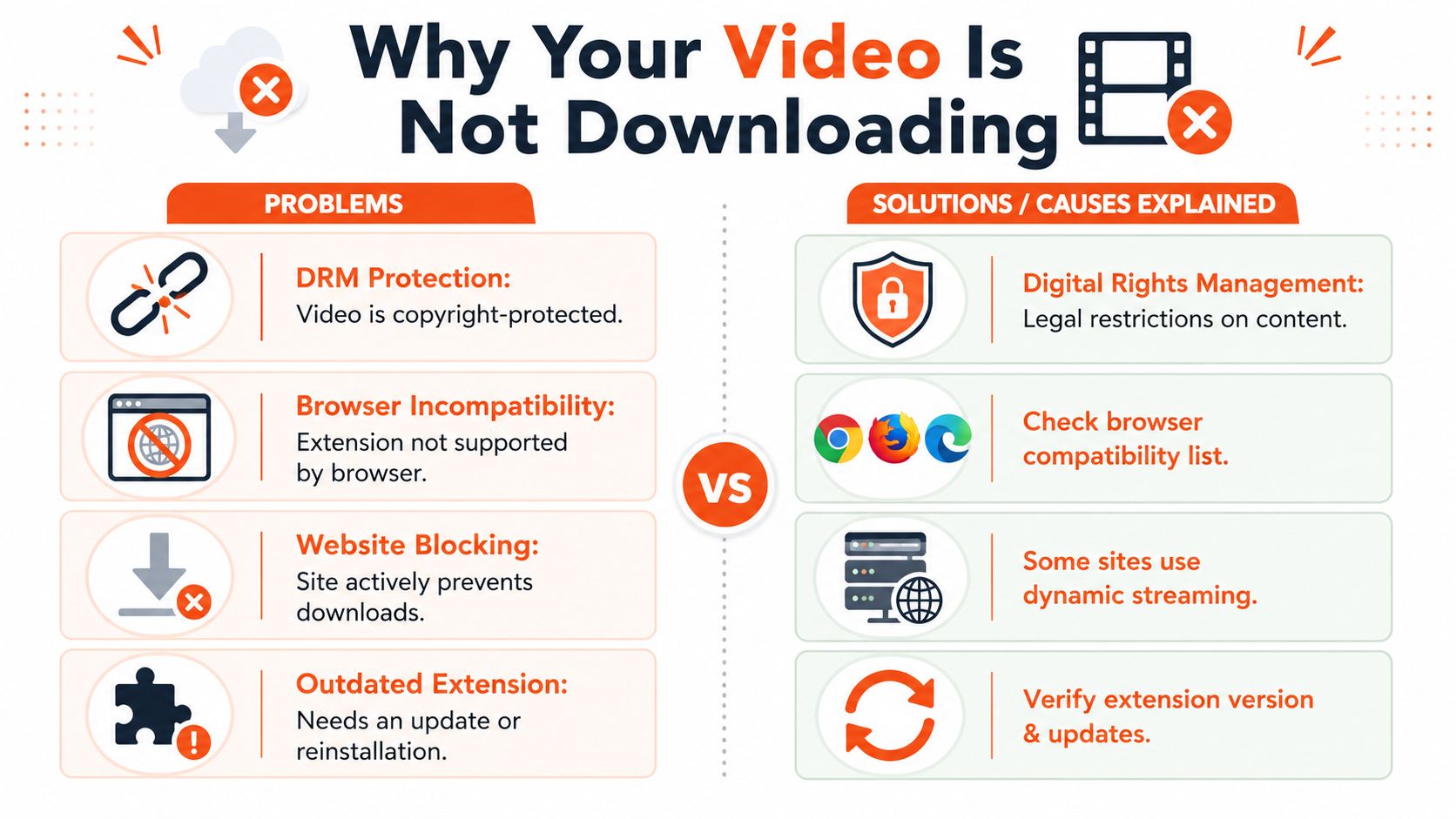
When the extension doesn't work, the problem usually falls into one of two buckets. The site is serving video in a way the extension doesn't handle well, or the browser environment itself is getting in the way.
A premium listing for Video Downloader Professional notes that it detects seven formats, auto-scans browsed sites for video streams, and keeps a video list for playback without revisiting pages. The same listing also flags two common limits: trouble with HLS/m3u8 streams and failure on sites using anti-scraping headers. It further notes reported 15 to 20% failure rates on edge cases without companion apps, in contrast to stronger success on standard HTTP video URLs, as stated on the premium extension listing.
The content itself may be the problem
A lot of pages no longer deliver one obvious video file. They deliver playlists, chunks, rotating manifests, or protected streams.
Common failure points:
- HLS or m3u8 delivery. The extension may see only parts of the stream or fail to assemble it properly.
- Dynamic players. Some sites generate media requests only after user interaction or under tightly controlled conditions.
- Anti-scraping headers. The player can fetch the video while the extension still can't package it into a normal download.
- DRM-protected video. If the content is protected, an extension isn't the right tool.
The browser may be the problem
Browser compatibility is where many guides stay vague. They shouldn't.
Reports in the Brave community point to a recurring gap in existing tutorials: they describe simple installation but skip the reality that these tools can fail on Brave and Firefox, especially as extension restrictions and browser architectures evolve. That browser-specific pain is documented in this Brave community discussion on Video Downloader Professional compatibility.
What that means in practice:
| Symptom | Likely cause |
|---|---|
| Icon shows nothing on a valid page | Browser blocked the detection path or the site uses a harder delivery method |
| Download starts, then fails | Site headers or segmented streaming broke the handoff |
| Works in Chrome, fails in Brave | Browser-level compatibility difference |
| Firefox behaves differently | Engine and extension model differences |
A failed download doesn't always mean the extension is bad. It often means the site is using a delivery method the extension was never going to handle cleanly in that browser.
What to try before giving up
Start with the easy checks:
- Refresh the page after pinning the extension
- Play the video briefly before clicking the icon
- Test the same page in Chrome if you're using Brave or Firefox
- Reinstall the extension if it suddenly stopped seeing files
- Switch tools for HLS-style streams
That last point is the one that saves the most time. General-purpose extensions are fine for straightforward video files. For streaming-heavy pages, use a purpose-built tool instead of forcing the wrong workflow.
The Security and Legality You Cannot Ignore
Browser downloaders sit in a risky category because they often need broad access to web pages, and users tend to trust them more than they should. That's a mistake.
A notable security incident affected over 15 million users across 15+ similar video downloader extensions, tied to a reported UXSS exploit that damaged trust across the category, including the Video Downloader Professional ecosystem. That history is referenced in this Reddit discussion citing the exploit and its impact. If a tool category has already been hit at that scale, caution isn't optional.
Security first, convenience second
Treat downloader extensions like temporary specialists, not permanent residents in your browser.
- Install only when you have a real need
- Prefer official store listings over random download pages
- Remove extensions you no longer use
- Watch for sudden behavior changes after updates
- Avoid mixing casual browsing with high-risk extensions
That doesn't mean every downloader is unsafe. It means this category deserves a shorter leash than a notes app or dark mode toggle.
If an extension needs broad access and saves you only occasional effort, keep your standards high and your install list short.
The legal line is usually clearer than people pretend
The technical ability to save a video doesn't create permission to use it however you want. Personal offline reference is one thing. Reposting, distributing, or dropping someone else's media into commercial work is another.
A practical rule helps:
| Use case | Risk view |
|---|---|
| Personal offline viewing of public content | Lower risk, but still subject to site terms |
| Internal reference or review | Context matters, keep it limited |
| Reuploading someone else's video | High risk |
| Commercial reuse without rights | High risk |
This isn't legal advice. It's operational common sense. If the content matters enough to use publicly or commercially, clear the rights first.
Smarter Alternatives and Professional Productivity
A good browser extension earns a place in your toolkit. It shouldn't become the whole toolkit.
For quick saves on ordinary pages, Extension Video Downloader Professional is still useful. For anything involving finicky streams, browser-specific failures, or higher stakes, move to a stronger option. A dedicated desktop workflow is usually the better fit for power users, and licensed stock assets are the right answer for commercial projects.
Match the tool to the job
Think in tiers:
- Fast browser grab for simple public videos
- Purpose-built stream tool when the page uses modern segmented delivery
- Desktop downloader when reliability matters more than convenience
- Licensed media source when usage rights matter more than speed
That's what professional productivity looks like. You stop asking one tool to solve every problem.
If you're optimizing the rest of your digital workflow too, it's worth looking at how your content effort compounds outside the browser. Linqin has a practical guide on how to repurpose content for LinkedIn growth.
If you want to grow linkedin while you sleep, Linqin is built for that job. It automates LinkedIn audience growth and lead generation with an AI agent that comments, drafts posts in your voice, tracks engagement, and helps turn attention into warm leads without adding another manual task to your day.