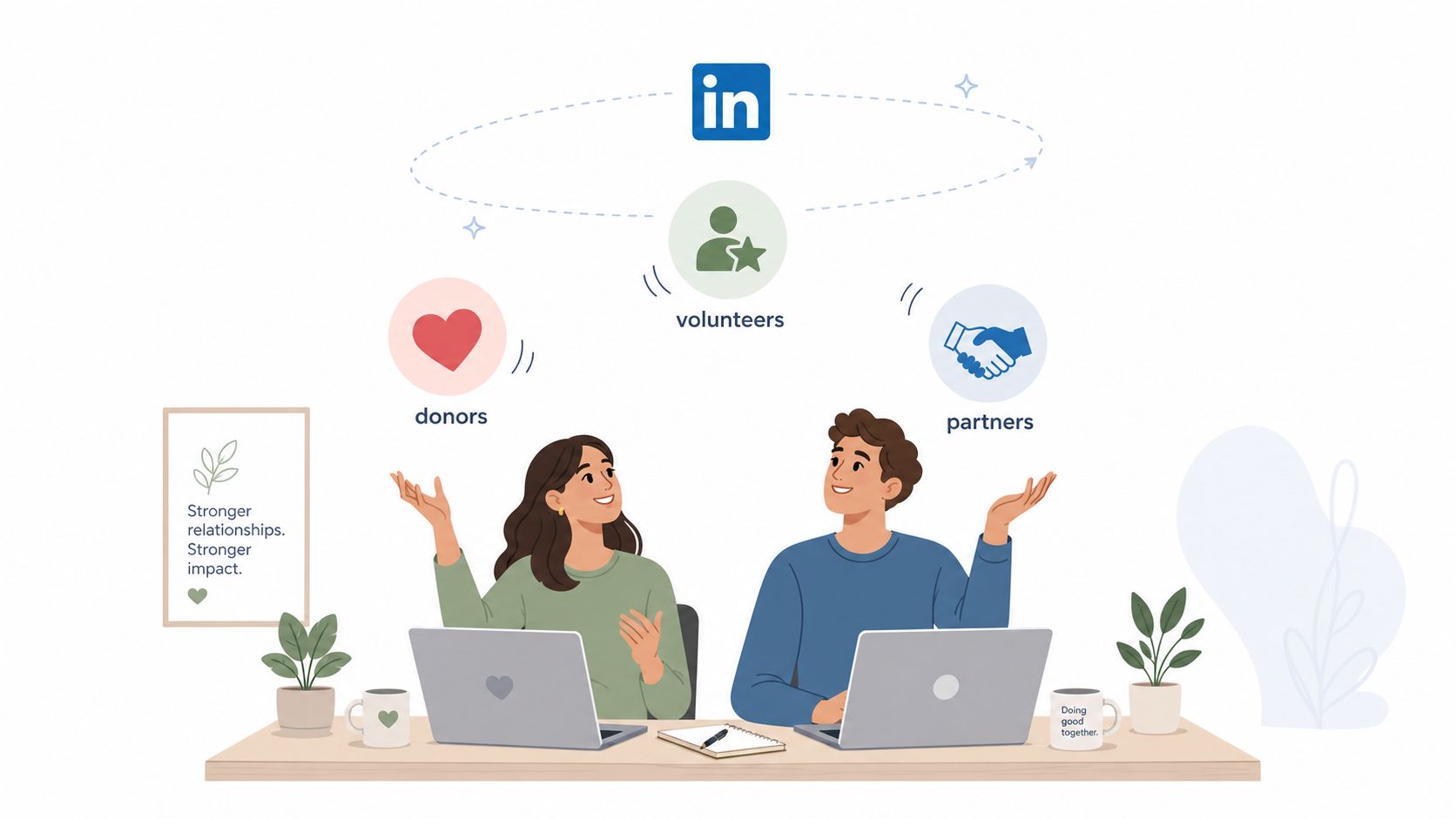
If you're running a nonprofit LinkedIn presence from a small team, you probably know the pattern already. The Page gets updated when there's a spare hour, the executive director's profile is half-finished, and the board keeps asking whether LinkedIn is doing anything besides adding another place to post. That's the wrong frame. LinkedIn for nonprofits works when it's treated as a relationship system, with content, comments, inbox outreach, employee advocacy, and measurement all tied to the same mission goals.
The platform has long been designed for more than recruiting. LinkedIn's own nonprofit guidance points organizations toward Direct Messages, InMail, feed posts, Sponsored Content, Events, LinkedIn Live, newsletters, articles, and Groups, which tells you the job isn't just to publish, it's to keep conversations moving across surfaces that different stakeholders use (LinkedIn nonprofit guidance). That matters for charities, because trust rarely comes from one post. It comes from repeated, visible proof that the mission is real, the people behind it are credible, and the next step is easy.
Table of Contents
- Why LinkedIn Matters for Mission-Driven Organizations
- The LinkedIn Assets Nonprofits Should Activate
- Choosing the Right Strategy for Each Nonprofit Goal
- A Practical Content System That Nonprofits Can Sustain
- Running Employee Advocacy as a Governance Program
- Measurement and Attribution That Proves ROI
- Your 90-Day Implementation Roadmap
- Common Misconceptions and How to Outgrow Them
Why LinkedIn Matters for Mission-Driven Organizations
A two-person nonprofit team often ends up here first. One person is writing grant reports, another is handling donor follow-up, and both are trying to keep volunteers, partners, and board members warm on LinkedIn without letting the feed go silent. That creates shortcuts fast. A logo post goes out, a donation ask appears once, and then the channel stops building anything durable.
LinkedIn works better as a multi-channel relationship platform than as a simple content feed. It gives nonprofit teams several ways to stay visible and useful across the full relationship cycle, including Direct Messages, InMail, feed posts, Sponsored Content, Events and LinkedIn Live, newsletters, articles, and Groups, plus tactics like niche hashtags, partner tagging, questions, and polls to broaden reach. The same nonprofit guidance also points toward using those tools together, which is a very different operating model from the usual post-and-pray routine (LinkedIn nonprofit guidance).
The four jobs LinkedIn can do
For mission-driven teams, LinkedIn usually has four jobs at once. It can raise visibility with the right professional audiences, support fundraising by warming up donor and partner conversations, help with volunteer and board sourcing, and build board-level credibility through a visible, consistent executive presence.
Practical rule: if a LinkedIn activity does not help a real relationship move forward, it is probably vanity work.
That shift matters because a nonprofit should not expect one post format to serve every goal. Awareness content, donor outreach, volunteer sourcing, and board cultivation all sit in the same system, but each one needs a different path through the platform. A post that is useful for a prospective funder may do little for a volunteer recruit, and a board update may be irrelevant to a community partner. Once you see those trade-offs clearly, the Page stops acting like a neglected brochure and starts working like an organized institutional channel.
Profile quality matters too, because people judge the organization through the humans attached to it. A strong Organization Page helps, but the executive director's profile and the profiles of staff and board members often do more of the trust-building work in practice. If those profiles are incomplete or inconsistent, the relationship system slows down before a conversation even starts. For a practical setup check, see this LinkedIn profile optimization guide.
The LinkedIn Assets Nonprofits Should Activate
A nonprofit LinkedIn setup works best when the assets are chosen for what they do in the conversion path. The Organization Page is the public home base, but it should not carry the whole load. The executive director's profile, staff profiles, niche Groups, and Event surfaces each play a different role in how people find you, decide whether to trust you, and choose a next step.
LinkedIn requires a personal account with your name, current role, and a work email on the organization's domain before you can create a Page, which ties ownership to a verifiable nonprofit identity (LinkedIn page setup). The same setup guide recommends a custom CTA button and complete Page details, which reduces friction between discovery and action. If someone lands on your Page and wants to donate, volunteer, or visit your site, the path should be obvious.
What to prioritize first
The first 30 days should go to the assets that create movement:
- Organization Page: complete the mission, website, specialties, and CTA so visitors know what the organization does and what to do next.
- Executive director profile: keep the name, current role, and work email aligned before using it as a relationship channel.
- Employee advocates: prepare a few staff and board members to reshare, comment, and support priority posts.
- Groups and Events: use these for community reach and live moments after the core profile work is in place.
A real eligibility check matters too. To qualify for LinkedIn for Nonprofits discounts, an organization must be a registered 501(c)(3) or a global equivalent, and the application process may require TechSoup validation before product selection (LinkedIn nonprofit eligibility). That is not a branding detail, it is an operational gate.
For teams tightening personal profiles before outreach, this LinkedIn profile optimization guide is a practical companion.
Newsletters and long-form articles can wait until the Page basics and executive voice are stable. So can heavier experimentation. Early on, the goal is a clean front door and a few reliable paths into it, not every feature turned on at once.
Choosing the Right Strategy for Each Nonprofit Goal
A LinkedIn plan fails fast when every goal gets the same treatment. Awareness posts start sounding like donation asks, fundraising updates get buried under mission language, and outreach content never makes a clear next step. The better approach is to match each goal to the right surface, the right format, and the right measure of success.
Awareness, fundraising, outreach, and credibility
For awareness, the Page feed carries most of the load. LinkedIn nonprofit playbooks point to niche hashtags, partner tagging, questions, and polls, which fits how awareness grows on the platform, through conversation and secondary discovery, not just follower totals (LinkedIn nonprofit guidance). Mission updates, partner shout-outs, and issue-led commentary belong here.
For fundraising, the strongest work usually shifts toward the leader's voice, direct messages, and targeted Sponsored Content once the budget and governance are in place. A senior leader can ask better, more human questions than a branded Page usually can. The harder part is segmentation. Many nonprofits know they want donors, but they have not settled whether the better target is a corporate employee, a peer fundraiser, or a skilled volunteer in a major market (nonprofit audience targeting gap).
For volunteer and partner outreach, the goal is usually a qualified conversation, not an immediate conversion. LinkedIn works well here when it helps you identify local business owners, service providers, CSR managers, or people already adjacent to your mission, then move them into DMs or warm introductions (partner and volunteer targeting guidance).
For credibility, the content has a different job. It should show that leaders are visible, the organization is active, and the mission has real-world traction. That often means consistency, staff participation, and posts that reflect judgment, not just activity.
A simple decision filter
A board member asking “What's the return?” usually needs a different answer depending on the goal. Use this filter:
- Awareness: measure whether the post started conversation and earned partner tagging.
- Fundraising: look for replies, profile visits, and inbound conversations.
- Volunteer sourcing: watch for inbound interest from specific roles or communities.
- Board engagement: track whether leaders and trustees are visible, active, and sharing credible organizational signals.
LinkedIn rewards relevance more than volume. A smaller audience that comments, replies, and shares usually matters more than a larger audience that scrolls past.
That trade-off matters because not every metric should carry the same weight. A strong awareness post may never lead to a direct donation, and that can still be a good result if it opens the right door later. If your team mixes up the goal, you end up optimizing the wrong thing and spending time on content that looks busy but does not move anyone forward.
For teams that need a practical way to reuse strong posts without turning the feed into copy-paste, a repurposing workflow for LinkedIn content can help keep the system consistent without adding extra production load.
A Practical Content System That Nonprofits Can Sustain
The easiest way to overcomplicate LinkedIn is to treat it like a newsroom. Most small and mid-sized nonprofits don't need that. They need a repeatable routine that a comms lead, development officer, or executive director can keep up with on busy weeks.
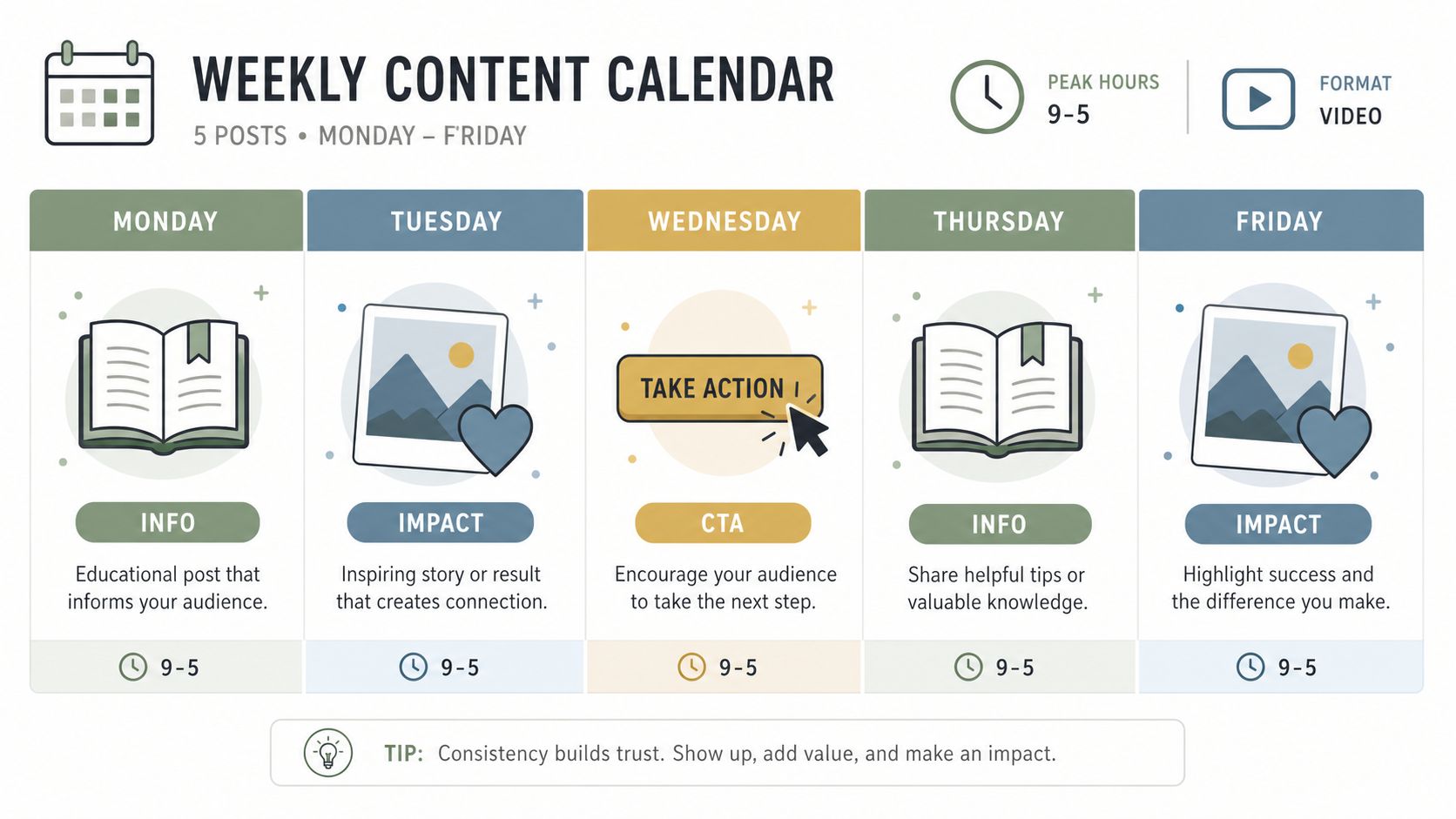
LinkedIn's nonprofit action plan recommends a daily posting cadence and says posts perform best Monday through Friday, 9 a.m. to 5 p.m., when members are most active. It also says video is 5x more likely to drive member engagement than other media types, which makes format choice a real lever, not an aesthetic preference (LinkedIn Pages action plan). That's enough to guide your rhythm without forcing a giant content team.
A weekly mix that won't collapse
A workable nonprofit mix is the one GoFundMe Pro outlines, two informational posts, two impact stories, and one clear call to action (GoFundMe Pro LinkedIn checklist). Keep the structure simple and let the content vary. One informational post can explain a program challenge, while another can share a policy insight, a field note, or a partner win.
Use 3 to 5 relevant hashtags and keep the copy tight enough that a reader can grasp the point without clicking away. If a video exists, use it where the story benefits from faces, motion, or proof in action. If it doesn't, don't force one.
Sample language you can reuse
Post template: We saw this issue again this week, and our team handled it by [specific action]. If you work in [sector], how are you approaching it?
Comment template: This is a useful example because it shows [specific insight]. We've seen something similar in [mission area], especially when [context].
Those prompts work because they invite response instead of broadcasting a slogan. A comments-first habit matters too. Adding thoughtful comments on high-visibility posts in your niche often gets more useful exposure than another isolated post from your own Page.
For repurposing existing material into LinkedIn-ready posts, this repurpose content guide is a handy reference.
Running Employee Advocacy as a Governance Program
Employee advocacy goes wrong when it's treated like a favor. One person shares a post, another forgets, a board member rewrites the message, and no one can tell whether the effort helped. A stronger model treats advocacy like a governance program with clear roles, shared assets, and enough guardrails for people to participate without guessing.
The operating model
Start with a shared brand kit that includes approved language, key themes, links, and examples of good comments. Then assign roles. One person approves sensitive posts, one person publishes or schedules, and one person monitors replies and DMs so the public voice stays coordinated.
Practical rule: if staff don't know who owns a response, the reply window will close before the team acts.
Linqin is one option that fits this kind of workflow because it includes employee advocacy, shared brand kit, pooled credits, approval workflow, and a company analytics rollup for multi-account teams. That kind of structure matters when you need leadership visibility without forcing every employee into the same posting style.
Getting three people moving
You don't need a giant internal network to start. Three people can prove the model:
- One leader: publishes mission-centered posts in a consistent voice.
- One comms or development owner: reviews language and handles engagement follow-up.
- One advocate: comments, reshares, or adds a personal note from their own network.
The biggest mistake is asking people to post as if they're all the same. They're not. A board member, a program lead, and a fundraiser will each sound different, and that's fine as long as the themes stay aligned. The goal is mission amplification, not personality flattening.
If someone on staff doesn't want to post, let them support the program through comments, approvals, or topic ideas. Participation doesn't have to look the same for everyone.
For a deeper engagement framework, this LinkedIn engagement strategy guide is useful when you want to operationalize comments and follow-up without turning the team into full-time social operators.
Measurement and Attribution That Proves ROI
Boards do not need a report that says LinkedIn feels busier. They need a clear line from activity to outcome, with enough context to show what moved, what happened next, and which actions were worth repeating. That means measuring in rolling windows, comparing results with your own baseline, and tracing outcomes back to specific actions instead of treating the channel like one undifferentiated blob.
LinkedIn's nonprofit analytics guidance tells Page admins to review performance across 15, 30, 90, or 365 days and spend a few minutes each week building benchmarks (LinkedIn nonprofit analytics). Its metric guidance also defines engagement rate as comments, reactions, and reposts divided by total page followers and multiplied by 100. That gives you a standard for comparing performance across different time periods without guessing whether a campaign is improving.
What to track beyond impressions
Follower growth by itself does not tell you much. Track the path from post to action.
- Profile visits: who moved from content to curiosity.
- Replies and comments: which themes triggered real conversation.
- Inbound DMs: what turned public engagement into a private dialogue.
- Meetings or donor conversations started: what finally crossed into a relationship outcome.
The hard part is attribution. A post rarely does the whole job by itself. Often the main signal is a leader comment on someone else's post, followed by a profile visit, then a reply, then a meeting. If you want leadership to see the full picture, log those steps together instead of crediting only the last touch.
A reporting habit that holds up
A useful weekly rhythm looks like this:
- Review the highest-engagement posts from the week.
- Note which comments or profile actions led to replies.
- Capture any donor, volunteer, or partner conversations that started from LinkedIn.
- Compare the results to the previous rolling window, not to a random viral spike.
That approach keeps you honest. It also helps you make better decisions about who should post, what should be repeated, and which topics deserve more attention. If a specific executive comment keeps opening doors, that is a signal to build more of that behavior into the program, not a reason to celebrate abstract engagement.
Your 90-Day Implementation Roadmap
A clean rollout works better than a big launch. If a nonprofit tries to ship content, employee advocacy, analytics, and automation at the same time, the team usually spends more energy untangling the process than building momentum. A phased plan gives people room to form habits before the workflow gets more complicated.
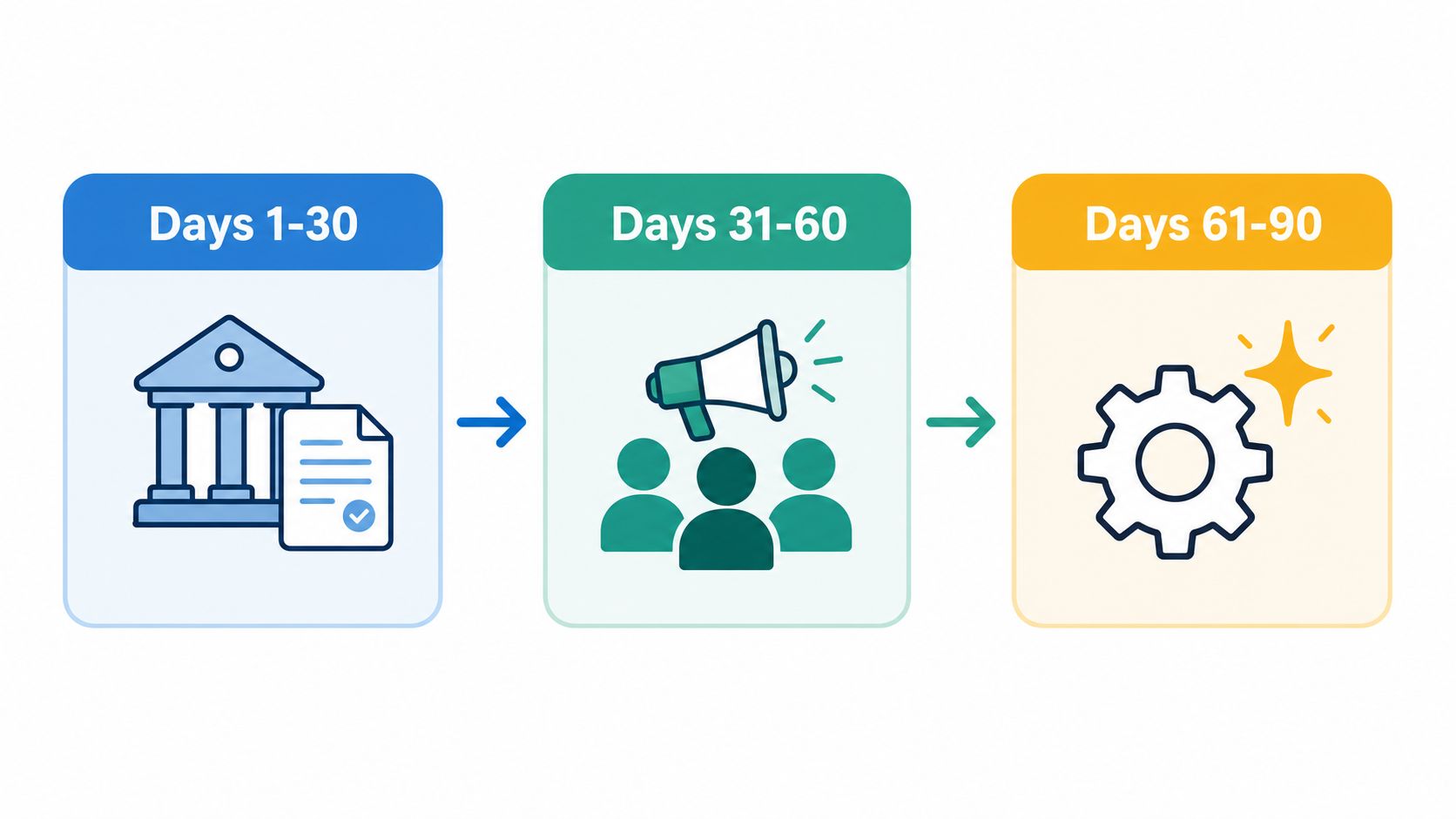
Days 1 through 30 should cover the basics. Finish the Page, polish the executive director profile, confirm the CTA, and agree on a simple voice guide so staff know how the organization should sound. Set a lightweight calendar and choose a few story themes the team can keep producing without stretching capacity.
The middle phase
Days 31 through 60 are for internal activation. Bring in the first employee advocates, use the shared brand kit, and decide who approves what. A comments-first routine on high-visibility posts in the mission's niche belongs here too, because borrowed reach starts to matter once the team has a few consistent voices participating.
Days 61 through 90 are the point where safe automation and AI assistance can take pressure off the team, as long as voice and approvals stay under human control. Scheduled drafts in the leader's voice, AI-assisted commenting that reads full posts before replying, and lead tracking that turns engagement into a warm-lead list can all reduce manual work if they stay within careful limits and review.
The goal is not to replace staff judgment. It is to keep visibility steady on weeks when the team is buried in everything else.
For a nonprofit that needs one system to keep movement going, Linqin can sit in the background as a tool for comments, posts, lead tracking, and employee advocacy. Use it only where the workflow needs repetition, then let people handle the relationship judgment.
Common Misconceptions and How to Outgrow Them
A lot of nonprofit teams still treat LinkedIn as a recruiting channel first, then wonder why the account feels quiet. That framing misses the core use case. For nonprofits, LinkedIn is where donor, partner, volunteer, and board relationships can move through the same system, with content, comments, and direct outreach working together instead of living in separate silos.
Another common assumption is that one post a week will carry the load. For a mission that depends on trust, that pace usually does not create enough repetition or visibility to matter. A steady weekday rhythm gives people enough chances to notice the organization, recognize the voices behind it, and respond when the timing is right.
What not to overvalue
Follower count is easy to chase and hard to interpret. A large audience can look healthy on paper and still do little for donor interest, partner referrals, or volunteer recruitment. What matters more is whether the right people are engaging, how thoughtful the replies are, and whether public interactions are turning into private conversations.
The same caution applies to automation. It becomes risky when the process is careless, generic, or left unsupervised. It is much safer when it uses the official LinkedIn API, applies rate limiting, and keeps a person responsible for voice, approvals, and exceptions. The problem is rarely the tool itself. It is the workflow around it.
Bottom line: the strongest nonprofit LinkedIn programs are comments-first, leader-led, and operationally boring in the best way. They repeat what works.
If you want LinkedIn to grow while you sleep, use Linqin to automate audience growth and lead generation in your voice, with comments, posts, and lead tracking tied to real outcomes. It fits teams that need LinkedIn to behave like a system, not a side project.
If you want a cleaner LinkedIn system for your nonprofit, visit Linqin to see how AI comments, posts, and lead tracking can support your team without adding more manual work. It is built for organizations that need steady LinkedIn growth, clearer attribution, and a workflow that keeps the mission voice intact.