Strong LinkedIn content still gets attention. Weak LinkedIn content disappears fast.
That distinction matters because this article is not a gallery of random examples of LinkedIn posts. It is a playbook for choosing the right post type for the result you want, whether that is more comments, more profile visits, more inbound leads, or more authority in your niche.
A good post is built for a job. Some formats start conversations. Some prove expertise. Some create trust by showing how the work gets done. Some drive direct response because they name a painful problem with precision, then point to a clear next step. If you need help with that opening move, study these problem-focused LinkedIn hook examples.
LinkedIn rewards relevance, specificity, and response. Daily posting by itself does not create pipeline. Consistent use of proven formats does. That is the trade-off many founders, consultants, and B2B teams miss. They spend time publishing from scratch instead of building a repeatable system.
This guide breaks that system into 10 post types that show up again and again in high-performing LinkedIn content. For each one, you will see what the format does well, where it fails, how to structure it, and how to scale production with AI tools like Linqin without turning your feed into generic sludge.
Table of Contents
- 1. The Problem-Solution Post
- 2. The Behind-the-Scenes / Process Post
- 3. The Data-Driven Insight Post
- 4. The Contrarian / Unpopular Opinion Post
- 5. The Lesson or Failure Post
- 6. The Engagement-Bait Question Post
- 7. The Case Study or Win Post
- 8. The Tip or How-To Post
- 9. The Controversial or Debate Post
- 10. The Personal Brand or Vision Post
- 10 LinkedIn Post Types Comparison
- Turn Examples into Action and Grow While You Sleep
1. The Problem-Solution Post
The simplest high-performing format on LinkedIn starts with friction. Name a problem your buyer already feels, then show the shift that fixed it. That's why this format works so well for founders, consultants, recruiters, and operators. Readers don't have to decode the relevance. They recognize themselves immediately.
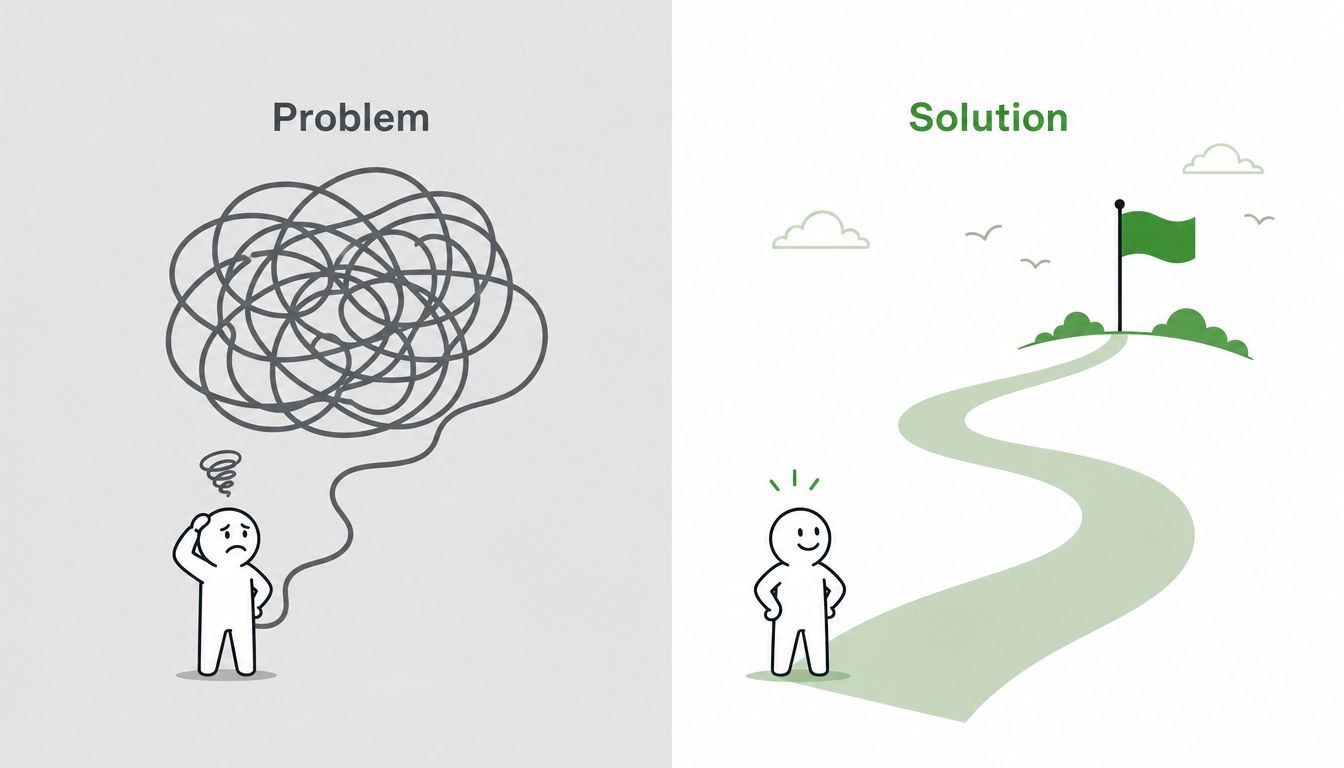
A strong example sounds like this: "We were publishing consistently, but we couldn't tell which posts led to meetings. Once we started tracking engagement by action, not impressions, our content got sharper." That's better than "Here are five LinkedIn tips" because it carries tension and resolution.
Why this format converts
The accounting and advisory case study from Kovacs Communications is a good proof point. A shift from generic brand messaging to CEO-led personal branding produced an 89% increase in LinkedIn engagement rate. The useful detail isn't just the result. It's that the content focused on specific problem-solution journeys instead of polished outcome bragging.
Use that pattern in your own posts:
- Lead with a pain buyers already name: missed attribution, poor lead quality, low response rates, weak hiring pipeline.
- Show the turning point: what changed in your process, thinking, or tool stack.
- End with a next step: invite readers to comment, message you, or review your profile.
A practical hook library helps here. The problem and pain hook examples from Linqin are useful when you know the issue but need sharper wording.
Practical rule: The more specific the pain, the more qualified the engagement.
2. The Behind-the-Scenes / Process Post
Process posts sell your judgment.
They work because they let buyers inspect how work gets done before they ever book a call. A polished result can be luck. A clear process signals repeatability. That matters if you want authority that turns into pipeline, hiring interest, or stronger inbound conversations.
This post type works well when the market already understands the problem and wants proof that your method is sharper. Show the steps, but show the standards too. The useful part is rarely the full workflow. It is the decision point inside the workflow, where your team chooses what to pursue, what to reject, and what to fix.
A founder might break down how customer interviews become weekly content themes. A sales leader might show the sequence for turning post comments into qualified follow-up. A recruiter might explain how they separate real fit from polished resumes. Each version does the same job. It makes your operating system visible.
A strong format is simple: "Here is how we do X in Y steps." Then make it specific enough that a reader could copy one part of it today. Name the tool. Name the trigger. Name the review standard. If there is a bottleneck, include it. Friction makes the process more credible.
Here is a good format to borrow:
What to show
Good process posts focus on transfer, not theater. If the audience can apply one filter, template, or checkpoint from your workflow, the post has done its job.
- Show the input: what starts the process, such as a customer question, a target account list, or a rough content brief.
- Show the filter: how you decide what moves forward, what gets edited, and what gets dropped.
- Show the output: the draft, handoff, checklist, outreach note, or reporting view that comes out the other side.
Tagging can still help distribution here, especially when the post includes a teammate, collaborator, or client who was part of the process. Use tags with intent. Random tagging looks needy. Relevant tagging adds context, gives the other person a reason to engage, and increases the odds that the post reaches a qualified second-degree audience.
If you want to scale this format, document the same few workflows repeatedly instead of inventing a new angle every week. That is where AI tools like Linqin help. Feed it your recurring process steps, review criteria, and common bottlenecks, then turn one operating procedure into multiple post drafts with different hooks. The post stays grounded in real execution, and your team spends less time staring at a blank page.
3. The Data-Driven Insight Post
Data posts earn attention because they reduce uncertainty. Buyers use them to decide whether a tactic is worth testing, whether a channel is slipping, or whether a team should change course.

A strong version does one job well. It pairs a specific observation with a business implication.
For example: "Our LinkedIn posts kept getting impressions, but fewer qualified replies. The issue wasn't volume. The issue was post quality at the top of the funnel. Generic takes reached people. Specific takes started conversations." That kind of post works because the reader can see the shift and understand what to change next.
What makes this format work
Good data-driven posts do not throw stats into the feed and hope they carry the argument. They explain what changed, why it matters, and what the audience should measure after reading.
Three angles consistently perform well:
- Pattern spotting: show a change in engagement, reply quality, click-throughs, or inbound demos over time.
- Decision support: explain why your team changed posting cadence, content mix, targeting, or CTA structure.
- Performance diagnosis: separate vanity metrics from signals tied to pipeline, such as profile views from buyers, qualified DMs, or site visits tagged with UTMs.
Benchmarks can help, but only if they lead to action. If a post reaches beyond your existing audience and still drives healthy engagement, that usually signals relevance, not just distribution. That is the standard to care about.
How to structure the post
Use a simple sequence:
- Lead with the finding: one number, trend, or before-and-after comparison.
- Interpret it: explain the operational reason behind the change.
- Tie it to action: tell readers what to test, stop, or measure next.
This format is useful for founders, consultants, and B2B teams that want authority without sounding self-promotional. It shows judgment. That is what earns trust and leads.
Plain charts, screenshots, and annotated carousels usually beat polished graphics here because they feel closer to real work. If you want stronger openings for opinion-led insight posts that build on data, study these contrarian LinkedIn hook examples. If you want to scale this format with AI, feed Linqin recurring metrics, reporting notes, and audience patterns, then edit the draft around the one implication that matters most.
4. The Contrarian / Unpopular Opinion Post
The best contrarian posts don't try to shock people. They challenge lazy consensus. That's the difference between a useful take and engagement bait that burns trust.
A strong example is: "Most LinkedIn automation fails because it scales noise instead of judgment." That post has teeth because the critique is specific. It gives people something to argue with or agree with. It also opens the door to explain what selective commenting, better targeting, and voice-matched drafting look like in practice.
Where contrarian posts go wrong
There's a tendency to overdo the opening and underdeliver the reasoning. If you're going to challenge common advice, earn it. Give the audience a model they can use.
One timely angle is AI content quality. AI-generated posts on LinkedIn currently show 30% less reach and 55% less engagement than human-created content. That doesn't mean AI is useless. It means raw, generic output is easy to spot and easy to ignore.
The practical stance is more nuanced:
- Don't automate your judgment: use AI to draft, research, or structure.
- Do adapt for voice: revise cadence, examples, and phrasing until it sounds like you.
- Do stay present in comments: contrarian posts often win or lose in the replies.
If you want stronger openings, the contrarian LinkedIn hooks from Linqin give you better starting points than "Unpopular opinion" repeated every week.
Strong contrarian posts create qualified disagreement, not random outrage.
5. The Lesson or Failure Post
Lesson posts earn attention because they reduce risk for the reader. A useful failure post shows the bad call, the business cost, and the operating rule that changed afterward.
The strongest version is not self-deprecation for engagement. It is pattern recognition. If a founder says, "We spent a quarter publishing polished thought leadership that attracted peers, not buyers," the value is not the confession. The value is the correction. Better targeting, clearer CTAs, and a content mix tied to pipeline instead of applause.
What makes failure posts credible
Specificity creates authority here. Name the decision. Name what it cost. Then show the rule you use now.
Good lesson posts usually include one of these:
- A bad assumption that sounded reasonable at the time
- A visible consequence such as weak inbound quality, stalled deals, or wasted production time
- A clear process change you now apply every week
A simple structure works well:
- Start with the wrong move: "I optimized for visibility instead of buyer intent."
- Name the consequence: high engagement, poor-fit conversations, and no revenue signal
- State the lesson: the filter or rule that now shapes your content decisions
That last part matters most. Readers are looking for a usable standard, not a diary entry.
One practical example: a marketer posts, "We kept celebrating likes on LinkedIn while demo requests stayed flat. The problem was obvious in hindsight. Our posts were written for other marketers, not the operators who buy." That works because it connects content failure to business failure. It also gives the audience a diagnostic question they can use on their own posts.
This format scales well if you treat failures as source material. Keep a running log of missed bets, weak launches, bad-fit leads, and posts that got attention without creating opportunities. Then turn each one into a short analysis: what happened, why it happened, what changed. If you use AI tools like Linqin, use them to organize those notes, identify recurring themes, and draft variations by audience segment. Keep the lesson human. Automate the packaging, not the judgment.
These posts often bring in better comments than win posts because they invite practitioners to compare notes. That builds authority faster than polished storytelling alone.
6. The Engagement-Bait Question Post
Question posts can build pipeline or waste reach. The difference is whether the question reveals buying signals, operating constraints, or real objections.
A weak prompt asks for opinions anyone can give. A strong prompt asks the reader to choose between options they face in their work. That is what makes the comments useful. Instead of asking, "What's your biggest challenge on LinkedIn?", ask, "Which part of your LinkedIn workflow breaks first under pressure: topic research, drafting, approval, or follow-up?" The second version gives you sharper answers, better language, and clearer follow-up paths.
A better way to ask
Use question posts to study your market, not just to collect comments. Good prompts do three jobs at once. They start discussion, surface how prospects describe the problem, and show you which trade-offs matter enough to act on.
A practical framework:
- Anchor the question to a real decision: budget, time, tooling, hiring, prioritization
- Limit the answer set: two to four choices usually gets better responses than an open-ended prompt
- Make the trade-off visible: speed versus quality, automation versus control, reach versus relevance
- Stay close to your offer: the best comments come from people who might buy, refer, or influence
For example, a consultant selling content systems could post: "If your team had to improve one part of LinkedIn execution this quarter, would you fix topic selection, writing quality, distribution, or lead follow-up?" That question works because every answer tells you something commercially useful. Topic selection points to strategy pain. Writing quality suggests production bottlenecks. Lead follow-up points to revenue leakage.
The trade-off is quality versus volume. Question posts are faster to publish, but they also attract empty replies if the prompt is lazy. Comments like "Great question" or "Following" add no insight and no sales value. Tight framing fixes a lot of that.
The comment thread matters as much as the post. Reply early. Ask one level deeper. If someone says, "follow-up," ask what breaks. Speed, ownership, CRM handoff, or message quality? That is how a comment thread turns into research, then into a DM, then into a qualified conversation.
AI can help on the back end. Draft the core question from actual sales calls or client objections, then use Linqin to group comment themes, spot repeat pain points, and flag respondents worth contacting. Keep the prompt human and specific. Use the system to organize signal at scale.
7. The Case Study or Win Post
Case study posts are where LinkedIn stops being a visibility channel and starts acting like proof. A strong win post shows that your approach works in practice, under real constraints, with a result a buyer can understand.
The post fails when it reads like a trophy screenshot. Readers do not need another vague revenue boast or a cropped dashboard with no context. They need enough detail to judge whether the same logic could work in their business.
A useful structure is simple: starting point, decision, execution, outcome, lesson. That sequence does two jobs at once. It builds authority, and it gives prospects a practical picture of how you solve problems.
What to include
Use a real client result, a campaign win, or an internal experiment with a clear commercial outcome. If you can name the company, that helps credibility. If you cannot, keep the company anonymous but make the operating conditions specific. Team size, channel, bottleneck, and timeline matter more than polished storytelling.
Include these elements:
- The starting point: what was stuck, inefficient, or underperforming
- The action taken: what changed in messaging, process, targeting, or follow-up
- The result: better-fit leads, shorter sales cycles, stronger conversion, or clearer pipeline visibility
- The lesson: what another team should copy, avoid, or test next
For example: "A SaaS founder came to us with steady LinkedIn impressions but almost no sales conversations. We rewrote the content mix around buyer objections, added a comment-to-DM follow-up process, and used post performance to guide the next month of topics. Within one quarter, inbound conversations improved in quality and the founder could tie specific posts to booked calls."
That works because it gives enough detail to be believable without turning the post into a client memo.
The trade-off is depth versus privacy. The more detail you share, the more persuasive the post becomes. But client confidentiality is real, especially in consulting, SaaS, and agency work. The fix is not to stay vague. The fix is to anonymize names while keeping the mechanics intact.
Field note: The best win posts teach the operating model behind the result. That is what earns trust and starts qualified conversations.
This format also scales well. One case study can become a short post, a carousel, a founder post, and a sales enablement asset. If you use Linqin, tag each case study by problem, audience, and outcome so you can generate variations without losing the core proof.
8. The Tip or How-To Post
How-to posts remain one of the most dependable examples of LinkedIn posts because they create immediate utility. They get saved, shared, and revisited. The mistake is trying to cram a whole playbook into one update.
The best how-to post solves one small problem cleanly. "How to find active buying conversations in your niche" is good. "Everything you need to know about LinkedIn growth" is not. Readers need one action they can take before the scroll moves on.
Keep the advice usable
Format is part of the value. Carousel posts now lead LinkedIn engagement at 6.60%, which makes them a strong vehicle for step-by-step teaching. That's especially useful when the advice has a sequence, such as identifying keywords, reviewing comments, drafting a value-add response, and following up from profile visitors.
A useful how-to post usually includes:
- A narrow promise: one outcome, one workflow, one repeatable habit.
- A short sequence: three to five steps is usually enough.
- One warning: tell readers where people usually get it wrong.
For operators using AI, this is a good format for batching. Draft several narrow how-to posts from one core workflow, then vary the hook, example, and CTA. That keeps the content useful without repeating the same post.
9. The Controversial or Debate Post
Debate posts can pull strong reach fast, but reach alone is a poor success metric. The true test is whether the argument attracts the right operators, buyers, or peers into the comments.
This format works best when the disagreement is practical, not theatrical. Pick a decision your audience already has to make. Comments versus posting. Founder-led content versus company-page content. Human drafting versus AI-assisted drafting. A good debate post frames a real trade-off, explains your stance, and gives the other side enough credit that serious people want to respond.
Use conflict with a clear business goal
One debate that consistently produces useful discussion is comments-first growth. Analysts at Mercer-MacKay documented a case where publishing quality comments every day increased profile visibility and improved engagement on later posts. That gives you a strong prompt: "For early-stage accounts, comments beat posting. Agree or disagree?"
The value is not the argument itself. The value is what the argument signals. A sharp debate post shows how you make decisions under constraints, which is often what prospects are evaluating.
Used well, this format also helps employee advocacy. Give the core prompt to a founder, marketer, sales lead, and operator, then let each person argue from their own seat. You get distinct angles instead of copied talking points, and the discussion feels earned.
A simple structure works:
- State the decision clearly: name the two approaches.
- Choose a side: explain which one you would use and in what context.
- Acknowledge the limit: say when the other option is the better call.
- Invite informed disagreement: ask readers what variables would change the decision.
If you want this category to support authority instead of random engagement, track debate posts by comment quality, profile views from target accounts, and inbound conversations. For teams building that into a broader founder-led system, this LinkedIn personal branding growth guide is a useful reference.
Take a side, but treat the other side like a credible option. Smart disagreement brings better prospects into the thread.
10. The Personal Brand or Vision Post
Vision posts help people decide whether they want to work with you. They give buyers, partners, candidates, and peers a clear read on what you believe, what you are building, and what standards shape your decisions.
This post type matters because tactical content alone rarely builds distinct market positioning. A founder can publish useful tips every week and still sound interchangeable. Vision posts solve that problem. They create consistency across your content, your offer, and your reputation.
Founder voice usually performs best here because the message carries real stakes. Readers are not just evaluating ideas. They are evaluating judgment. A clear point of view on the problem you want to solve, the kind of clients you want, and the way you plan to grow helps qualify the right audience before a sales conversation starts.
A strong vision post usually does three things:
- State the mission plainly: name the problem you are committed to solving.
- Explain the origin: show why this issue matters to you or your company.
- Connect belief to action: tie that belief to product decisions, hiring standards, client selection, or content themes.
The business outcome is alignment. Better-fit leads respond. Better-fit candidates pay attention. Existing followers understand how your tactical posts fit into a bigger strategy.
Use this format less often than educational or proof-based posts. Publish it when your company direction sharpens, your positioning changes, or you need the market to understand what you stand for. If you want to scale that message across a team, Linqin can help turn raw founder thinking into repeatable drafts, while keeping the voice specific enough to build authority instead of generic reach.
10 LinkedIn Post Types Comparison
A strong LinkedIn strategy needs range. One post type builds trust. Another drives comments. Another helps sales conversations start faster because the proof is already public.
The right mix depends on the outcome you want and the resources you can commit. Use this comparison table as an operating guide, not just a swipe file. It helps you choose the formats worth repeating, spot the trade-offs early, and build a content system that can scale with clearer inputs, stronger templates, and AI-assisted drafting tools like Linqin.
| Post Type | 🔄 Implementation Complexity | ⚡ Resource Requirements | 📊 Expected Outcomes | 💡 Ideal Use Cases | ⭐ Key Advantages |
|---|---|---|---|---|---|
| The Problem‑Solution Post | 🔄 Medium. Requires a clear pain point and a credible fix. | ⚡ Low to Medium. Writing plus light audience research. | 📊 Strong engagement and solid lead quality. | 💡 Lead generation, product launches, niche outreach. | ⭐ Relatable and conversion-focused. |
| Behind‑the‑Scenes / Process Post | 🔄 Low to Medium. Needs structure more than polish. | ⚡ Low. Screenshots, photos, or a clear narrative. | 📊 Trust growth and warmer audience relationships. | 💡 Humanizing a brand, showing workflows, building familiarity. | ⭐ Builds credibility through transparency. |
| Data‑Driven Insight Post | 🔄 High. Requires sourcing, validation, and careful framing. | ⚡ High. Research time, data cleanup, and often a visual. | 📊 Authority, shares, and stronger executive attention. | 💡 Thought leadership, market education, analyst-style content. | ⭐ Evidence-backed positioning. |
| Contrarian / Unpopular Opinion Post | 🔄 Medium. Needs a sharp argument and nuance. | ⚡ Low. One clear idea, framed well. | 📊 High engagement with some polarization risk. | 💡 Differentiation, category positioning, point-of-view building. | ⭐ Memorable and hard to ignore. |
| Lesson or Failure Post | 🔄 Medium. Requires honesty, context, and a usable takeaway. | ⚡ Low to Medium. Specific examples matter. | 📊 Trust, saves, and long-term credibility. | 💡 Mentorship content, founder brand building, relationship depth. | ⭐ Human and instructive at the same time. |
| Engagement‑Bait Question Post | 🔄 Low. Easy to write, harder to moderate well. | ⚡ Low. Drafting is fast. Follow-up takes time. | 📊 High comment volume, mixed lead quality. | 💡 Community activity, quick feedback, reach expansion. | ⭐ Fast conversation starter. |
| Case Study / Win Post | 🔄 Medium. Needs proof, permission, and clean storytelling. | ⚡ Medium. Metrics, screenshots, and customer context. | 📊 Strong pipeline impact and sales credibility. | 💡 Client acquisition, sales enablement, proof of ROI. | ⭐ Turns results into demand. |
| Tip / How‑To Post | 🔄 Low. Focus wins here. | ⚡ Low. A simple framework or short example is enough. | 📊 Saves, shares, and steady follower growth. | 💡 Educational content, top-of-funnel visibility, consistency. | ⭐ Practical value with repeatable production. |
| Controversial / Debate Post | 🔄 High. Requires precise framing and active comment handling. | ⚡ Low to Medium. Writing is quick. Reputation management is not. | 📊 Reach spikes, with clear brand risk. | 💡 Category debates, attention grabs, hot-topic participation. | ⭐ Big visibility if the downside is worth it. |
| Personal Brand / Vision Post | 🔄 Medium. Needs conviction and consistency. | ⚡ Low. Strong thinking matters more than assets. | 📊 Loyalty, alignment, and better-fit opportunities over time. | 💡 Recruiting, founder branding, market positioning. | ⭐ Builds recognition beyond tactical advice. |
A few patterns matter.
If the goal is qualified inbound, case studies, problem-solution posts, and data-driven insight usually outperform broad engagement formats. If the goal is visibility, question posts, how-to posts, and carefully framed debate posts can expand reach faster. If the goal is authority, contrarian posts and vision posts do more than generate reactions. They shape how the market classifies you.
That trade-off matters. High-comment formats often create attention without commercial intent. Proof-based formats usually reach fewer people, but they produce better conversations with buyers, partners, and candidates.
The best system uses a small set of post types on purpose. Pick three or four, build repeatable templates, track which ones produce replies, demos, or referral conversations, and use AI support to speed up drafting without flattening your point of view.
Turn Examples into Action and Grow While You Sleep
Having great examples of LinkedIn posts is the first step. The next is building a consistent system that executes this strategy without consuming your entire day. Failure on LinkedIn doesn't typically stem from a lack of ideas. It stems from relying on bursts of motivation, publishing disconnected posts, and never connecting engagement back to business outcomes.
The fix is operational. Pick a small set of post types that match your goal. If you want qualified inbound, lean on problem-solution posts, case studies, and vision posts. If you need more visibility at the start, pair how-to posts with a comments-first habit and debate-driven conversation. If you're trying to sharpen positioning, use contrarian posts and failure posts to make your perspective obvious.
Consistency matters, but so does restraint. Posting more than five times per week can reduce engagement per post by 18% to 32%, so more volume isn't always better. For many professionals, the highest-return range is three to five posts per week, especially when those posts are supported by quality commenting and timely replies.
Format also matters. Posts with visuals or videos can achieve 2 to 5 times higher engagement than text-only updates, native video can earn up to 5 times more engagement and be shared 20 times more often, and LinkedIn Live generates 7 times more reactions with 24 times more comments than standard video posts. Use those formats when the content justifies them. Don't bolt on media to rescue a weak idea.
The cleanest system is simple. Research audience problems. Draft in your own voice. Publish on a steady cadence. Comment where your buyers already pay attention. Track what drives profile views, direct messages, and meetings. Then repeat what produces movement, not just applause.
That is where a tool can help, if it supports the workflow instead of replacing judgment. Linqin is one option if you want help with researching posts, drafting in your voice, commenting in relevant conversations, and tying engagement back to actions that matter. Used well, that kind of setup can reduce the repetitive parts of LinkedIn while keeping the strategy human.
Ready to automate your growth? Grow your LinkedIn while you sleep with AI-powered content strategy. Start free.
Use Linqin to turn these examples of LinkedIn posts into a repeatable growth system. You can research ideas, draft posts in your voice, join relevant conversations, and track which activity leads to profile visits, replies, and warm leads. If you want to grow LinkedIn while you sleep, start with Linqin.